
Beru2468 - Minecraft Skins & Skin History
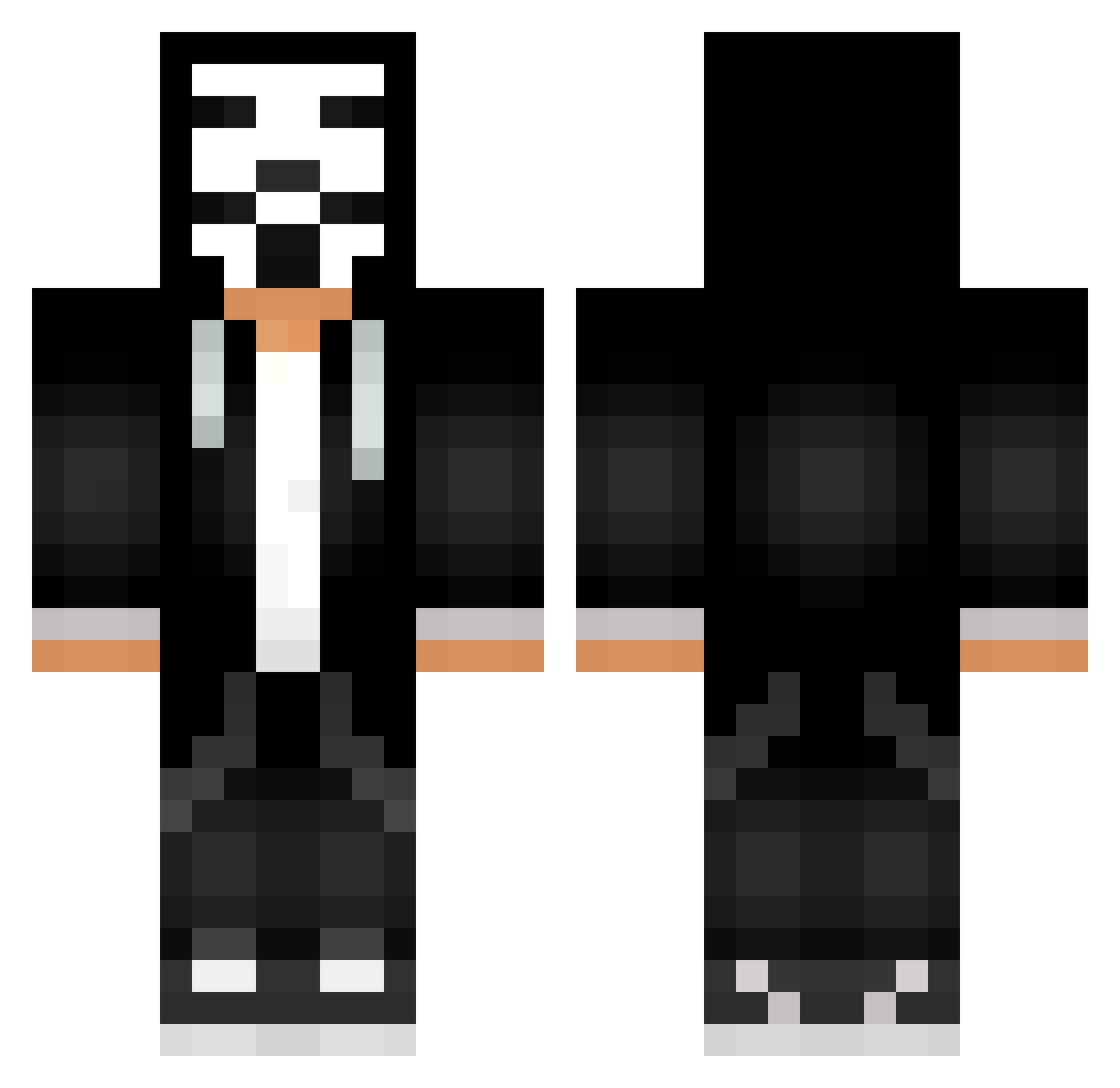
Current Minecraft skin of the player Beru2468, loaded from the official Mojang API. Rotate the 3D model with your mouse or finger, then download the skin as a PNG file and use it in Minecraft: Bedrock Edition or Java Edition for free. When Beru2468 changes their skin, this page updates automatically and the old skin stays in the history below.
Other players with this skin (750)
Beru2468 was the 661st player we have seen with this skin, first spotted on 06.11.2026. The same skin was seen on these players. Open a nickname to see their current skin and skin history.
 x_yatsu_x 7mcb jacoposoaveee_ Yea321 polars2 VV_Nobody12 Yusufah1 ImAlwaysThere BurningBrain007 SUBZERO10263 BOE_YT Novamar M_Exal Pandraco kubernix Ariel6558 DarkGlove39 NaVaS_4 Di8R Fantamen1 TheBuilder320 Flickerover dec0dOS il_pazzo ahmedoksin SlackingOff Lanzen0417 Stonehiller09 Hacker808 Vin1003 plmfdgh Kl3ik CuryPeH DJAoo2 Psiho_ jooacoo _D0UMA itram6667 yKmKz RORONOA_Rayan_T KurmanG Gurizin77 jiboorney Spooketyng Tylerhoe LegoMaster112233 Cookies1486 LYO436 malik54tr lilotrump sarpop HackOSaurousRex Wh1teAfr0 Castrolw4 Disruptin DECARDI Zarcan3l ATeacherPlay B11XXzz Joel_Miller1
More Anonymous Minecraft skins
How to install the Beru2468 skin
- Press the Download button above to save the skin as a PNG file.
- Minecraft: Bedrock Edition (PE): open the Dressing Room from the main menu (or tap your character → Edit Character), go to Classic Skins → Owned, press the + (new skin) button, choose the downloaded PNG and pick the Classic (Steve) model. Works on PC and mobile; consoles cannot import custom skins.
- Minecraft: Java Edition: open the Minecraft Launcher, go to the Skins tab, click New Skin, load the PNG, pick the Classic (Steve) model and press Save & Use. You can also upload it at minecraft.net → Profile → Change Skin.
The skin does not show up after import - what should I do?
Restart Minecraft and open the Dressing Room again - imported skins sometimes appear only after a restart. Also make sure you selected the imported skin and picked the Classic (Steve) model.
Which model should I choose, Classic or Slim?
This skin is designed for the Classic (Steve) model. If you pick the wrong model, the arms of the skin will look stretched or squeezed.
Is the skin of Beru2468 free to download?
Yes. Press Download, save the PNG file and use it in Minecraft: Bedrock Edition or Java Edition - no payment or registration needed. The skin also works on multiplayer servers and Realms.
More skins
Looking for more? Go back to all Minecraft skins and check the top skins of the week, month and all time, or find any player's skin by nickname.