
BernardLermit787 - Minecraft Skins & Skin History
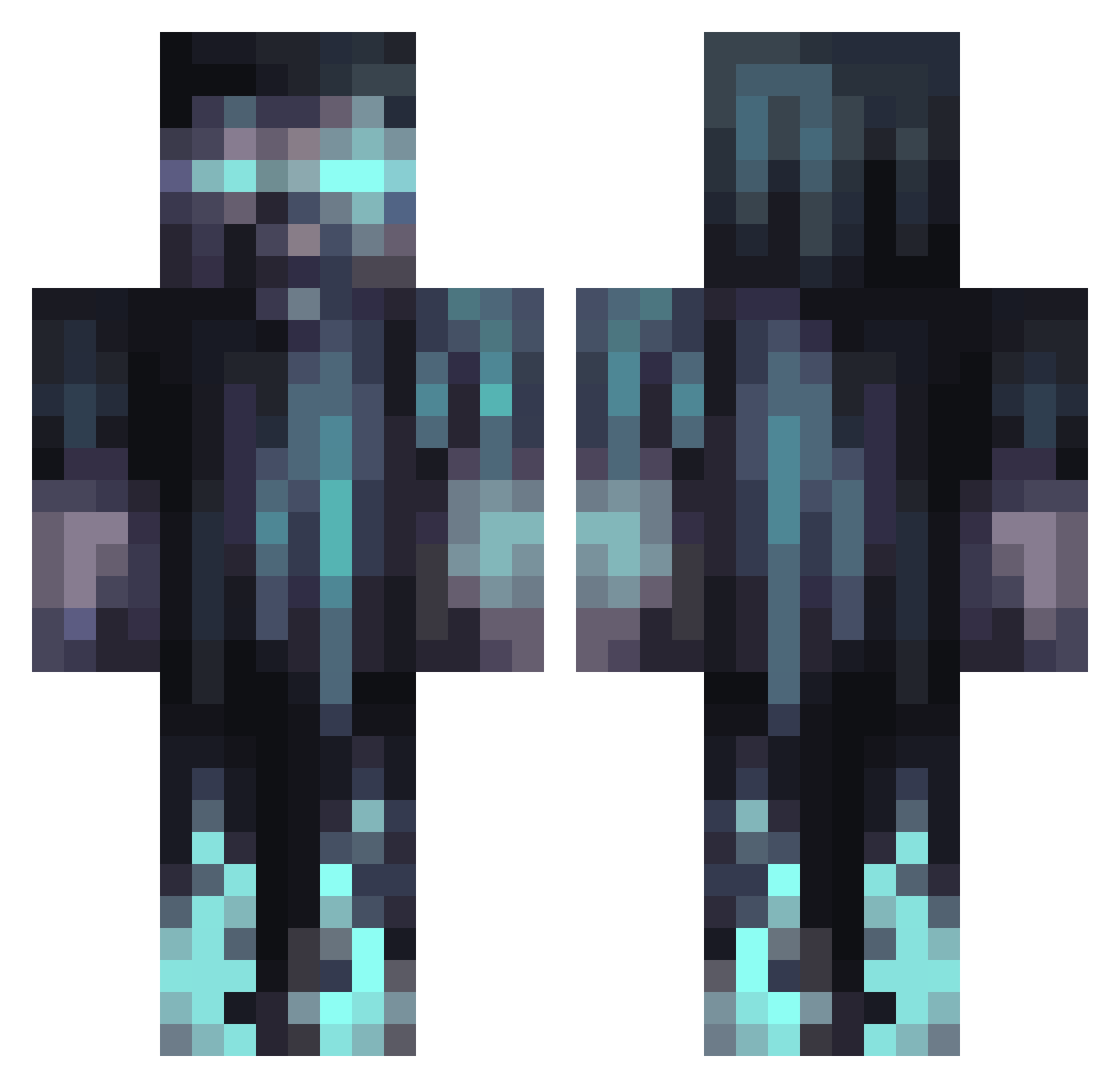
Current Minecraft skin of the player BernardLermit787, loaded from the official Mojang API. Rotate the 3D model with your mouse or finger, then download the skin as a PNG file and use it in Minecraft: Bedrock Edition or Java Edition for free. When BernardLermit787 changes their skin, this page updates automatically and the old skin stays in the history below.
Other players with this skin (1068)
BernardLermit787 was the 631st player we have seen with this skin, first spotted on 27.09.2026. The same skin was seen on these players. Open a nickname to see their current skin and skin history.
 Apollo1967 Thypher Herbert_007 Razic27 yoy_boy XxLindhartxx M0reB0Tiones Nayt2005 MolarPandora115 Kir3lo MP7577 WillJokk Mac_420_ ThorinOkeshield Bakel3 tumbles1215 Niklass359 Alexyo20331 joncuer StarWars5046 ryusukerserb appack AroX_6 GhostBlasted DMFUQUE ttvnuke__one 77MAZI77 unseenshadow479 Vansh100456 Fireblade412 Flo0153 Linear99 KKiller450 eccentrichouse GutsReduex Ropie_2000 CatchySpace m4estr0_ QuantumTiger RMSPanthers5 12k0up LuzinhoGamer Stoplooking21 SikaDelix Fade_1 MFBK2000 CruderEdorch Gladiie Carmic vitunjonnet mnwing Domix339 ATHHXX2 Kmalch TobyVDH Toonarmy Skylord4377 BS20 Mendux 3_Little_Birds
More Warden Minecraft skins
How to install the BernardLermit787 skin
- Press the Download button above to save the skin as a PNG file.
- Minecraft: Bedrock Edition (PE): open the Dressing Room from the main menu (or tap your character → Edit Character), go to Classic Skins → Owned, press the + (new skin) button, choose the downloaded PNG and pick the Classic (Steve) model. Works on PC and mobile; consoles cannot import custom skins.
- Minecraft: Java Edition: open the Minecraft Launcher, go to the Skins tab, click New Skin, load the PNG, pick the Classic (Steve) model and press Save & Use. You can also upload it at minecraft.net → Profile → Change Skin.
The skin does not show up after import - what should I do?
Restart Minecraft and open the Dressing Room again - imported skins sometimes appear only after a restart. Also make sure you selected the imported skin and picked the Classic (Steve) model.
Which model should I choose, Classic or Slim?
This skin is designed for the Classic (Steve) model. If you pick the wrong model, the arms of the skin will look stretched or squeezed.
Is the skin of BernardLermit787 free to download?
Yes. Press Download, save the PNG file and use it in Minecraft: Bedrock Edition or Java Edition - no payment or registration needed. The skin also works on multiplayer servers and Realms.
More skins
Looking for more? Go back to all Minecraft skins and check the top skins of the week, month and all time, or find any player's skin by nickname.