
Benevicto - Minecraft Skins & Skin History
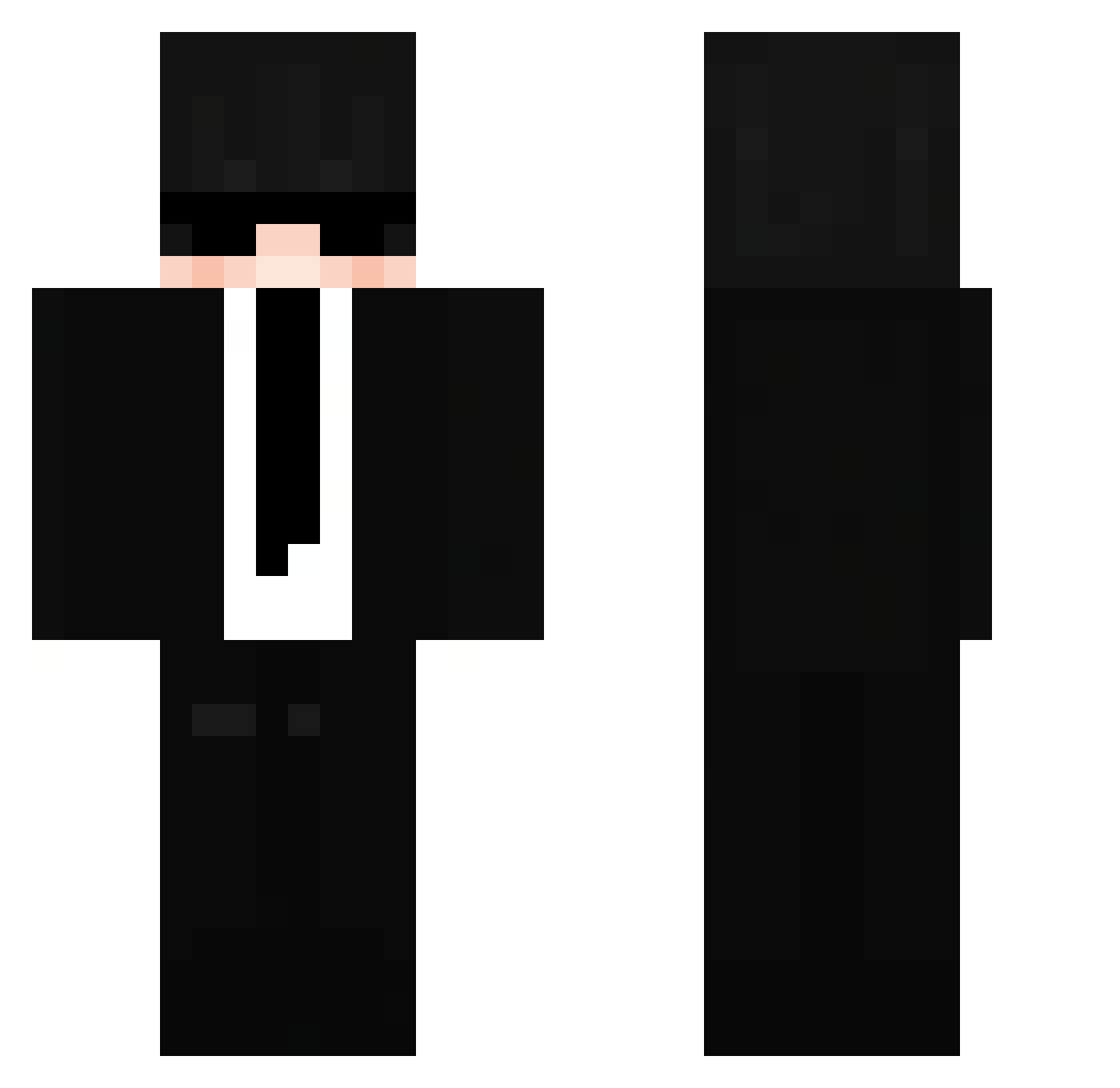
Current Minecraft skin of the player Benevicto, loaded from the official Mojang API. Rotate the 3D model with your mouse or finger, then download the skin as a PNG file and use it in Minecraft: Bedrock Edition or Java Edition for free. When Benevicto changes their skin, this page updates automatically and the old skin stays in the history below.
Other players with this skin (276)
Benevicto was the 226th player we have seen with this skin, first spotted on 03.11.2026. The same skin was seen on these players. Open a nickname to see their current skin and skin history.
 KaizerJ19 Merynaro INDIPENDENT21 AnTriX0 QxJasioQz Kermethedumbfrog _2t4z Sharky006 ServerusYT bruh1719 joogamer11 NotFishi steveloksoo Amr243 Raffykiller06 QBOYZ Awokado2 Greg149 hellriderz _Aniii GazTrooper kosksomk RoxbotDaddy DanilFra d_yuga ZK_MSRI0XU spookyzx__ oMumba chepchili NotRiriKun AGSniper619 PiBlackPi KtWon Procne EstoGG DieBanana27 perri22ii swaggers16 itzy_all_in_us uLuisS_ zoltos79 MehmetYilmaz2245 lNazTl ivan123111 Papa_Slapaa RudyPlomp Jaygisss Ar_man_do __SantiagoSL__ sp4ceof Lorstan OgKush__ AceCamera742990 MinerTom10 Skitles_2020 vombach Addis518 MiaQiu goldenoso Mrpanda232
More Glasses Minecraft skins
How to install the Benevicto skin
- Press the Download button above to save the skin as a PNG file.
- Minecraft: Bedrock Edition (PE): open the Dressing Room from the main menu (or tap your character → Edit Character), go to Classic Skins → Owned, press the + (new skin) button, choose the downloaded PNG and pick the Classic (Steve) model. Works on PC and mobile; consoles cannot import custom skins.
- Minecraft: Java Edition: open the Minecraft Launcher, go to the Skins tab, click New Skin, load the PNG, pick the Classic (Steve) model and press Save & Use. You can also upload it at minecraft.net → Profile → Change Skin.
The skin does not show up after import - what should I do?
Restart Minecraft and open the Dressing Room again - imported skins sometimes appear only after a restart. Also make sure you selected the imported skin and picked the Classic (Steve) model.
Which model should I choose, Classic or Slim?
This skin is designed for the Classic (Steve) model. If you pick the wrong model, the arms of the skin will look stretched or squeezed.
Is the skin of Benevicto free to download?
Yes. Press Download, save the PNG file and use it in Minecraft: Bedrock Edition or Java Edition - no payment or registration needed. The skin also works on multiplayer servers and Realms.
More skins
Looking for more? Go back to all Minecraft skins and check the top skins of the week, month and all time, or find any player's skin by nickname.