
Bejel - Minecraft Skins & Skin History
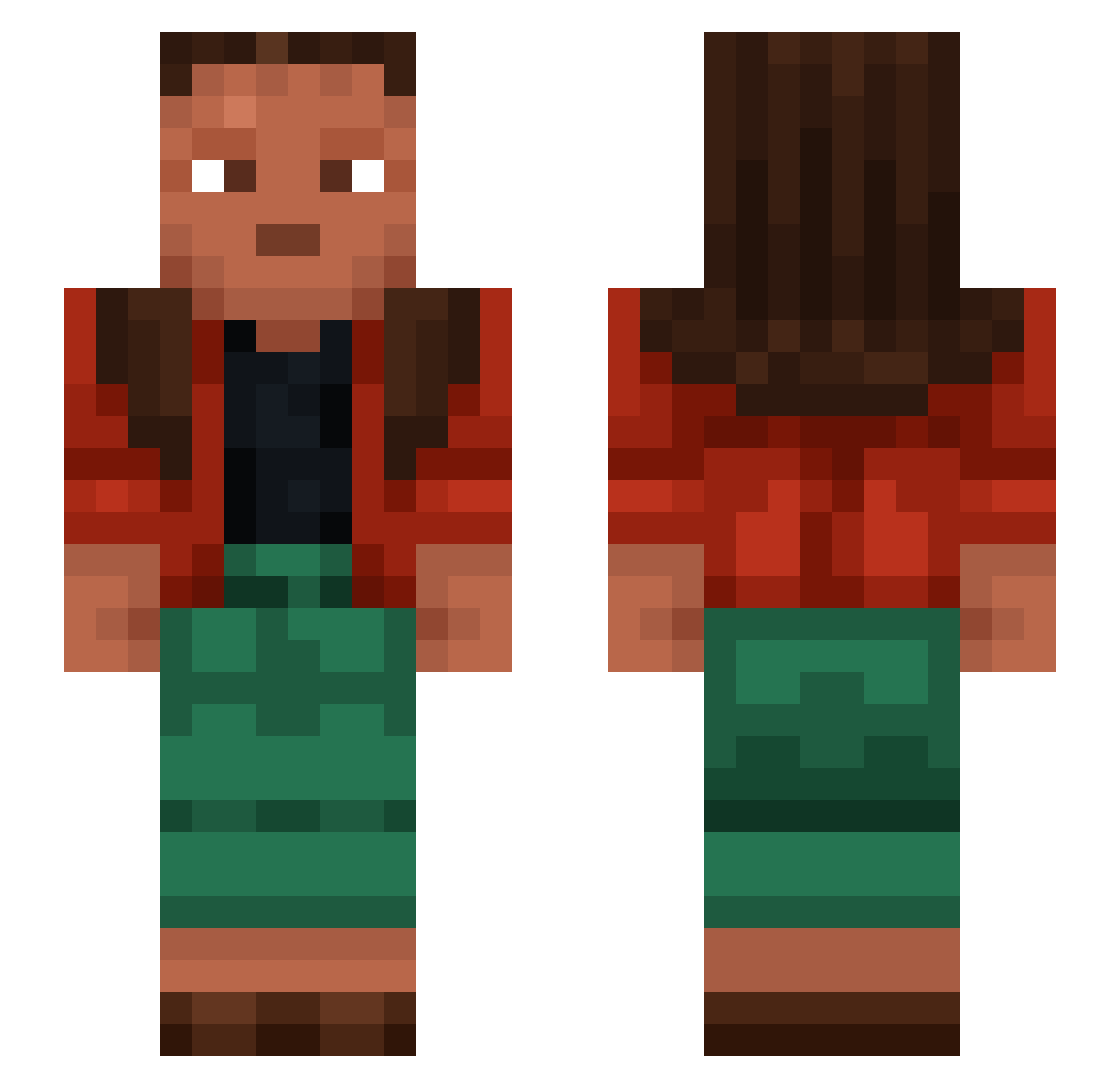
Current Minecraft skin of the player Bejel, loaded from the official Mojang API. Rotate the 3D model with your mouse or finger, then download the skin as a PNG file and use it in Minecraft: Bedrock Edition or Java Edition for free. When Bejel changes their skin, this page updates automatically and the old skin stays in the history below.
Other players with this skin (1078)
Bejel was the 304th player we have seen with this skin, first spotted on 21.08.2026. The same skin was seen on these players. Open a nickname to see their current skin and skin history.
 catoblepas TraKtum ZylerN he_ck Colonies StraightRay JDK9902 Clotheshorse Gustavokkkk Maltworm louietheguy wgglewrm Hubi91232 hammada dap BODZS ma1k069 MintsfromHI Laoum loined Valansch Invverted_ Maksim1111321 Ilvmti heectornc leversandpulleys Digitus BXd25 juptr biocreator MurcifulMonkey prplsnowman buretto temacha Camilosrz Untoppled Paleothalamus Ransackers 3Bela3 Metonymous Melanin sparhawk Cersua studiousness RobUstest Thews MonkyMoon
 wakn RickLT Frisch P_5705 prykutek Epiphysis miagrace_tx Simon271 Katakume_ Komadori7135 spoom Carduelis Vermicious
How to install the Bejel skin
- Press the Download button above to save the skin as a PNG file.
- Minecraft: Bedrock Edition (PE): open the Dressing Room from the main menu (or tap your character → Edit Character), go to Classic Skins → Owned, press the + (new skin) button, choose the downloaded PNG and pick the Slim (Alex) model. Works on PC and mobile; consoles cannot import custom skins.
- Minecraft: Java Edition: open the Minecraft Launcher, go to the Skins tab, click New Skin, load the PNG, pick the Slim (Alex) model and press Save & Use. You can also upload it at minecraft.net → Profile → Change Skin.
The skin does not show up after import - what should I do?
Restart Minecraft and open the Dressing Room again - imported skins sometimes appear only after a restart. Also make sure you selected the imported skin and picked the Slim (Alex) model.
Which model should I choose, Classic or Slim?
This skin is designed for the Slim (Alex) model. If you pick the wrong model, the arms of the skin will look stretched or squeezed.
Is the skin of Bejel free to download?
Yes. Press Download, save the PNG file and use it in Minecraft: Bedrock Edition or Java Edition - no payment or registration needed. The skin also works on multiplayer servers and Realms.
More skins
Looking for more? Go back to all Minecraft skins and check the top skins of the week, month and all time, or find any player's skin by nickname.