
Beenji - Minecraft Skins & Skin History
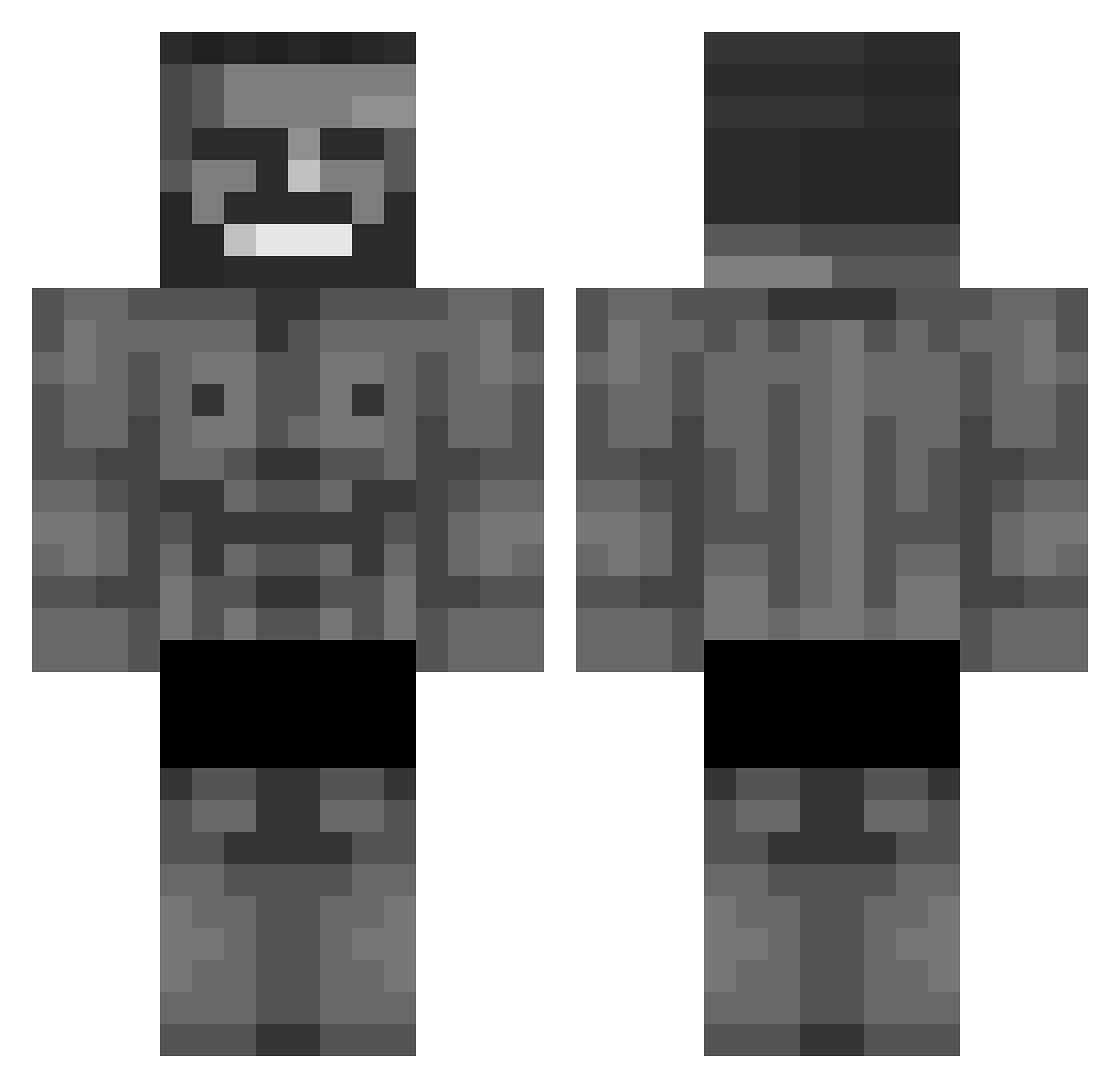
Current Minecraft skin of the player Beenji, loaded from the official Mojang API. Rotate the 3D model with your mouse or finger, then download the skin as a PNG file and use it in Minecraft: Bedrock Edition or Java Edition for free. When Beenji changes their skin, this page updates automatically and the old skin stays in the history below.
Other players with this skin (606)
Beenji was the 525th player we have seen with this skin, first spotted on 13.10.2026. The same skin was seen on these players. Open a nickname to see their current skin and skin history.
 Hypnq Gray_kiri MiKeeeOne nathand Jackone_ petrix_op Pudds Lens10 ZPortalMaster Stevebillybob Kvbaa97 Mati_97 kingofthebongos x__Nara__x _EmirhanX_ ethan5oh DownsUnge69 bestofkazakhstan AndresTartajas DamixDC Nikita_LiaLiaLia Pedrole7 Landolin_ HaarigesToast bork31 ChapterX Rileys BattleDroid777 DORMAMOO ScronixTK Lav_6 ImagineSalmon XD_JackJackz negev123 DrizzyyDom Yeeeebook xdEzW escar9 Sach57 Krumpettt LilThiccky Banbimo hikmetbaki LaryusX Azadoth Ndy_Leb2006 BurritoKing88 Hero1381 AukusOCR slim67 isiahkim88 Gabrielucero iShowSmeat _vainex imakiwii ThickMod Ambuscade FreshLaRouille Markthebanana MatiDetonator
More Gigachad Minecraft skins
How to install the Beenji skin
- Press the Download button above to save the skin as a PNG file.
- Minecraft: Bedrock Edition (PE): open the Dressing Room from the main menu (or tap your character → Edit Character), go to Classic Skins → Owned, press the + (new skin) button, choose the downloaded PNG and pick the Classic (Steve) model. Works on PC and mobile; consoles cannot import custom skins.
- Minecraft: Java Edition: open the Minecraft Launcher, go to the Skins tab, click New Skin, load the PNG, pick the Classic (Steve) model and press Save & Use. You can also upload it at minecraft.net → Profile → Change Skin.
The skin does not show up after import - what should I do?
Restart Minecraft and open the Dressing Room again - imported skins sometimes appear only after a restart. Also make sure you selected the imported skin and picked the Classic (Steve) model.
Which model should I choose, Classic or Slim?
This skin is designed for the Classic (Steve) model. If you pick the wrong model, the arms of the skin will look stretched or squeezed.
Is the skin of Beenji free to download?
Yes. Press Download, save the PNG file and use it in Minecraft: Bedrock Edition or Java Edition - no payment or registration needed. The skin also works on multiplayer servers and Realms.
More skins
Looking for more? Go back to all Minecraft skins and check the top skins of the week, month and all time, or find any player's skin by nickname.