
BeeBeek - Minecraft Skins & Skin History
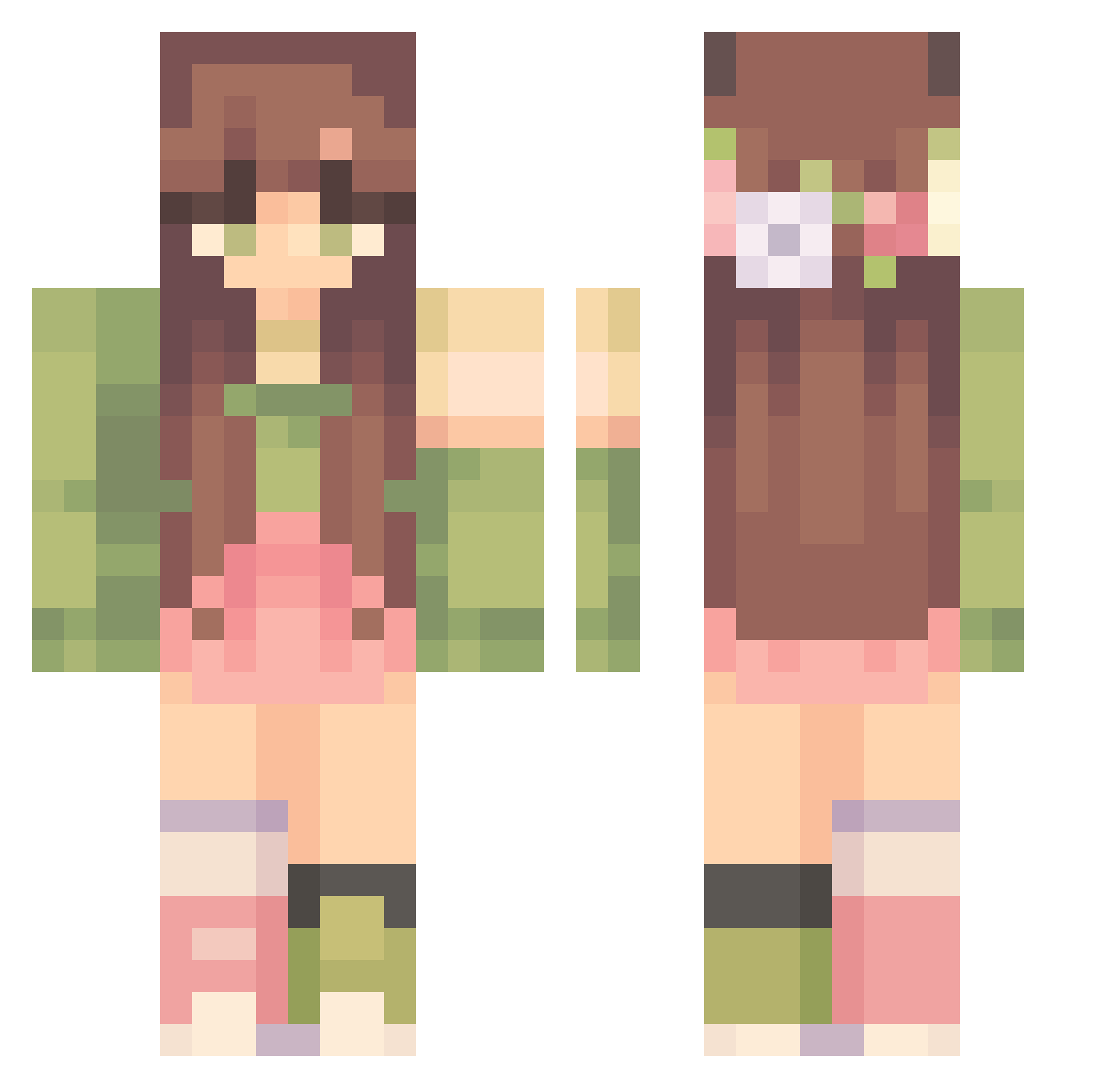
Current Minecraft skin of the player BeeBeek, loaded from the official Mojang API. Rotate the 3D model with your mouse or finger, then download the skin as a PNG file and use it in Minecraft: Bedrock Edition or Java Edition for free. When BeeBeek changes their skin, this page updates automatically and the old skin stays in the history below.
Other players with this skin (303)
BeeBeek was the 196th player we have seen with this skin, first spotted on 24.09.2026. The same skin was seen on these players. Open a nickname to see their current skin and skin history.
 ivyleiff maggiespeers Lemonwood Nesje123 Kayla_Kirby butter_lover anuranuro Oumy_ WaveTides beemoez shoooshie Shan_xo Mericas _katherine_ RoseAllyJay Taleniia DragonVed TheRagnee Zashhg emilyWRLD turtlekhanin Emzipop_ koipandaa jackiefulmer spooktopia MajuH_99 Retrozito KEYMS JusteChou ameeelia13 sstrawbyy EmmaLouiseB Franziskarr1212 _stellaaa notMandM AloeMoonflwr Swagggirl69 Klqn_ Titchier wrxs necrobullseye hayhay8103 LillyofStars BongHeee Silbereule kittinaut UntamedSkittlez _AzzmaAttack_ Staaa8 liyang998 holly173058 HockeyVibes17 JotaroSas kinghvlle xXValex Tony68980 angelbisous bahaarr Lottiksh san_tou_shen_mao
More Flower Crown Minecraft skins
See all 3226 Flower Crown skins
How to install the BeeBeek skin
- Press the Download button above to save the skin as a PNG file.
- Minecraft: Bedrock Edition (PE): open the Dressing Room from the main menu (or tap your character → Edit Character), go to Classic Skins → Owned, press the + (new skin) button, choose the downloaded PNG and pick the Classic (Steve) model. Works on PC and mobile; consoles cannot import custom skins.
- Minecraft: Java Edition: open the Minecraft Launcher, go to the Skins tab, click New Skin, load the PNG, pick the Classic (Steve) model and press Save & Use. You can also upload it at minecraft.net → Profile → Change Skin.
The skin does not show up after import - what should I do?
Restart Minecraft and open the Dressing Room again - imported skins sometimes appear only after a restart. Also make sure you selected the imported skin and picked the Classic (Steve) model.
Which model should I choose, Classic or Slim?
This skin is designed for the Classic (Steve) model. If you pick the wrong model, the arms of the skin will look stretched or squeezed.
Is the skin of BeeBeek free to download?
Yes. Press Download, save the PNG file and use it in Minecraft: Bedrock Edition or Java Edition - no payment or registration needed. The skin also works on multiplayer servers and Realms.
More skins
Looking for more? Go back to all Minecraft skins and check the top skins of the week, month and all time, or find any player's skin by nickname.