
Bectros - Minecraft Skins & Skin History
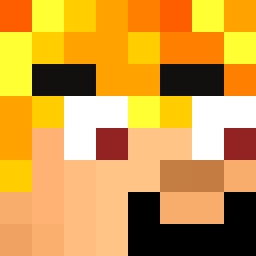
Current Minecraft skin of the player Bectros, loaded from the official Mojang API. Rotate the 3D model with your mouse or finger, then download the skin as a PNG file and use it in Minecraft: Bedrock Edition or Java Edition for free. When Bectros changes their skin, this page updates automatically and the old skin stays in the history below.

Other players with this skin (11389)
Bectros was the 1962nd player we have seen with this skin, first spotted on 10.08.2026. The same skin was seen on these players. Open a nickname to see their current skin and skin history.
 Palemo
 EngeDriller LimitedNgl Hooho1567 Pinarello_owner
 sx1rens Dexameta Andresrgames Sammcd777 LEONARDO_721 Pilae
 Jawline
 0legGG MiniNinjaHungary wardog1220 SkyCow9 Booqster jjolkit Muset lobjon Chivas123 Electricitea
 Felix7766 lordmimm MrRage01 Insensitively Iibrary xChilledX RageNL1 Zeynox9418 takasi_ Vladino1337 Bushfighter BBBBBBBBBBBBBBBC Hqweez SergeantSlushie Thre_MOnster Decking Sepool tgbrfvtgb Gustinater DJXING
 silly50343 Grenboi64 snivar GojoWasFound Rompetecho5 BareJasmin P9Black01 MoonLion105 Astronaut31415
 Luckitzz
 Leif_Gw1892 tavla75 PhantomPro2711 Edy1655 Masrot
 Osib xX_Dilster_Xx
 karasimenntai522
How to install the Bectros skin
- Press the Download button above to save the skin as a PNG file.
- Minecraft: Bedrock Edition (PE): open the Dressing Room from the main menu (or tap your character → Edit Character), go to Classic Skins → Owned, press the + (new skin) button, choose the downloaded PNG and pick the Classic (Steve) model. Works on PC and mobile; consoles cannot import custom skins.
- Minecraft: Java Edition: open the Minecraft Launcher, go to the Skins tab, click New Skin, load the PNG, pick the Classic (Steve) model and press Save & Use. You can also upload it at minecraft.net → Profile → Change Skin.
The skin does not show up after import - what should I do?
Restart Minecraft and open the Dressing Room again - imported skins sometimes appear only after a restart. Also make sure you selected the imported skin and picked the Classic (Steve) model.
Which model should I choose, Classic or Slim?
This skin is designed for the Classic (Steve) model. If you pick the wrong model, the arms of the skin will look stretched or squeezed.
Is the skin of Bectros free to download?
Yes. Press Download, save the PNG file and use it in Minecraft: Bedrock Edition or Java Edition - no payment or registration needed. The skin also works on multiplayer servers and Realms.
More skins
Looking for more? Go back to all Minecraft skins and check the top skins of the week, month and all time, or find any player's skin by nickname.