
BeatsTour1 - Minecraft Skins & Skin History
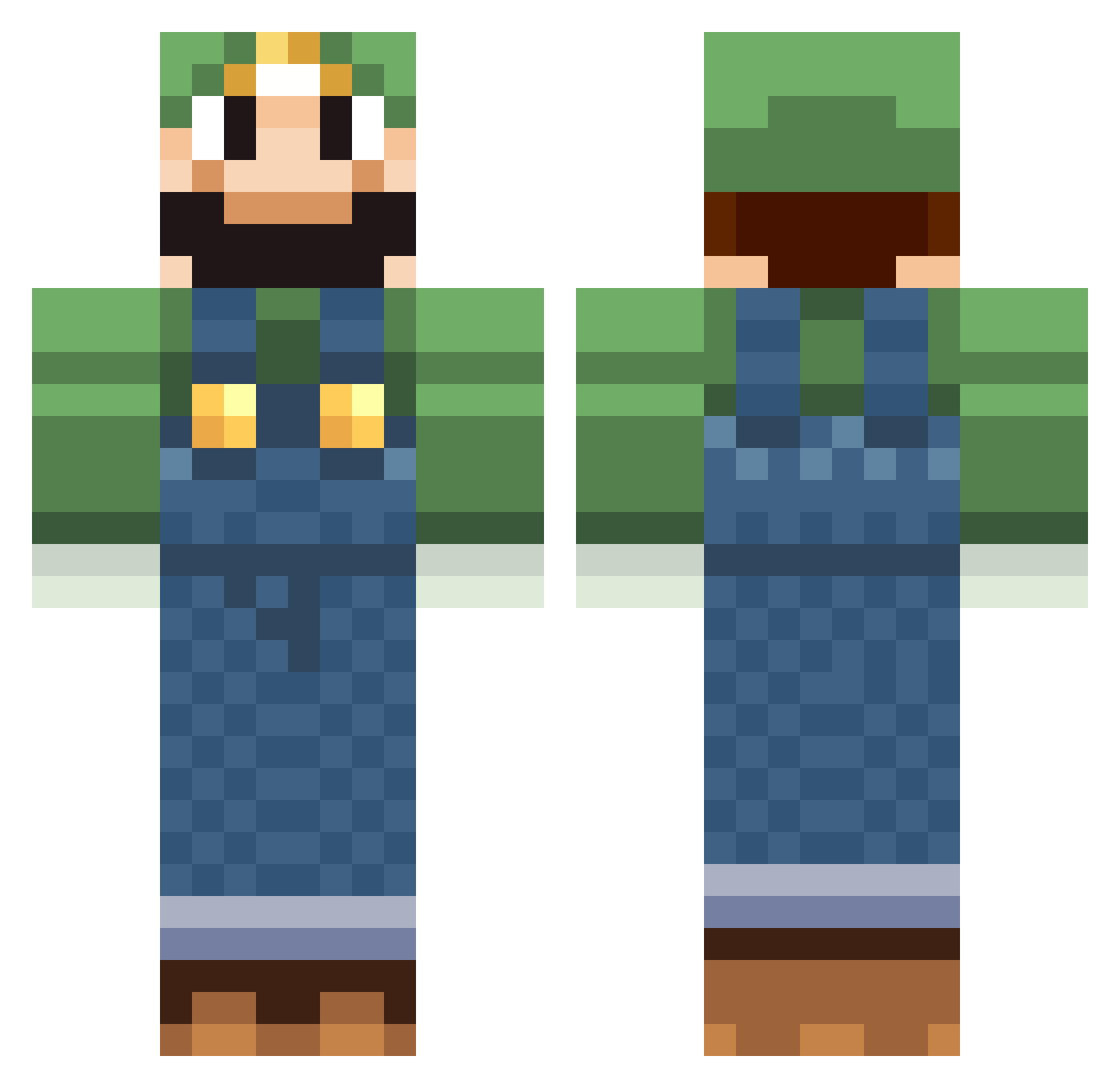
Current Minecraft skin of the player BeatsTour1, loaded from the official Mojang API. Rotate the 3D model with your mouse or finger, then download the skin as a PNG file and use it in Minecraft: Bedrock Edition or Java Edition for free. When BeatsTour1 changes their skin, this page updates automatically and the old skin stays in the history below.
Other players with this skin (518)
BeatsTour1 was the 253rd player we have seen with this skin, first spotted on 14.09.2026. The same skin was seen on these players. Open a nickname to see their current skin and skin history.
 Bakes_pG blazesonic sungs TheGremlinKing swisslike7x HorstLee Pepperfrog superluigidevon Mocoon tete28 cman0451 Tim9927 Egames101 AlphaAcid Matt2909 Jamik92 Polo449 Mik99el kazinul Spurbueffel Flubrice N00bTuber123 Xnonx14 Doobi_is_cool mastr001 Reeze80 al3xtec Daneeyz echigo terrorbreaker UltiMike elioutt loac73 amandadumle Undecided jesuisgentil Mr_M0Jangles simone000000 Justin_Roche Bonebeef CREEPERBOY936 ceeejsiege Derringer83 sakusammakko Ollie72 MaxiMiilian Scorpion9780 ispywithmyeye11 Kaptenmatte Pressy2001 shifo TheMegaLuigi11 cheezeman0309 joerokocoko bastou92600 philosoaper AndrewMMartin shneekyboy FCDHKEFFAH gangaff
More Luigi Minecraft skins
How to install the BeatsTour1 skin
- Press the Download button above to save the skin as a PNG file.
- Minecraft: Bedrock Edition (PE): open the Dressing Room from the main menu (or tap your character → Edit Character), go to Classic Skins → Owned, press the + (new skin) button, choose the downloaded PNG and pick the Classic (Steve) model. Works on PC and mobile; consoles cannot import custom skins.
- Minecraft: Java Edition: open the Minecraft Launcher, go to the Skins tab, click New Skin, load the PNG, pick the Classic (Steve) model and press Save & Use. You can also upload it at minecraft.net → Profile → Change Skin.
The skin does not show up after import - what should I do?
Restart Minecraft and open the Dressing Room again - imported skins sometimes appear only after a restart. Also make sure you selected the imported skin and picked the Classic (Steve) model.
Which model should I choose, Classic or Slim?
This skin is designed for the Classic (Steve) model. If you pick the wrong model, the arms of the skin will look stretched or squeezed.
Is the skin of BeatsTour1 free to download?
Yes. Press Download, save the PNG file and use it in Minecraft: Bedrock Edition or Java Edition - no payment or registration needed. The skin also works on multiplayer servers and Realms.
More skins
Looking for more? Go back to all Minecraft skins and check the top skins of the week, month and all time, or find any player's skin by nickname.