
BearTheCruel - Minecraft Skins & Skin History
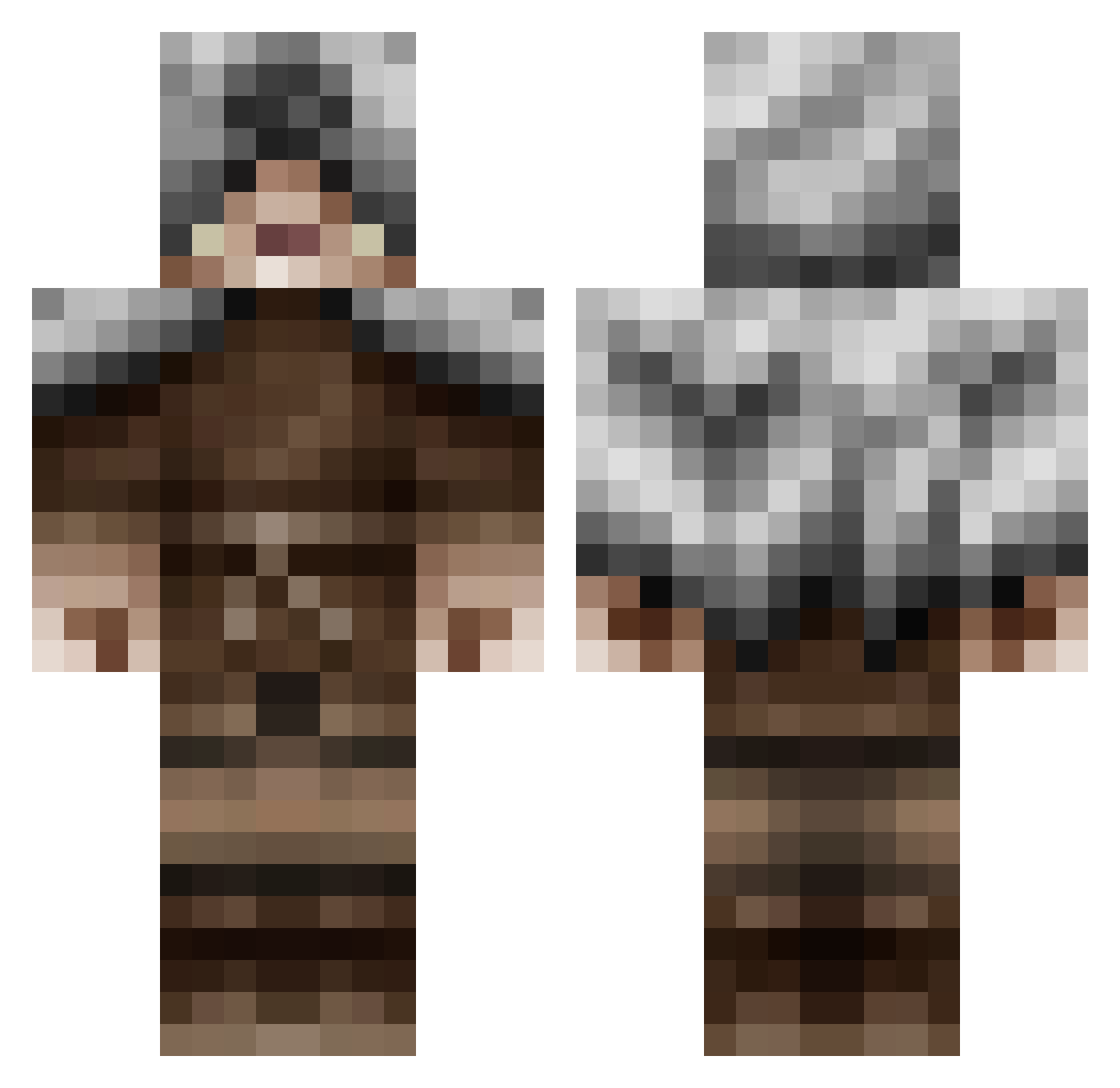
Current Minecraft skin of the player BearTheCruel, loaded from the official Mojang API. Rotate the 3D model with your mouse or finger, then download the skin as a PNG file and use it in Minecraft: Bedrock Edition or Java Edition for free. When BearTheCruel changes their skin, this page updates automatically and the old skin stays in the history below.
Other players with this skin (479)
BearTheCruel was the 124th player we have seen with this skin, first spotted on 23.08.2026. The same skin was seen on these players. Open a nickname to see their current skin and skin history.
 Yopplu nehmna DjerinRashkae Aryria JohnMcCain123 vrathore TyrannosaurX nuoraruoska69 elsage Lext11 izBapt BlueDragonLol zZUNWANTEDZz ALEXICOFF Ziigomar snood13 Shiko_Z TheGhun Darkos939 palandral xCozmox SamThomson98 UkiPiper ToniRibs Waffle_Stalker Sciorty_03 ___MadMax___ CobaltX27 ComD Trajan1522 TrembleWolf ZaberZ ExplorerNPC puug1912 Zulu_Actual djdzlol13 waffle_walrus dartcolors10 BigLibowski Theodoridis95 Lord_SBRAAA DC29 Thebadjazz Talachaman Katar_Hero Demnog25 Zortor58 statictwo SlickBandit Blueice9 Celenar OrikThaOne pijjy17 Airidor cheezykeezy CodeMephit Stalord25 OverseerTJB Paul194 Orangehalo
More Rogue Minecraft skins
How to install the BearTheCruel skin
- Press the Download button above to save the skin as a PNG file.
- Minecraft: Bedrock Edition (PE): open the Dressing Room from the main menu (or tap your character → Edit Character), go to Classic Skins → Owned, press the + (new skin) button, choose the downloaded PNG and pick the Classic (Steve) model. Works on PC and mobile; consoles cannot import custom skins.
- Minecraft: Java Edition: open the Minecraft Launcher, go to the Skins tab, click New Skin, load the PNG, pick the Classic (Steve) model and press Save & Use. You can also upload it at minecraft.net → Profile → Change Skin.
The skin does not show up after import - what should I do?
Restart Minecraft and open the Dressing Room again - imported skins sometimes appear only after a restart. Also make sure you selected the imported skin and picked the Classic (Steve) model.
Which model should I choose, Classic or Slim?
This skin is designed for the Classic (Steve) model. If you pick the wrong model, the arms of the skin will look stretched or squeezed.
Is the skin of BearTheCruel free to download?
Yes. Press Download, save the PNG file and use it in Minecraft: Bedrock Edition or Java Edition - no payment or registration needed. The skin also works on multiplayer servers and Realms.
More skins
Looking for more? Go back to all Minecraft skins and check the top skins of the week, month and all time, or find any player's skin by nickname.