
BeagleCrazed - Minecraft Skins & Skin History
Current Minecraft skin of the player BeagleCrazed, loaded from the official Mojang API. Rotate the 3D model with your mouse or finger, then download the skin as a PNG file and use it in Minecraft: Bedrock Edition or Java Edition for free. When BeagleCrazed changes their skin, this page updates automatically and the old skin stays in the history below.
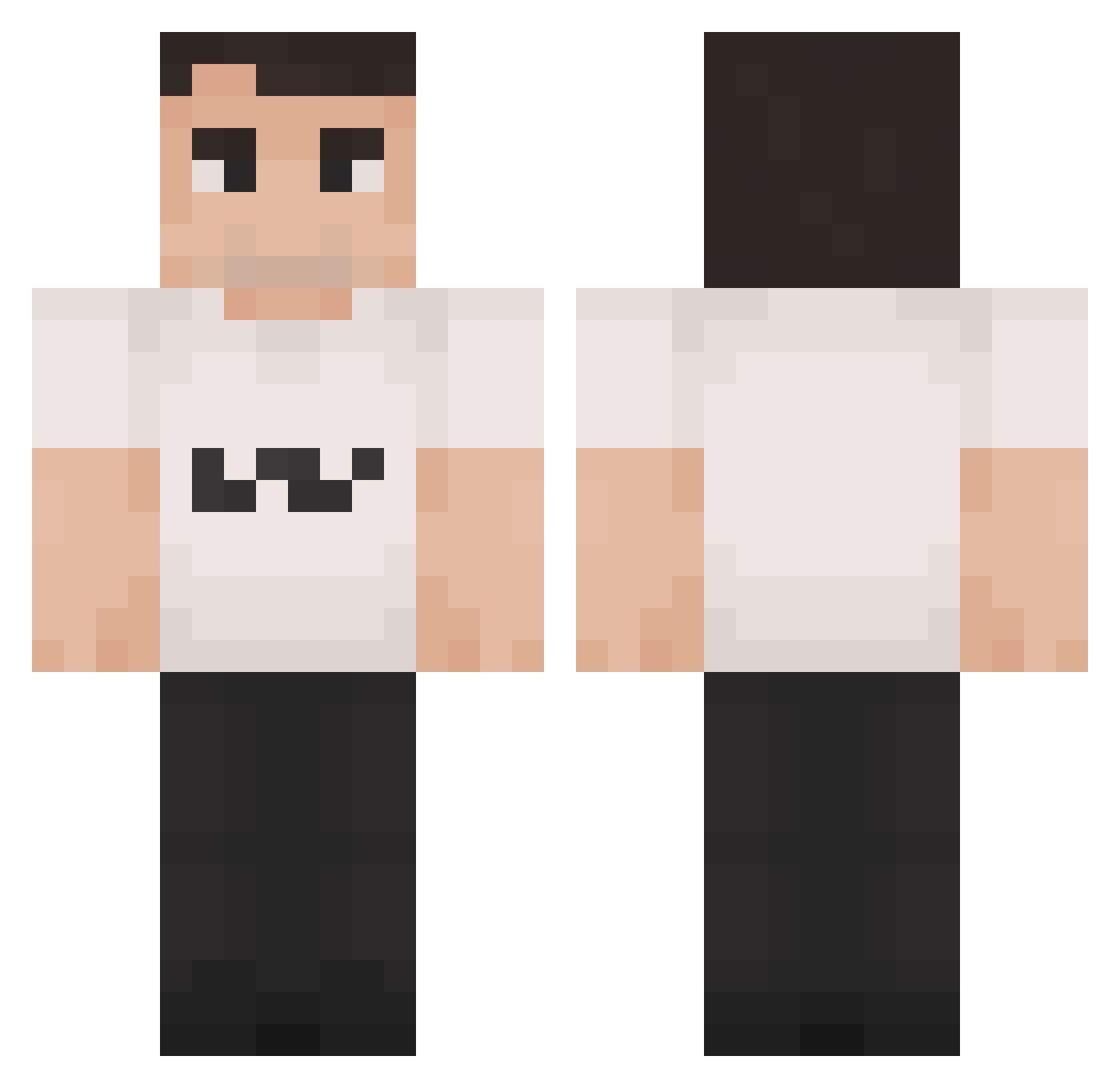
Other players with this skin (1187)
BeagleCrazed was the 276th player we have seen with this skin, first spotted on 14.08.2026. The same skin was seen on these players. Open a nickname to see their current skin and skin history.
 Gazownik2000 Derper_ andyn8er friday746 ONZINHO ostoster
 lowkirknuinely Maltec HuggeUNC scheezy_ Krydsholm Master_Oowway 11zaca getnoob312 pEaChY_34 Charlie_KirkPvP sinnerrrrrrr Valixxs ItzDools Rotteny69 Wolfosb ALBERTMAN46 PresidentRiley MrBombastic999 SenseiSanchez SpurmTheWorm DaddyKirk67 gazo17 mariusecaine ImTheNightmare unix_bissap vdwiktor epsteinclient dowq
 UntitldDuck StatsR4Losers Erik6627 dinosaursdx Nancat21 deneb06
 chudyorn RatioLover straxim18 horsehairvase DerWahreSteigi NIKOLO111 SupaSpycrab thisisfedor Jorissssssssss T_R_Q Slam351F pathlessdrift FiuZzi1 Verb1724 intro2008a s3bassss Guitar4life16 Legoman2716 buzz2521 hanakrsofr
More Schlatt Minecraft skins
How to install the BeagleCrazed skin
- Press the Download button above to save the skin as a PNG file.
- Minecraft: Bedrock Edition (PE): open the Dressing Room from the main menu (or tap your character → Edit Character), go to Classic Skins → Owned, press the + (new skin) button, choose the downloaded PNG and pick the Classic (Steve) model. Works on PC and mobile; consoles cannot import custom skins.
- Minecraft: Java Edition: open the Minecraft Launcher, go to the Skins tab, click New Skin, load the PNG, pick the Classic (Steve) model and press Save & Use. You can also upload it at minecraft.net → Profile → Change Skin.
The skin does not show up after import - what should I do?
Restart Minecraft and open the Dressing Room again - imported skins sometimes appear only after a restart. Also make sure you selected the imported skin and picked the Classic (Steve) model.
Which model should I choose, Classic or Slim?
This skin is designed for the Classic (Steve) model. If you pick the wrong model, the arms of the skin will look stretched or squeezed.
Is the skin of BeagleCrazed free to download?
Yes. Press Download, save the PNG file and use it in Minecraft: Bedrock Edition or Java Edition - no payment or registration needed. The skin also works on multiplayer servers and Realms.
More skins
Looking for more? Go back to all Minecraft skins and check the top skins of the week, month and all time, or find any player's skin by nickname.