
BazicKevin - Minecraft Skins & Skin History
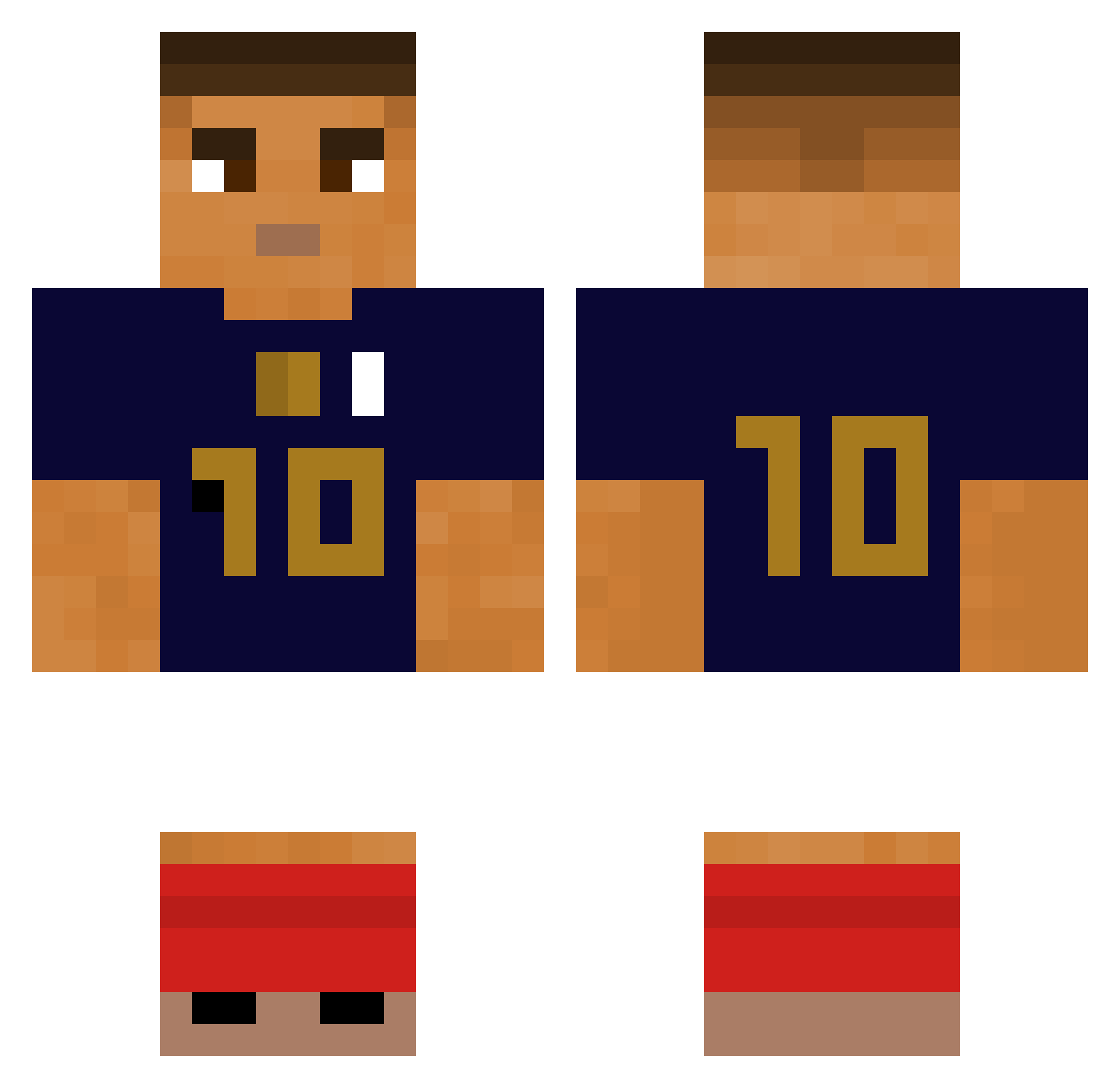
Current Minecraft skin of the player BazicKevin, loaded from the official Mojang API. Rotate the 3D model with your mouse or finger, then download the skin as a PNG file and use it in Minecraft: Bedrock Edition or Java Edition for free. When BazicKevin changes their skin, this page updates automatically and the old skin stays in the history below.
Other players with this skin (280)
BazicKevin was the 80th player we have seen with this skin, first spotted on 21.08.2026. The same skin was seen on these players. Open a nickname to see their current skin and skin history.
 Josselin53 Joel2x3 Shin_Bon_Juk elpatatoss WEBCRIA SniperR1512 zconess norinorihirohiro FiZz_Oli hjw783 Hydra01 Susooggang kainho1 BurgerSkull Mcflashh Domishi1337 Kouzaa BlearDragoon271 Daycopo SaintPablo123 Jyopi bricolortoto0001 Gu1m4 unwrittenHD fil_zone 5metas Faze_Light12 FloPat n9i chalmdawg Czib0 Skioa Blastoone jajojun karnagesin _TODA_ UgoLeBg2001 Scantr4xx Lilboy10 groseillee Leozinhonho nayr532 GuiGzNiggarded K_Yus_ ByLioX Osk4rek_ quianto Nanouuuuuuu pawelolo LDmickey trialx_cbds69 Lolomo112 GeneralIsaiah izedeckd queicopiucks qhals2 Fialhocas Axelinhoo Zephyr_922 gyrosphine
More Kylian Mbappe Minecraft skins
See all 33 Kylian Mbappe skins
How to install the BazicKevin skin
- Press the Download button above to save the skin as a PNG file.
- Minecraft: Bedrock Edition (PE): open the Dressing Room from the main menu (or tap your character → Edit Character), go to Classic Skins → Owned, press the + (new skin) button, choose the downloaded PNG and pick the Classic (Steve) model. Works on PC and mobile; consoles cannot import custom skins.
- Minecraft: Java Edition: open the Minecraft Launcher, go to the Skins tab, click New Skin, load the PNG, pick the Classic (Steve) model and press Save & Use. You can also upload it at minecraft.net → Profile → Change Skin.
The skin does not show up after import - what should I do?
Restart Minecraft and open the Dressing Room again - imported skins sometimes appear only after a restart. Also make sure you selected the imported skin and picked the Classic (Steve) model.
Which model should I choose, Classic or Slim?
This skin is designed for the Classic (Steve) model. If you pick the wrong model, the arms of the skin will look stretched or squeezed.
Is the skin of BazicKevin free to download?
Yes. Press Download, save the PNG file and use it in Minecraft: Bedrock Edition or Java Edition - no payment or registration needed. The skin also works on multiplayer servers and Realms.
More skins
Looking for more? Go back to all Minecraft skins and check the top skins of the week, month and all time, or find any player's skin by nickname.