
BayEness - Minecraft Skins & Skin History
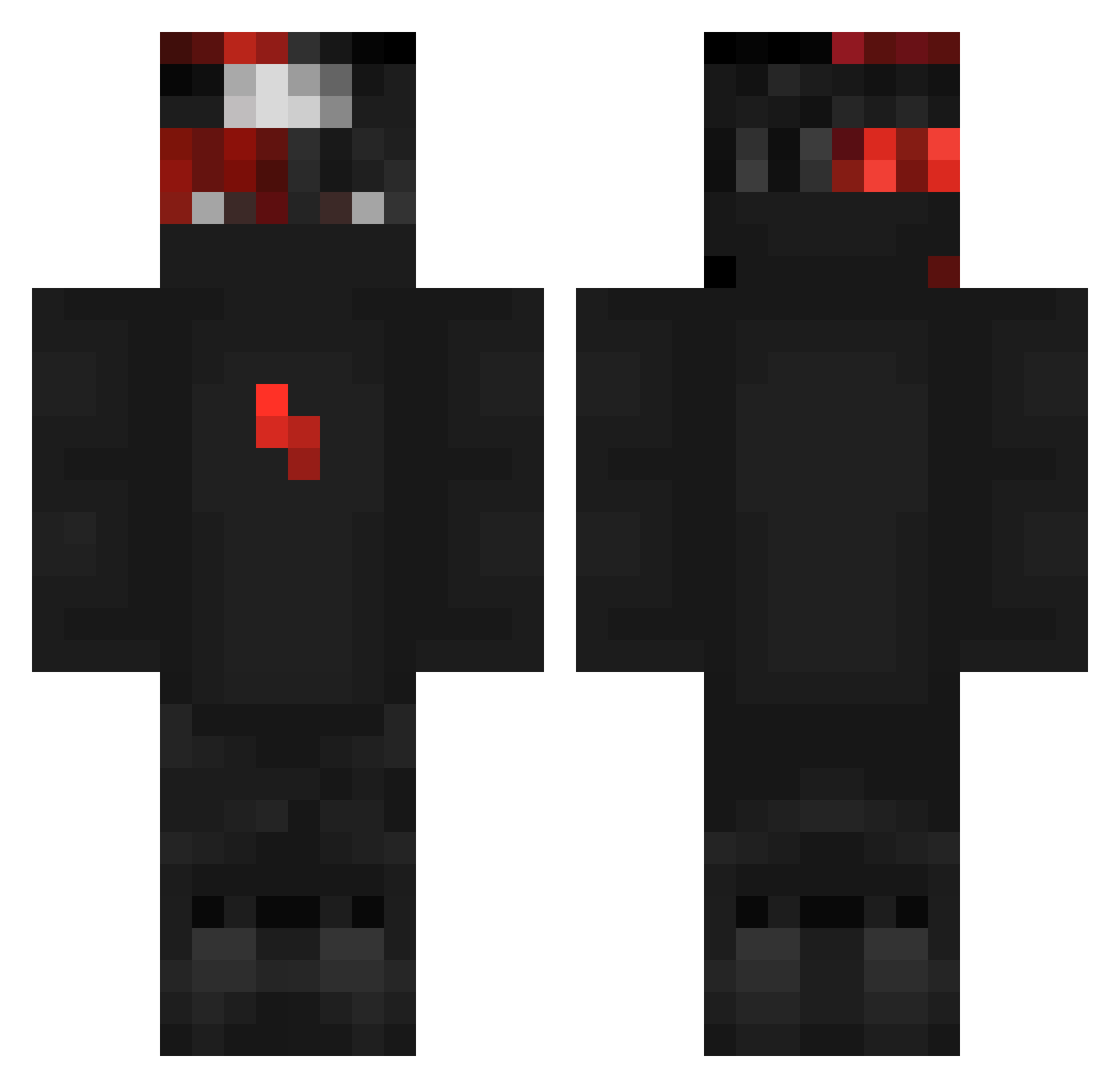
Current Minecraft skin of the player BayEness, loaded from the official Mojang API. Rotate the 3D model with your mouse or finger, then download the skin as a PNG file and use it in Minecraft: Bedrock Edition or Java Edition for free. When BayEness changes their skin, this page updates automatically and the old skin stays in the history below.
Other players with this skin (366)
BayEness was the 358th player we have seen with this skin, first spotted on 17.11.2026. The same skin was seen on these players. Open a nickname to see their current skin and skin history.
 Infamous_Sylo Andrezz234 zRed82 RowinDekker RedHeadRodeo ironstriker091 ItzNozzYT justTomaha_ bonezeyz cyborgu abius_ Papagale shadow_20A SirNilsNitro totahinini pakstarx Schinoo_ MrHunt14 1xM7md_ Sandzoquito ExeN1176 bradyo2000 Dxsire Nouh319 acetrace123 GlueFace Thoontje Not_7mdan MiniAserFiles Steffx DFNGershik NinjaRish Rutherfordus LoogixxPvP NOOB123456710 Patron_xx TekilaMan1 Trouble_TDM Yasko66 brubacca77 slayy_vergil TheZombiesSlayer Evil1456 YuZionnn ItsGamerYT_ Mikijawa TheBoyInsaneAlts Bydev1L Trud_ VanibleAlt1 simppaliini lezboi Szymonxd188 Derofishy AidenGonnaPlay FaBB_Fe syekol dragonking582 B3k5i 19Blocks_
More Ninja Minecraft skins
How to install the BayEness skin
- Press the Download button above to save the skin as a PNG file.
- Minecraft: Bedrock Edition (PE): open the Dressing Room from the main menu (or tap your character → Edit Character), go to Classic Skins → Owned, press the + (new skin) button, choose the downloaded PNG and pick the Classic (Steve) model. Works on PC and mobile; consoles cannot import custom skins.
- Minecraft: Java Edition: open the Minecraft Launcher, go to the Skins tab, click New Skin, load the PNG, pick the Classic (Steve) model and press Save & Use. You can also upload it at minecraft.net → Profile → Change Skin.
The skin does not show up after import - what should I do?
Restart Minecraft and open the Dressing Room again - imported skins sometimes appear only after a restart. Also make sure you selected the imported skin and picked the Classic (Steve) model.
Which model should I choose, Classic or Slim?
This skin is designed for the Classic (Steve) model. If you pick the wrong model, the arms of the skin will look stretched or squeezed.
Is the skin of BayEness free to download?
Yes. Press Download, save the PNG file and use it in Minecraft: Bedrock Edition or Java Edition - no payment or registration needed. The skin also works on multiplayer servers and Realms.
More skins
Looking for more? Go back to all Minecraft skins and check the top skins of the week, month and all time, or find any player's skin by nickname.