
BatGamer101 - Minecraft Skins & Skin History
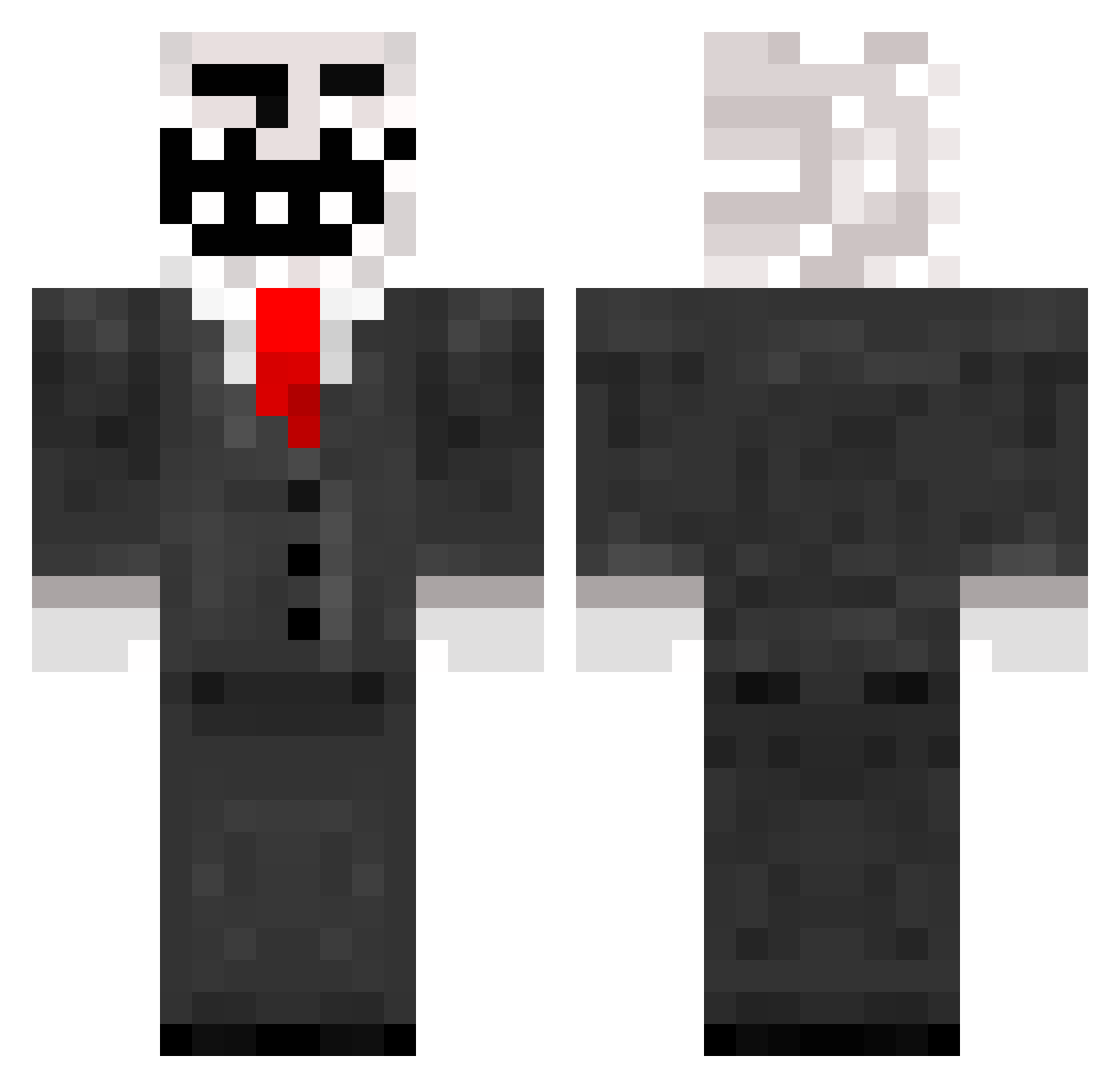
Current Minecraft skin of the player BatGamer101, loaded from the official Mojang API. Rotate the 3D model with your mouse or finger, then download the skin as a PNG file and use it in Minecraft: Bedrock Edition or Java Edition for free. When BatGamer101 changes their skin, this page updates automatically and the old skin stays in the history below.
Other players with this skin (272)
BatGamer101 was the 36th player we have seen with this skin, first spotted on 15.08.2026. The same skin was seen on these players. Open a nickname to see their current skin and skin history.
 nnwwerr1 chair420 Tytylegamer HubertCzarmuch DaDielove yessir223 pawelbo_ 4u3ry Tys0c anashee12345 TwinKich S51r PorciHello YOONJJANG_ TenStas XxNadal_2011xX CloudValue DEDAM1 Gregoly yoon_1019 doghigh Ahornblatt_29 CovetinG361 dcoyy pcgamer12345syui Dilleron_Donbass Jetiann TjackTorsk AaronSilloYo Roofis02 PorteReeseJR Mr_Faraon mywick armentapro Xillerator zeeraz7x mahomey1514 Yui7777777 okwhotookmyname Duggby MasterofFS yazmar BoraBiuHiLorenaC Moliwolf MisterAwwwesome lerageuuu Grimtrap kyon42 Killerim8431 ez4ever Iamreece1 Sketchbag TROLLERmdr54121 freakybobPanties Jhony1224 Icydragon508 CampingMarko LeTrol1 Pichi_20 JazEcZ6969
More Trollface Minecraft skins
How to install the BatGamer101 skin
- Press the Download button above to save the skin as a PNG file.
- Minecraft: Bedrock Edition (PE): open the Dressing Room from the main menu (or tap your character → Edit Character), go to Classic Skins → Owned, press the + (new skin) button, choose the downloaded PNG and pick the Classic (Steve) model. Works on PC and mobile; consoles cannot import custom skins.
- Minecraft: Java Edition: open the Minecraft Launcher, go to the Skins tab, click New Skin, load the PNG, pick the Classic (Steve) model and press Save & Use. You can also upload it at minecraft.net → Profile → Change Skin.
The skin does not show up after import - what should I do?
Restart Minecraft and open the Dressing Room again - imported skins sometimes appear only after a restart. Also make sure you selected the imported skin and picked the Classic (Steve) model.
Which model should I choose, Classic or Slim?
This skin is designed for the Classic (Steve) model. If you pick the wrong model, the arms of the skin will look stretched or squeezed.
Is the skin of BatGamer101 free to download?
Yes. Press Download, save the PNG file and use it in Minecraft: Bedrock Edition or Java Edition - no payment or registration needed. The skin also works on multiplayer servers and Realms.
More skins
Looking for more? Go back to all Minecraft skins and check the top skins of the week, month and all time, or find any player's skin by nickname.