
BassCube09 - Minecraft Skins & Skin History
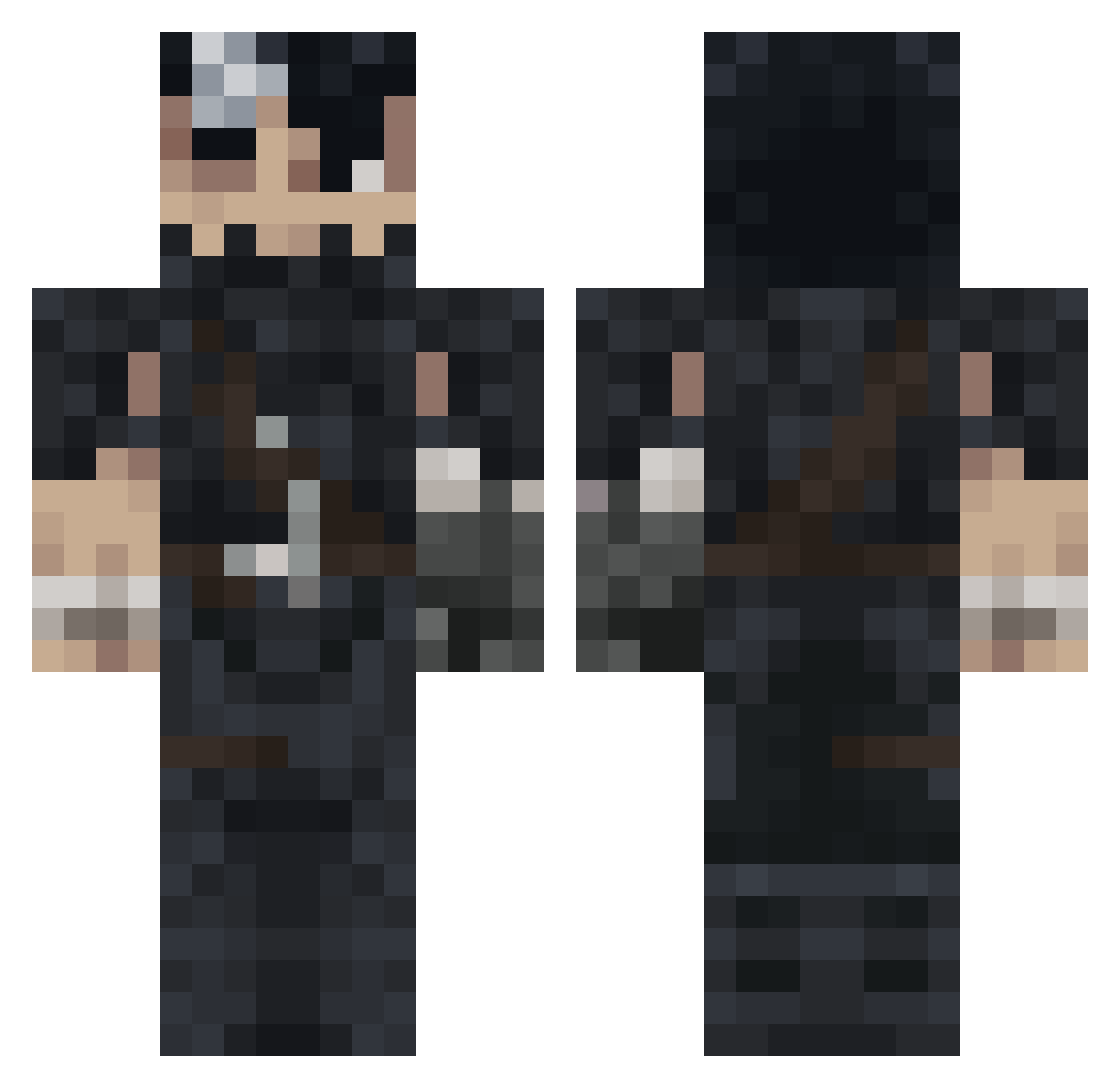
Current Minecraft skin of the player BassCube09, loaded from the official Mojang API. Rotate the 3D model with your mouse or finger, then download the skin as a PNG file and use it in Minecraft: Bedrock Edition or Java Edition for free. When BassCube09 changes their skin, this page updates automatically and the old skin stays in the history below.
Other players with this skin (992)
BassCube09 was the 431st player we have seen with this skin, first spotted on 11.09.2026. The same skin was seen on these players. Open a nickname to see their current skin and skin history.
 Gurias Veexon AlexFerrari25 vBt0 Emile63 Juanmagmz DonVasto RandomUser010 Janika15 Ferulinn blankaf55 SonDjUchiha CGS4U Frosty_Z AbyssWalker_7 43zla Ferracion Samster9712 M3WL Ender_L0rd TheMonark23 kxpedro 6dwex AKIYOSHI31 PanePanelle PSGV10 Realdigger06 comounperro16 Rognisz Bigfoot_CP Rometeno16 HappyThai IAlwaysPotato KenjiTsuda Snacksssw erawalk__ AzizGuts Bonbeetus LiLMett Great_Ouki boraaziz midlay JisatsuShonen Dumject narcolepsy173 lachieblocky xX_Pabloski_Xx starkiller0315 VALKEN23 HeiwaTps Anakszalonium GalaxyKittenz_ Deathaxxx SkyniG SchnozintoThe3rd r4f4fsss VakarianCR Zbyta sebas0822 iExoTiic3
More Guts Minecraft skins
How to install the BassCube09 skin
- Press the Download button above to save the skin as a PNG file.
- Minecraft: Bedrock Edition (PE): open the Dressing Room from the main menu (or tap your character → Edit Character), go to Classic Skins → Owned, press the + (new skin) button, choose the downloaded PNG and pick the Classic (Steve) model. Works on PC and mobile; consoles cannot import custom skins.
- Minecraft: Java Edition: open the Minecraft Launcher, go to the Skins tab, click New Skin, load the PNG, pick the Classic (Steve) model and press Save & Use. You can also upload it at minecraft.net → Profile → Change Skin.
The skin does not show up after import - what should I do?
Restart Minecraft and open the Dressing Room again - imported skins sometimes appear only after a restart. Also make sure you selected the imported skin and picked the Classic (Steve) model.
Which model should I choose, Classic or Slim?
This skin is designed for the Classic (Steve) model. If you pick the wrong model, the arms of the skin will look stretched or squeezed.
Is the skin of BassCube09 free to download?
Yes. Press Download, save the PNG file and use it in Minecraft: Bedrock Edition or Java Edition - no payment or registration needed. The skin also works on multiplayer servers and Realms.
More skins
Looking for more? Go back to all Minecraft skins and check the top skins of the week, month and all time, or find any player's skin by nickname.