
BankruptFrog - Minecraft Skins & Skin History
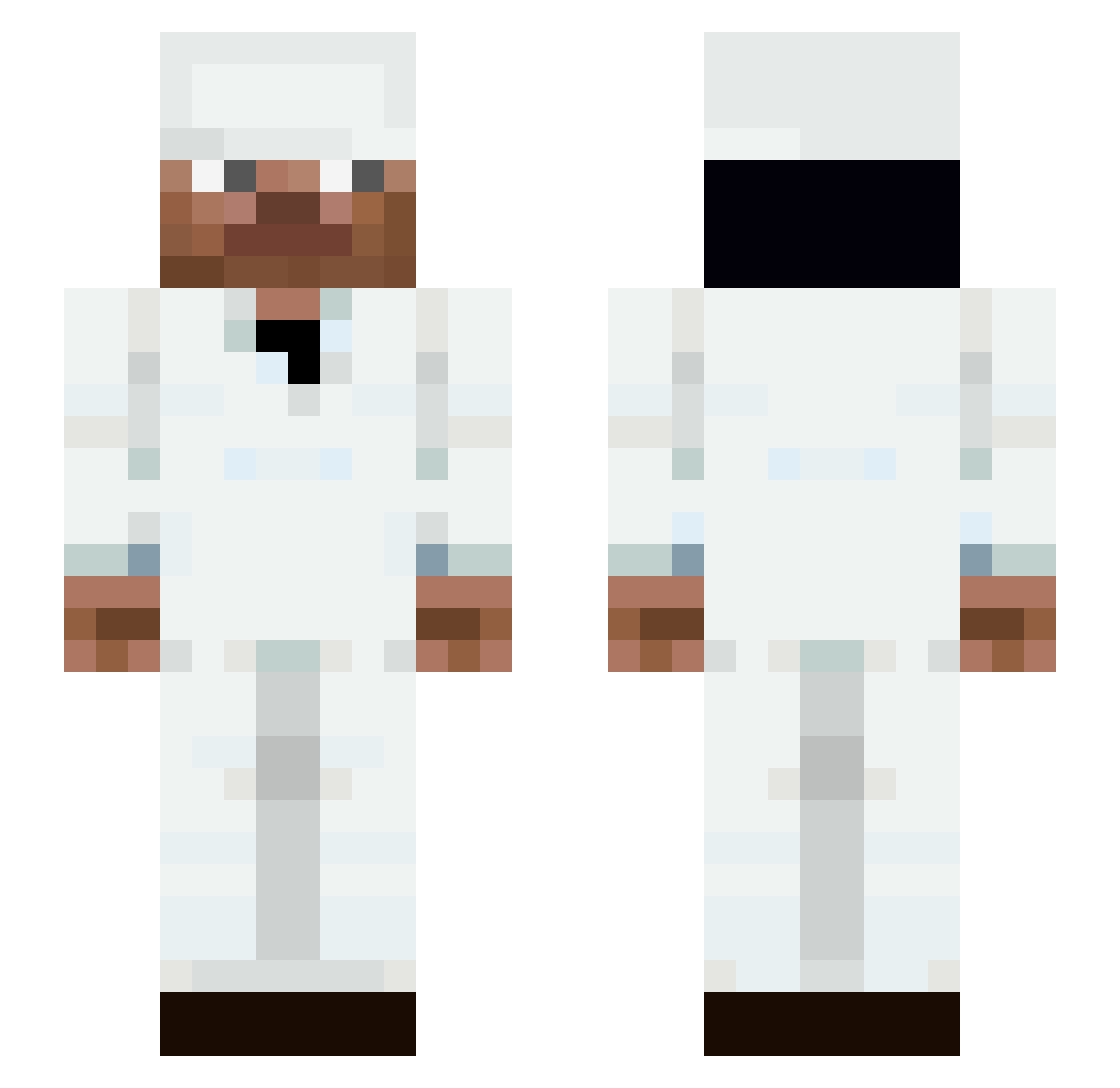
Current Minecraft skin of the player BankruptFrog, loaded from the official Mojang API. Rotate the 3D model with your mouse or finger, then download the skin as a PNG file and use it in Minecraft: Bedrock Edition or Java Edition for free. When BankruptFrog changes their skin, this page updates automatically and the old skin stays in the history below.
Other players with this skin (143)
BankruptFrog was the 116th player we have seen with this skin, first spotted on 27.10.2026. The same skin was seen on these players. Open a nickname to see their current skin and skin history.
 Santa_is_back rriba AspMC Sahe3d FL0WTIVES bknute331 WiXy1 Oblivionism SPACEww Alpic DylanTheValiant FLACKNDECKER ScottishArchie AKZT111 H_madd ItzMax_x pzazz_mc ___elyk oliver1737622 Vlty T0MASI oWavyy_ Dx_r_k Ramenaes The_Crew_Pelle Kwerim22 NibbleTime 4tcp RondeBamiBal FISHEAY hanha0000 AlienUltradose M_marmoush AndyPRO981 Be3trayal Canelasz kleksiodon Xerpx GShooter69 pkrhs asm1114 Nefeii Pexperment MIKIcar12 Flowtlves Verybalduck Senzxill FraderChester realisshoman GOODtost Tier_tester grandschampion avchal KryptCM Frost_cpvp AliGelii Gamerboy1571 Max_1214 crackfeinale Xenith002
More Medic Minecraft skins
How to install the BankruptFrog skin
- Press the Download button above to save the skin as a PNG file.
- Minecraft: Bedrock Edition (PE): open the Dressing Room from the main menu (or tap your character → Edit Character), go to Classic Skins → Owned, press the + (new skin) button, choose the downloaded PNG and pick the Slim (Alex) model. Works on PC and mobile; consoles cannot import custom skins.
- Minecraft: Java Edition: open the Minecraft Launcher, go to the Skins tab, click New Skin, load the PNG, pick the Slim (Alex) model and press Save & Use. You can also upload it at minecraft.net → Profile → Change Skin.
The skin does not show up after import - what should I do?
Restart Minecraft and open the Dressing Room again - imported skins sometimes appear only after a restart. Also make sure you selected the imported skin and picked the Slim (Alex) model.
Which model should I choose, Classic or Slim?
This skin is designed for the Slim (Alex) model. If you pick the wrong model, the arms of the skin will look stretched or squeezed.
Is the skin of BankruptFrog free to download?
Yes. Press Download, save the PNG file and use it in Minecraft: Bedrock Edition or Java Edition - no payment or registration needed. The skin also works on multiplayer servers and Realms.
More skins
Looking for more? Go back to all Minecraft skins and check the top skins of the week, month and all time, or find any player's skin by nickname.