
BallerKid123 - Minecraft Skins & Skin History
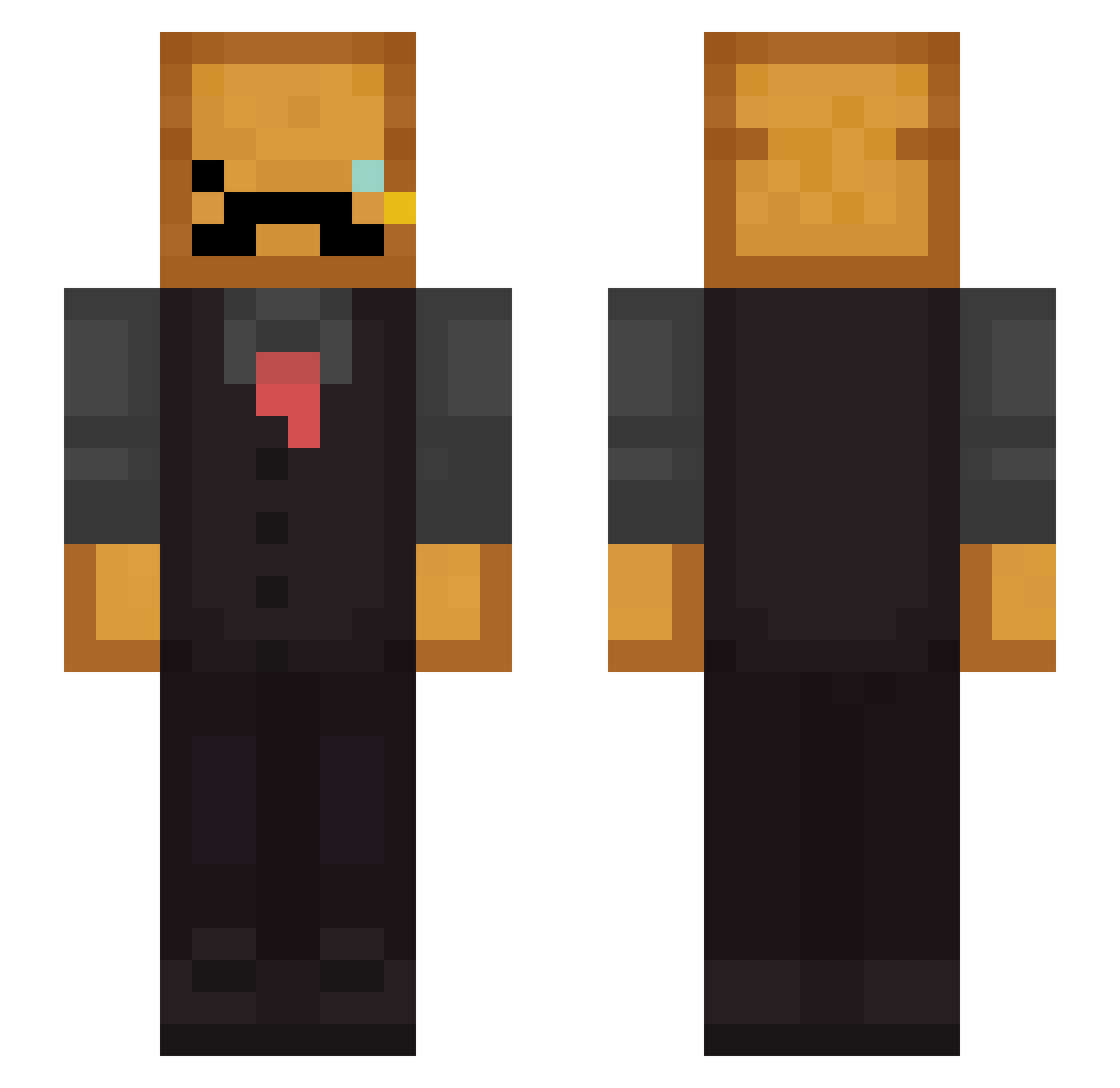
Current Minecraft skin of the player BallerKid123, loaded from the official Mojang API. Rotate the 3D model with your mouse or finger, then download the skin as a PNG file and use it in Minecraft: Bedrock Edition or Java Edition for free. When BallerKid123 changes their skin, this page updates automatically and the old skin stays in the history below.
Other players with this skin (276)
BallerKid123 was the 169th player we have seen with this skin, first spotted on 02.10.2026. The same skin was seen on these players. Open a nickname to see their current skin and skin history.
 x2SionX_ Mertoriko Kaspeeer CinnamonKing Devilware TigerToastO5 Brotgustus SandmannGmbh habibigri Dab_Yeet chainkmokers captain_popcorns D3foo_ selcuksins2 Itz_Toaste Makurukito qkfil xswoopsx13 Briker1704 Arcuri_22 Hyperlord3452 ItsPonz LazyJohnny3210 Niserie26 notbaked_potato Avg_Monkee YaroslavVelikiy AtomHeartFather5 Toprak6parmak Alanduty Ducksrow AlloResto toasteritto Nickleijy aisaur BredBoy69 ItzNurxxx Toasley BluishRobin831 exility Heartfan Frog_8 Stefgl69 NotCaramelKiller rednite04 LeoEXxis56 Desnecessauro15 Arc4 Gingerjaeger I_need_Mark Gimbo2014 RawToastt Bread_Man2 dinomax320 Vqxon Danger104 Romoling CouthJarl119699 minekousaku MogyG
More Toast Minecraft skins
How to install the BallerKid123 skin
- Press the Download button above to save the skin as a PNG file.
- Minecraft: Bedrock Edition (PE): open the Dressing Room from the main menu (or tap your character → Edit Character), go to Classic Skins → Owned, press the + (new skin) button, choose the downloaded PNG and pick the Slim (Alex) model. Works on PC and mobile; consoles cannot import custom skins.
- Minecraft: Java Edition: open the Minecraft Launcher, go to the Skins tab, click New Skin, load the PNG, pick the Slim (Alex) model and press Save & Use. You can also upload it at minecraft.net → Profile → Change Skin.
The skin does not show up after import - what should I do?
Restart Minecraft and open the Dressing Room again - imported skins sometimes appear only after a restart. Also make sure you selected the imported skin and picked the Slim (Alex) model.
Which model should I choose, Classic or Slim?
This skin is designed for the Slim (Alex) model. If you pick the wrong model, the arms of the skin will look stretched or squeezed.
Is the skin of BallerKid123 free to download?
Yes. Press Download, save the PNG file and use it in Minecraft: Bedrock Edition or Java Edition - no payment or registration needed. The skin also works on multiplayer servers and Realms.
More skins
Looking for more? Go back to all Minecraft skins and check the top skins of the week, month and all time, or find any player's skin by nickname.