
Baevnild - Minecraft Skins & Skin History
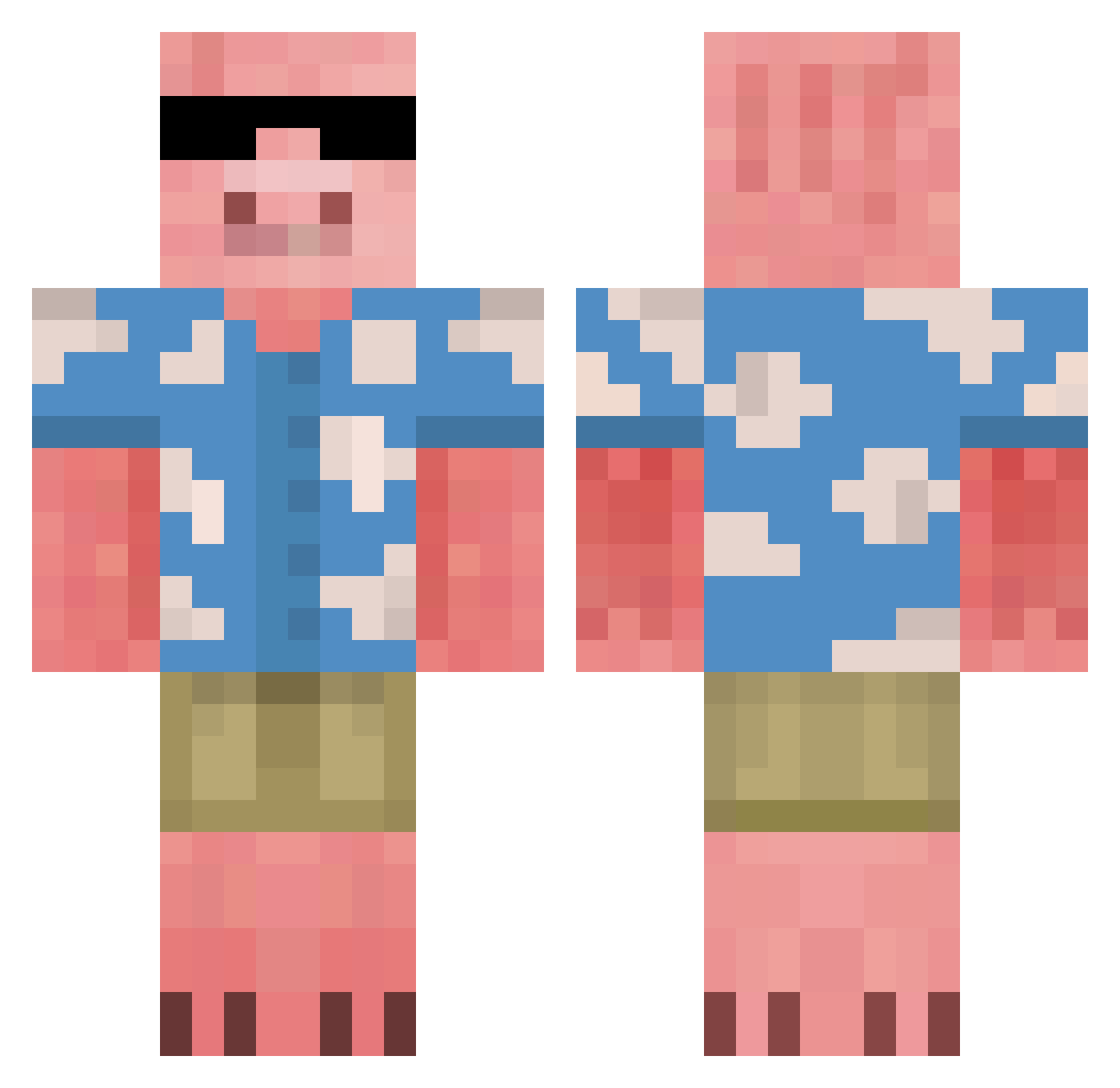
Current Minecraft skin of the player Baevnild, loaded from the official Mojang API. Rotate the 3D model with your mouse or finger, then download the skin as a PNG file and use it in Minecraft: Bedrock Edition or Java Edition for free. When Baevnild changes their skin, this page updates automatically and the old skin stays in the history below.
Other players with this skin (816)
Baevnild was the 704th player we have seen with this skin, first spotted on 05.11.2026. The same skin was seen on these players. Open a nickname to see their current skin and skin history.
 youjin123456 rafaelnct altmai Astrocyte _Nini_Panini_ Polar_Bearu pjw3490 HardySerious Oinkito Bloody52 Tigerpaj MonkLover LJohnson27 Madtechx Monkey960327 Pandusikas GoodSister11 Lumar23 eVill_Emilio RacerElite MasterYogurt568 m4st3r5_pl4y3r YasErSwag conman_320 glary207 Jamo02 Taiwan_lol Linmik KeinnSHI Greenjellie oMaddigan Ferg59 doyoungmom duajing H3artX Baconat0r_5000 sgans42 MostHost SebMiCa Julinho_USB Chaseinvader69 jackbox42511 swinkahalinka4 Pepper_Pepper_ Honeygooper A1exHenry Mr_YollO YunusK L3xy55 1940RomanFascist JazzyJayPlays bgamerz11 Rymona TsaliosDimitrios Sondrup27 Bieldev JasesAce kw1092 Sam_Marchillo Shaneypooh
More Piglin Minecraft skins
How to install the Baevnild skin
- Press the Download button above to save the skin as a PNG file.
- Minecraft: Bedrock Edition (PE): open the Dressing Room from the main menu (or tap your character → Edit Character), go to Classic Skins → Owned, press the + (new skin) button, choose the downloaded PNG and pick the Classic (Steve) model. Works on PC and mobile; consoles cannot import custom skins.
- Minecraft: Java Edition: open the Minecraft Launcher, go to the Skins tab, click New Skin, load the PNG, pick the Classic (Steve) model and press Save & Use. You can also upload it at minecraft.net → Profile → Change Skin.
The skin does not show up after import - what should I do?
Restart Minecraft and open the Dressing Room again - imported skins sometimes appear only after a restart. Also make sure you selected the imported skin and picked the Classic (Steve) model.
Which model should I choose, Classic or Slim?
This skin is designed for the Classic (Steve) model. If you pick the wrong model, the arms of the skin will look stretched or squeezed.
Is the skin of Baevnild free to download?
Yes. Press Download, save the PNG file and use it in Minecraft: Bedrock Edition or Java Edition - no payment or registration needed. The skin also works on multiplayer servers and Realms.
More skins
Looking for more? Go back to all Minecraft skins and check the top skins of the week, month and all time, or find any player's skin by nickname.