
Badcrazycreeper - Minecraft Skins & Skin History
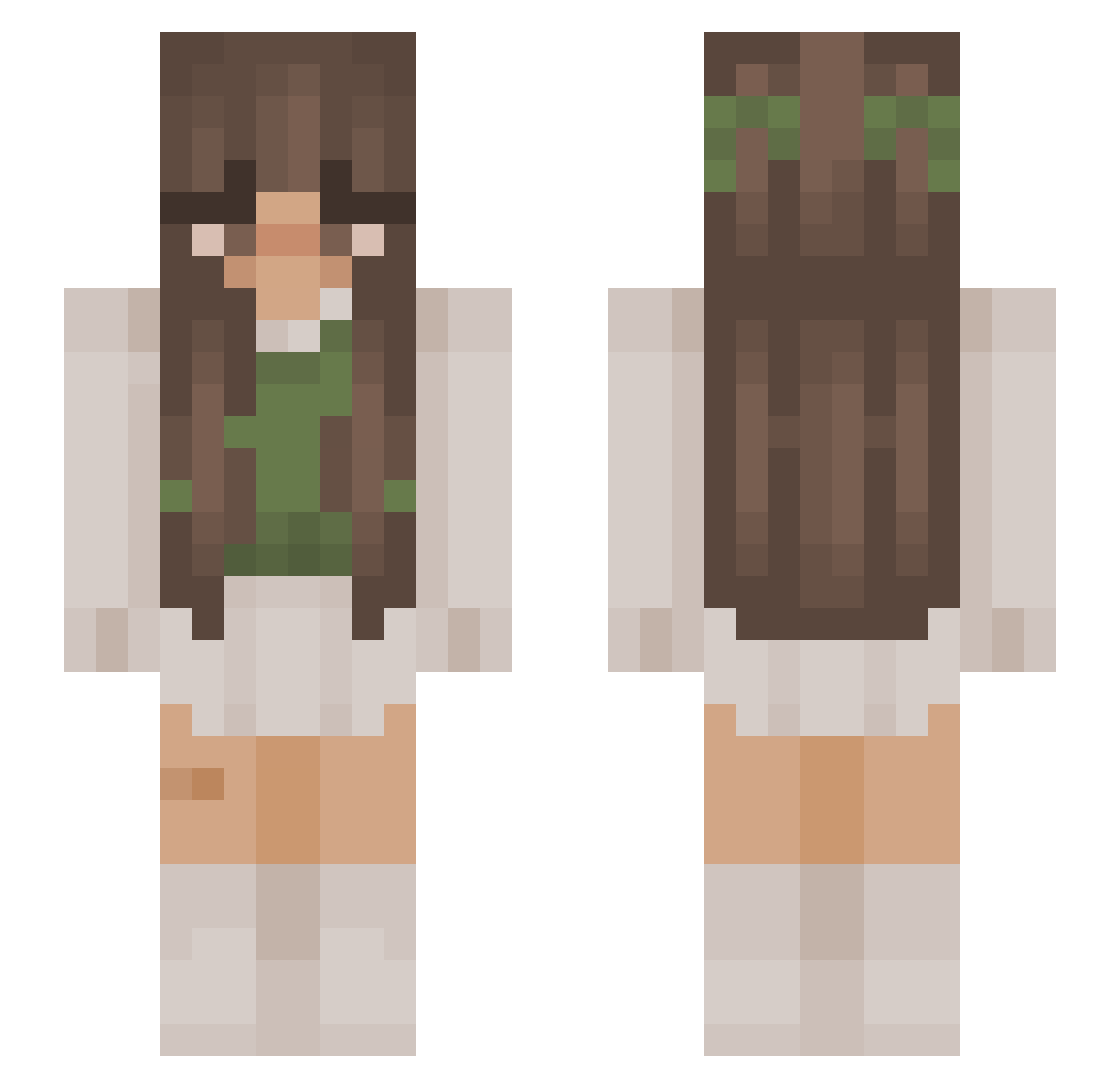
Current Minecraft skin of the player Badcrazycreeper, loaded from the official Mojang API. Rotate the 3D model with your mouse or finger, then download the skin as a PNG file and use it in Minecraft: Bedrock Edition or Java Edition for free. When Badcrazycreeper changes their skin, this page updates automatically and the old skin stays in the history below.
Other players with this skin (1077)
Badcrazycreeper was the 885th player we have seen with this skin, first spotted on 22.10.2026. The same skin was seen on these players. Open a nickname to see their current skin and skin history.
 Miss_Funkelstein wamiyoo Erythia21 gwiazdkaelena hannahetc Mxthildx05 Buro_Kkori marynmars sage_monkiee LiviLulu833 ameliamorrison7 vnssa1503 KatMct abbycurtze Nati_Rose fuffyfofly Kelskels DevonS2 sns_wicked enidsluv Suletu05 Kalyptso Suzanna_P MidnightSun9314 SuperSejeSigne infectionious dibdabereeno senware k1ranc0re 4rns kiunishxii joooogreig theolivefroggo_ Aleybean EmpressBellaBoo Floofy214 MoonFairyManu JoWin74 sanni0 _Lil4x BallettNini Avavass Yvesouls axolotlroxo lemonntea aliakhalil Kenpachi325 CoolCatt milk_and_hone_y michalarbell ketalentine YukiPoops Mack_NotAHuman mati_lol theacuravan kiraa03 bianca20370 Bunny_FlowerOFC lionFTW cccaitie
More Cottagecore Minecraft skins
See all 7030 Cottagecore skins
How to install the Badcrazycreeper skin
- Press the Download button above to save the skin as a PNG file.
- Minecraft: Bedrock Edition (PE): open the Dressing Room from the main menu (or tap your character → Edit Character), go to Classic Skins → Owned, press the + (new skin) button, choose the downloaded PNG and pick the Slim (Alex) model. Works on PC and mobile; consoles cannot import custom skins.
- Minecraft: Java Edition: open the Minecraft Launcher, go to the Skins tab, click New Skin, load the PNG, pick the Slim (Alex) model and press Save & Use. You can also upload it at minecraft.net → Profile → Change Skin.
The skin does not show up after import - what should I do?
Restart Minecraft and open the Dressing Room again - imported skins sometimes appear only after a restart. Also make sure you selected the imported skin and picked the Slim (Alex) model.
Which model should I choose, Classic or Slim?
This skin is designed for the Slim (Alex) model. If you pick the wrong model, the arms of the skin will look stretched or squeezed.
Is the skin of Badcrazycreeper free to download?
Yes. Press Download, save the PNG file and use it in Minecraft: Bedrock Edition or Java Edition - no payment or registration needed. The skin also works on multiplayer servers and Realms.
More skins
Looking for more? Go back to all Minecraft skins and check the top skins of the week, month and all time, or find any player's skin by nickname.