
Bacon_Ash - Minecraft Skins & Skin History
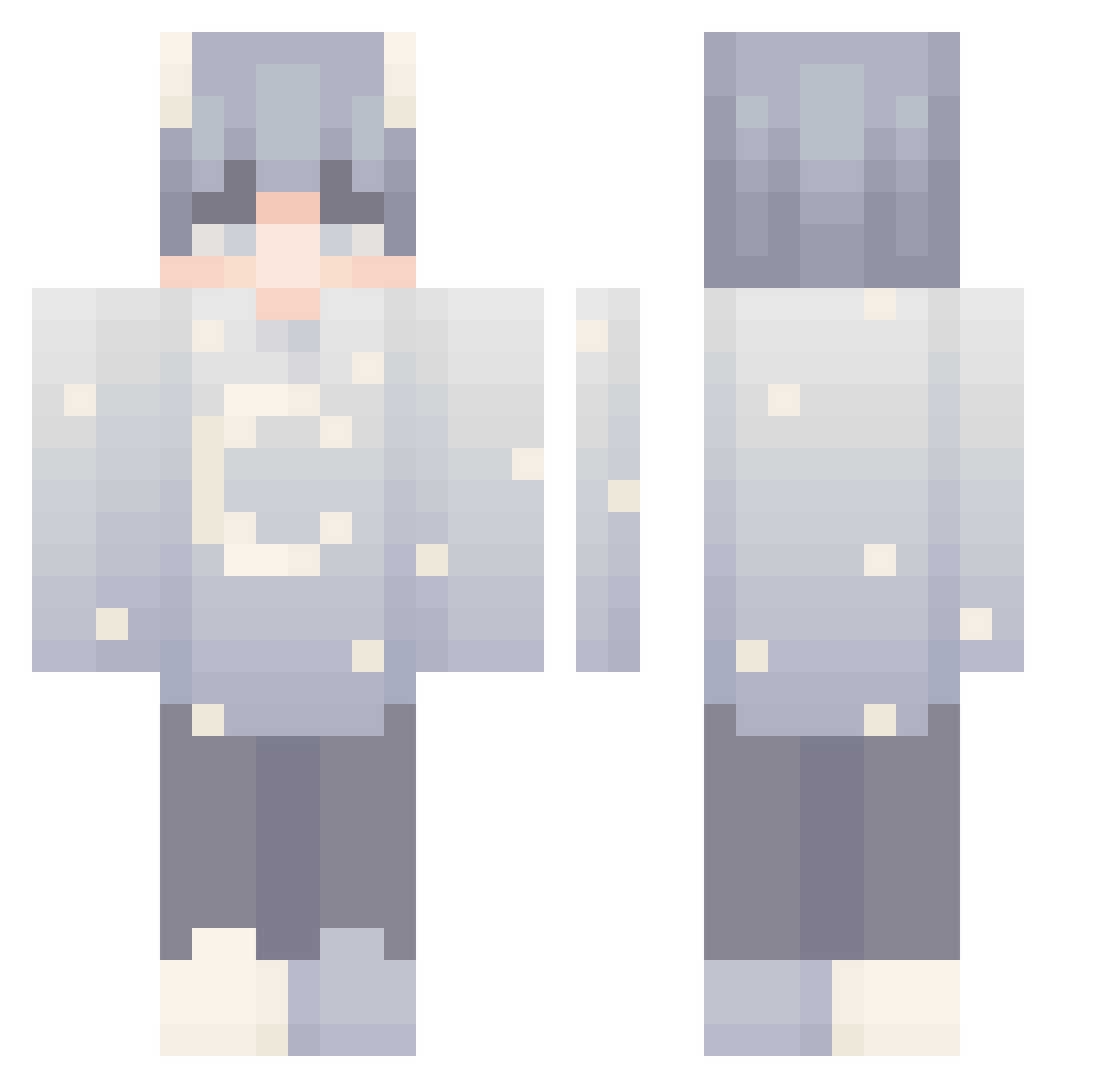
Current Minecraft skin of the player Bacon_Ash, loaded from the official Mojang API. Rotate the 3D model with your mouse or finger, then download the skin as a PNG file and use it in Minecraft: Bedrock Edition or Java Edition for free. When Bacon_Ash changes their skin, this page updates automatically and the old skin stays in the history below.
Other players with this skin (144)
Bacon_Ash was the 121st player we have seen with this skin, first spotted on 05.10.2026. The same skin was seen on these players. Open a nickname to see their current skin and skin history.
 przemekdestroyer loganyo Alexrider4213 han__0613 RuttiMads fayebtw zDxrito_ Legolas_666 Gottx_ Aioker GraigK Jirayo MoonlightShibe _Shark_N PassNeon Phayoon __Myke Domenikrrr FroFroz_ Leomonic 00_andromeda_00 KaNoee Just_Loke crtz_christian michu7492392 inoell Kizakx Haskis3000 Klozard Grocksk 1xx8 Lance_1112 talkeeper BubbleTart77 MiKe_6987 ItsOli1007 hazmax_ Dxruv_ RcF_4432 ASKOFPS OmgDatAshe malek13 Grishaa_QT Roar_0_0 KateSimp 7KNZ7 MonkeyCowey Sakura_HZD cacti1379 RxyalLeo waywoah Mistitled HumerTheGamer Zand3rr cat710327 TtwIlIghtT Steadtheplate Danisaur1 Pennyroyal Dr31ws
More Stars Minecraft skins
How to install the Bacon_Ash skin
- Press the Download button above to save the skin as a PNG file.
- Minecraft: Bedrock Edition (PE): open the Dressing Room from the main menu (or tap your character → Edit Character), go to Classic Skins → Owned, press the + (new skin) button, choose the downloaded PNG and pick the Classic (Steve) model. Works on PC and mobile; consoles cannot import custom skins.
- Minecraft: Java Edition: open the Minecraft Launcher, go to the Skins tab, click New Skin, load the PNG, pick the Classic (Steve) model and press Save & Use. You can also upload it at minecraft.net → Profile → Change Skin.
The skin does not show up after import - what should I do?
Restart Minecraft and open the Dressing Room again - imported skins sometimes appear only after a restart. Also make sure you selected the imported skin and picked the Classic (Steve) model.
Which model should I choose, Classic or Slim?
This skin is designed for the Classic (Steve) model. If you pick the wrong model, the arms of the skin will look stretched or squeezed.
Is the skin of Bacon_Ash free to download?
Yes. Press Download, save the PNG file and use it in Minecraft: Bedrock Edition or Java Edition - no payment or registration needed. The skin also works on multiplayer servers and Realms.
More skins
Looking for more? Go back to all Minecraft skins and check the top skins of the week, month and all time, or find any player's skin by nickname.