
Backfisch1718 - Minecraft Skins & Skin History
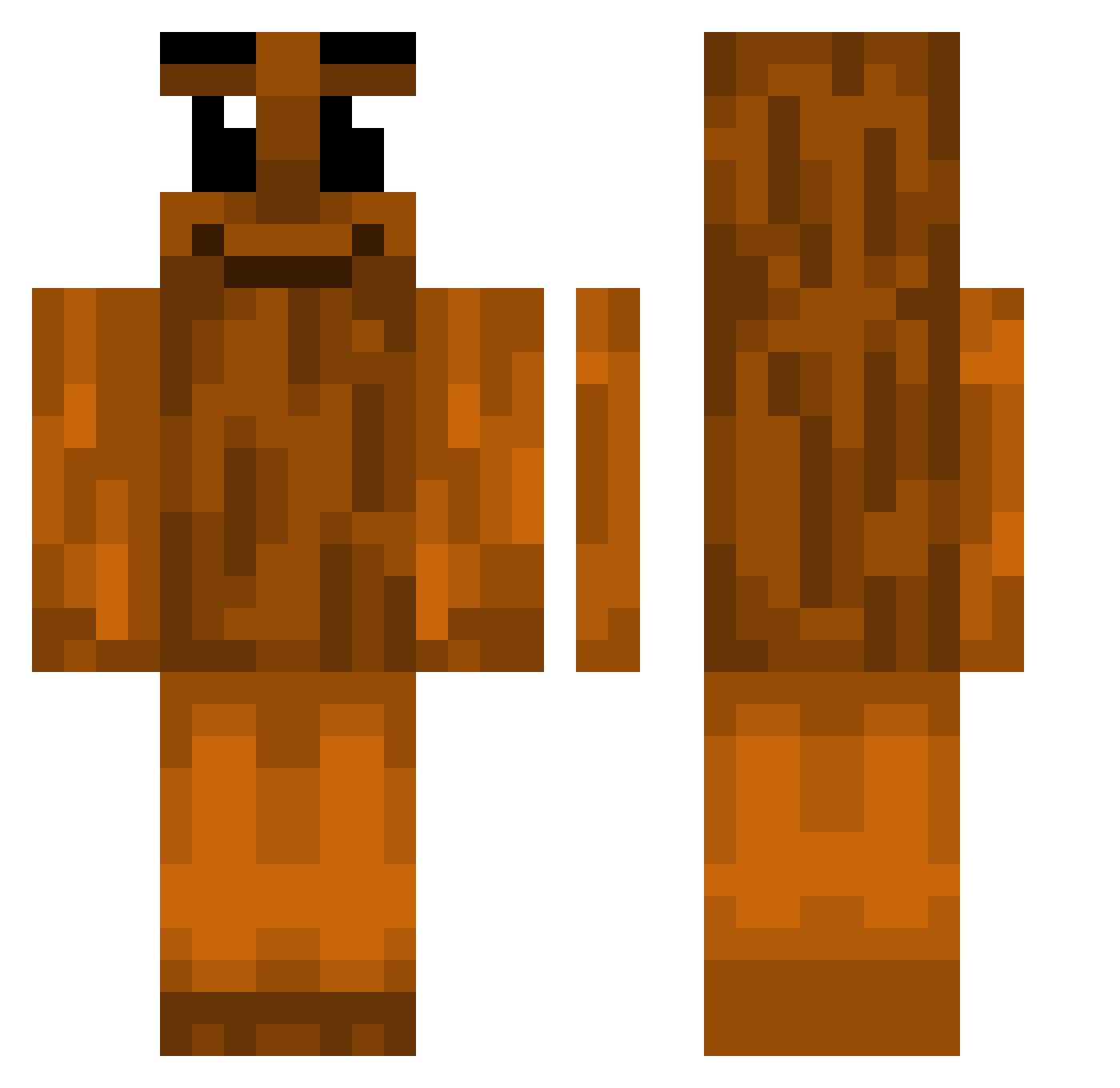
Current Minecraft skin of the player Backfisch1718, loaded from the official Mojang API. Rotate the 3D model with your mouse or finger, then download the skin as a PNG file and use it in Minecraft: Bedrock Edition or Java Edition for free. When Backfisch1718 changes their skin, this page updates automatically and the old skin stays in the history below.
Other players with this skin (375)
Backfisch1718 was the 346th player we have seen with this skin, first spotted on 23.10.2026. The same skin was seen on these players. Open a nickname to see their current skin and skin history.
 c3_3 Dvckerz v0kql skelluu lirycznypostrach joncarlos WujoBilly nogamesensewe 3arbiSoukali Everson_MC gunboy13 HottyLover13 Zbigijczarnych Demotaikanbo Nordlys0 49days ssnnBD younglingslaya Deadlywolf1716 _jaym Darkel38 JordyPinguin S33ksUaln4_P4uLa Creator1212 vicexde IWYOU TitiTrexi Abi101 Kievmour szymigsowy __GGT__ jiangjun4130 Pioszk rahriii NIZ_Luis19 Pro_w_i_g_g_a wakeupceez DuelMaster3 tychowo Gazox022 Tarfq ccozsole n3llyw charyk yourwarmhands noah2010boah Luddi91710 bboop_ CzupmenPL VelozzzZ Joaninhas67 BlueBoy2810 prodj_ Sabotage OnlyFreak_ oluhv MERCILIONW ApemaElPro777xdd xFabipvps marquitus13
More Oak Log Minecraft skins
How to install the Backfisch1718 skin
- Press the Download button above to save the skin as a PNG file.
- Minecraft: Bedrock Edition (PE): open the Dressing Room from the main menu (or tap your character → Edit Character), go to Classic Skins → Owned, press the + (new skin) button, choose the downloaded PNG and pick the Classic (Steve) model. Works on PC and mobile; consoles cannot import custom skins.
- Minecraft: Java Edition: open the Minecraft Launcher, go to the Skins tab, click New Skin, load the PNG, pick the Classic (Steve) model and press Save & Use. You can also upload it at minecraft.net → Profile → Change Skin.
The skin does not show up after import - what should I do?
Restart Minecraft and open the Dressing Room again - imported skins sometimes appear only after a restart. Also make sure you selected the imported skin and picked the Classic (Steve) model.
Which model should I choose, Classic or Slim?
This skin is designed for the Classic (Steve) model. If you pick the wrong model, the arms of the skin will look stretched or squeezed.
Is the skin of Backfisch1718 free to download?
Yes. Press Download, save the PNG file and use it in Minecraft: Bedrock Edition or Java Edition - no payment or registration needed. The skin also works on multiplayer servers and Realms.
More skins
Looking for more? Go back to all Minecraft skins and check the top skins of the week, month and all time, or find any player's skin by nickname.