
Babblepie - Minecraft Skins & Skin History
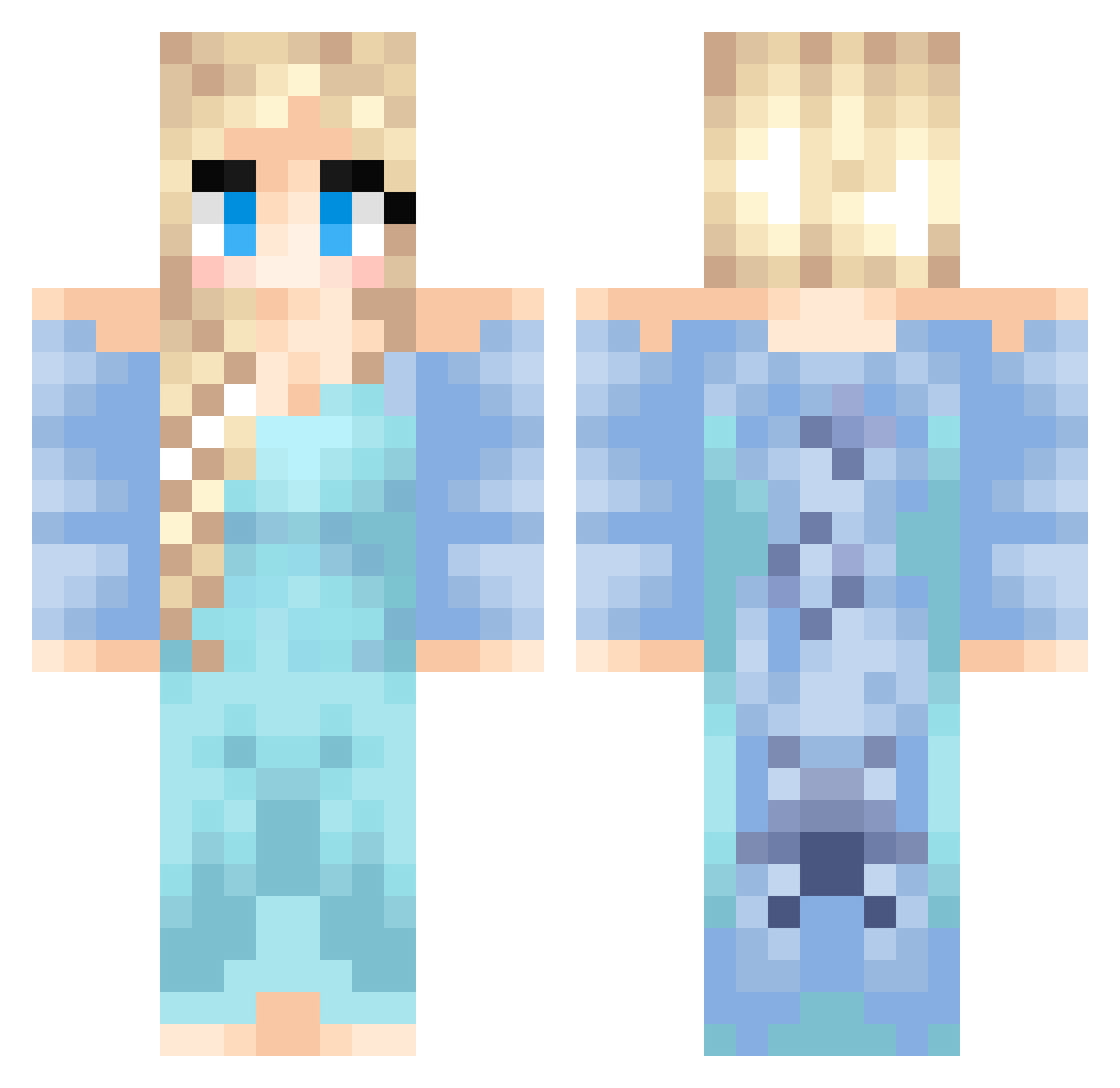
Current Minecraft skin of the player Babblepie, loaded from the official Mojang API. Rotate the 3D model with your mouse or finger, then download the skin as a PNG file and use it in Minecraft: Bedrock Edition or Java Edition for free. When Babblepie changes their skin, this page updates automatically and the old skin stays in the history below.
Other players with this skin (437)
Babblepie was the 55th player we have seen with this skin, first spotted on 08.08.2026. The same skin was seen on these players. Open a nickname to see their current skin and skin history.
 AvriKB chocolaatje123 frafrawr BrynT2005 Disneygirl246 pufferfish2000 PGAAda Mr_Noobody alyssamichellemt Kynedee18 BekiRose Spark0891 vanessaa7 nancy91 MinecraftGirl101 itsKristine eminate500 Daido649 Vullen2 Vinnygg yomanyoman123 Anrolelad Mina saraberg MRCORNFLAKES1 aquasydney77 stephh1505 Xicution XxMinecraftNrdxX TheGopherking tom_winz michael_mitrovic maddy_lily JaylaIsHere Nikolie_ NeenerBurger Unconformed empjeeee rigs202 canterkids RiRi0130 SuperSlooper eburton91 DanyDragonborn MintyRose04 hoakira Kiwi_Snapple natalie20024 MizoreKue Super__girl BGSbelly sliightly_sykiic missrachelbean ZormanKids lisacorrell princesszerofour luciagirls tashabella Dozer1010 Frida52
More Elsa Minecraft skins
How to install the Babblepie skin
- Press the Download button above to save the skin as a PNG file.
- Minecraft: Bedrock Edition (PE): open the Dressing Room from the main menu (or tap your character → Edit Character), go to Classic Skins → Owned, press the + (new skin) button, choose the downloaded PNG and pick the Classic (Steve) model. Works on PC and mobile; consoles cannot import custom skins.
- Minecraft: Java Edition: open the Minecraft Launcher, go to the Skins tab, click New Skin, load the PNG, pick the Classic (Steve) model and press Save & Use. You can also upload it at minecraft.net → Profile → Change Skin.
The skin does not show up after import - what should I do?
Restart Minecraft and open the Dressing Room again - imported skins sometimes appear only after a restart. Also make sure you selected the imported skin and picked the Classic (Steve) model.
Which model should I choose, Classic or Slim?
This skin is designed for the Classic (Steve) model. If you pick the wrong model, the arms of the skin will look stretched or squeezed.
Is the skin of Babblepie free to download?
Yes. Press Download, save the PNG file and use it in Minecraft: Bedrock Edition or Java Edition - no payment or registration needed. The skin also works on multiplayer servers and Realms.
More skins
Looking for more? Go back to all Minecraft skins and check the top skins of the week, month and all time, or find any player's skin by nickname.