
BOYCET4_NA_NAVE - Minecraft Skins & Skin History
Current Minecraft skin of the player BOYCET4_NA_NAVE, loaded from the official Mojang API. Rotate the 3D model with your mouse or finger, then download the skin as a PNG file and use it in Minecraft: Bedrock Edition or Java Edition for free. When BOYCET4_NA_NAVE changes their skin, this page updates automatically and the old skin stays in the history below.
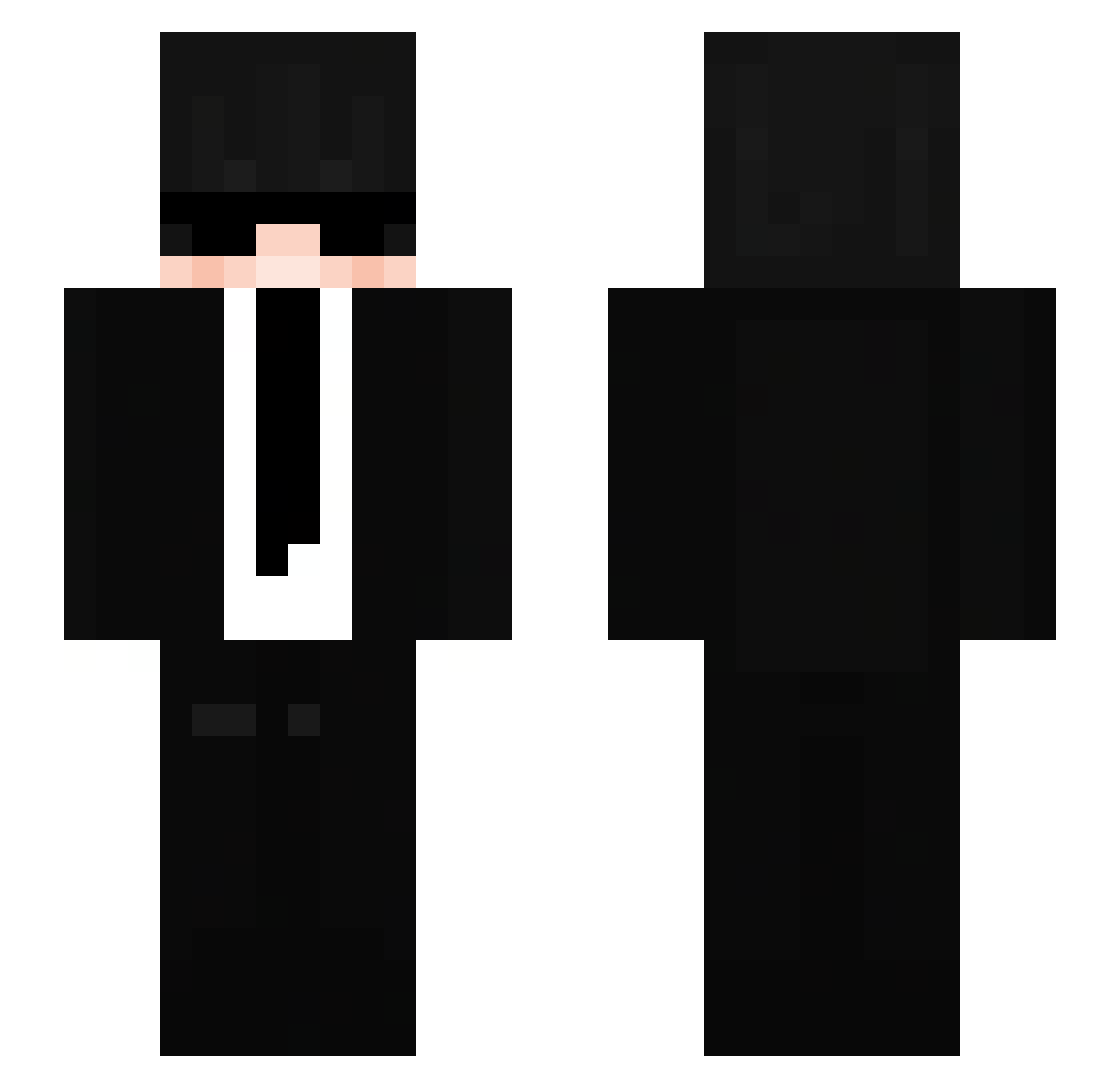
Other players with this skin (177)
BOYCET4_NA_NAVE was the 98th player we have seen with this skin, first spotted on 10.09.2026. The same skin was seen on these players. Open a nickname to see their current skin and skin history.
 FluXentricx BenNashe Domiuxaz FIN_Dashmaster InHiding Mati_POL Diegosisi Zarude01923 Ben_VB14 Gab_Itz itzz_ksawery5 ReeSpite_ Raputha Endy829 Rafinha12112013 HBK0402 moguri1109 pkh_004 Duuck_XD mammamia230 P4T_2947 joserb16 replaytech
 fragmen1 On_themove baldyisbest Mika_IQ Saik0sss Lee_z_khorinis
 benni0007 rip_kaido69 The_MiCo HadiistHadi ily_michvs Kolamp Vanquishy po_ork Mikla_a viper_L Lord_Yushino13 UJinChoi SethL_Playz GatoAzedo16 forest_green5 ANDMAX4608 HappySun44 JMR7711 Dandy_YS MatteoX2 tcqt113 JustVoidexx chaosvk caravanr scoumdaniel DavidNieves000 trofass RuniFiedMC_ ohcade DubbleTheBubble ElKonnor
More Agent Minecraft skins
How to install the BOYCET4_NA_NAVE skin
- Press the Download button above to save the skin as a PNG file.
- Minecraft: Bedrock Edition (PE): open the Dressing Room from the main menu (or tap your character → Edit Character), go to Classic Skins → Owned, press the + (new skin) button, choose the downloaded PNG and pick the Slim (Alex) model. Works on PC and mobile; consoles cannot import custom skins.
- Minecraft: Java Edition: open the Minecraft Launcher, go to the Skins tab, click New Skin, load the PNG, pick the Slim (Alex) model and press Save & Use. You can also upload it at minecraft.net → Profile → Change Skin.
The skin does not show up after import - what should I do?
Restart Minecraft and open the Dressing Room again - imported skins sometimes appear only after a restart. Also make sure you selected the imported skin and picked the Slim (Alex) model.
Which model should I choose, Classic or Slim?
This skin is designed for the Slim (Alex) model. If you pick the wrong model, the arms of the skin will look stretched or squeezed.
Is the skin of BOYCET4_NA_NAVE free to download?
Yes. Press Download, save the PNG file and use it in Minecraft: Bedrock Edition or Java Edition - no payment or registration needed. The skin also works on multiplayer servers and Realms.
More skins
Looking for more? Go back to all Minecraft skins and check the top skins of the week, month and all time, or find any player's skin by nickname.