
BOT_CB22_ - Minecraft Skins & Skin History
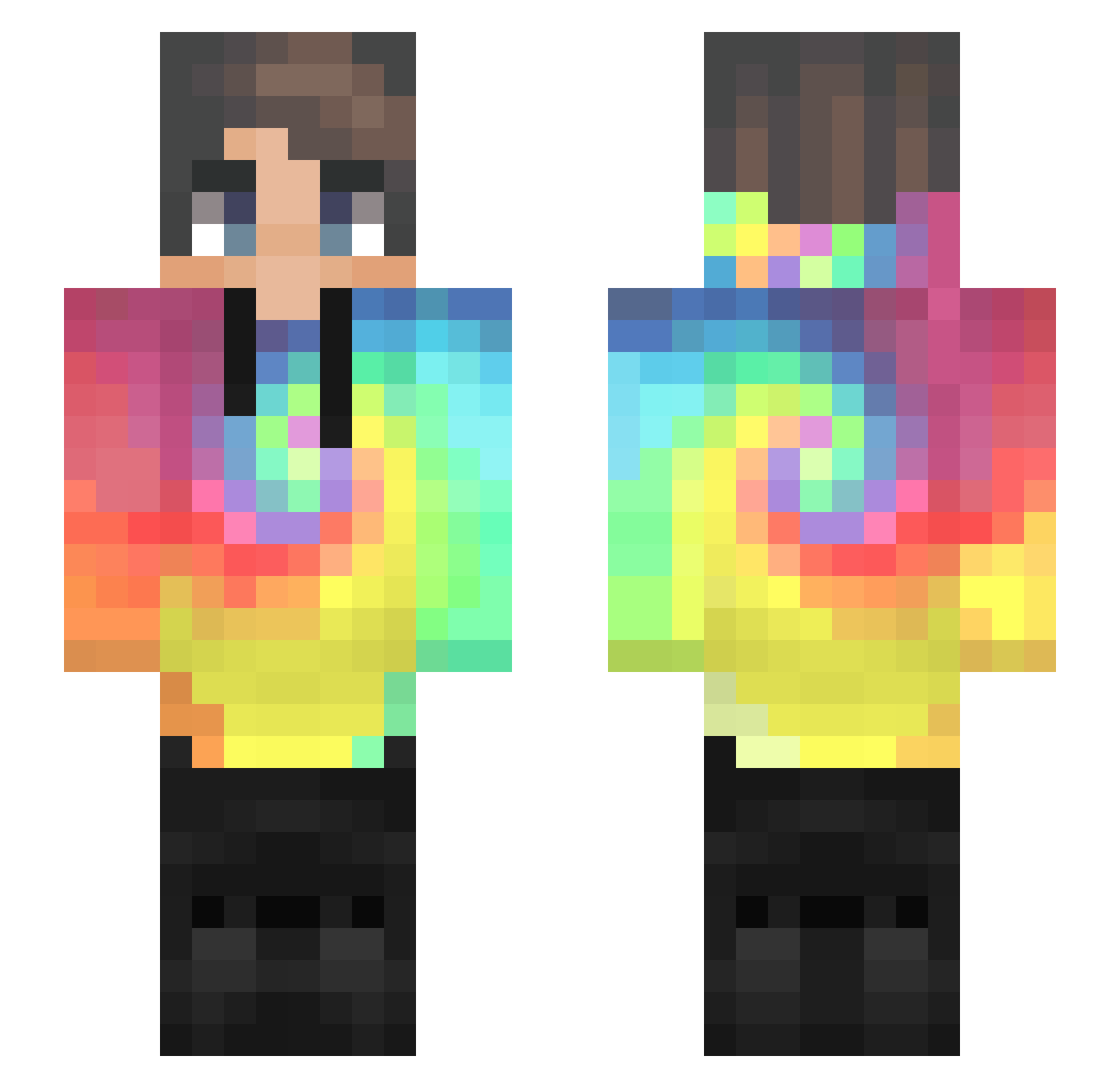
Current Minecraft skin of the player BOT_CB22_, loaded from the official Mojang API. Rotate the 3D model with your mouse or finger, then download the skin as a PNG file and use it in Minecraft: Bedrock Edition or Java Edition for free. When BOT_CB22_ changes their skin, this page updates automatically and the old skin stays in the history below.
Other players with this skin (435)
BOT_CB22_ was the 193rd player we have seen with this skin, first spotted on 07.09.2026. The same skin was seen on these players. Open a nickname to see their current skin and skin history.
 Yoobon Stargazer_58 VanZan11 MZKM0 1119__ Lenox100 papcia7 Vanedis TruenoDiff Sevenfriends_ Y4m1Kaa HotDog_JJ shormy rowan0608123 edoshin98 QCuLLeR JRC0001 Toriwa_ lemon1x KayleeLee02 szymi_iscool SELBE99999999999 shooterblooper Emmilton Feli2911 Arko8118 AKLivingYT Castlenike Dingleberie markgonzales_05 Good2me ParkSangSun kkyjeet Loupiar effwordyou sussans OofSkinneh Sebek851 Castor3394 Tier8 Kazzumaa gameplayle zhddl9946 parkseunghyun Reptider12 FusiOn_JoD Tijn720 NJWF1 Payton_Perry SeongMin05 emirhaner3310 Aeloulaev yisong0055 Chaseee___ lumadu77 TobaccoGang zZ8EigHt8Zz doncabezon oOVinOo shane0927
How to install the BOT_CB22_ skin
- Press the Download button above to save the skin as a PNG file.
- Minecraft: Bedrock Edition (PE): open the Dressing Room from the main menu (or tap your character → Edit Character), go to Classic Skins → Owned, press the + (new skin) button, choose the downloaded PNG and pick the Slim (Alex) model. Works on PC and mobile; consoles cannot import custom skins.
- Minecraft: Java Edition: open the Minecraft Launcher, go to the Skins tab, click New Skin, load the PNG, pick the Slim (Alex) model and press Save & Use. You can also upload it at minecraft.net → Profile → Change Skin.
The skin does not show up after import - what should I do?
Restart Minecraft and open the Dressing Room again - imported skins sometimes appear only after a restart. Also make sure you selected the imported skin and picked the Slim (Alex) model.
Which model should I choose, Classic or Slim?
This skin is designed for the Slim (Alex) model. If you pick the wrong model, the arms of the skin will look stretched or squeezed.
Is the skin of BOT_CB22_ free to download?
Yes. Press Download, save the PNG file and use it in Minecraft: Bedrock Edition or Java Edition - no payment or registration needed. The skin also works on multiplayer servers and Realms.
More skins
Looking for more? Go back to all Minecraft skins and check the top skins of the week, month and all time, or find any player's skin by nickname.