
BOKBOK420 - Minecraft Skins & Skin History
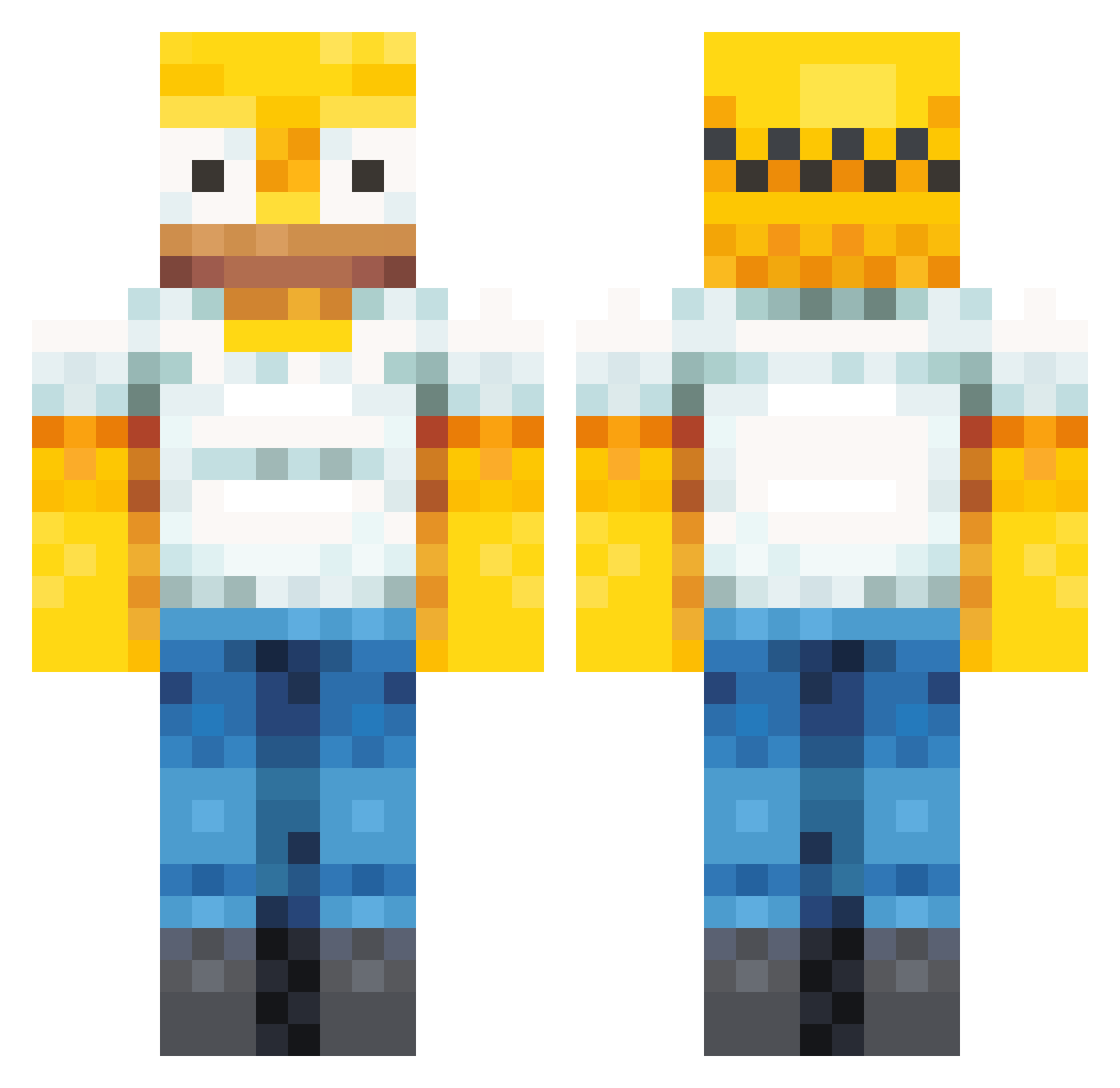
Current Minecraft skin of the player BOKBOK420, loaded from the official Mojang API. Rotate the 3D model with your mouse or finger, then download the skin as a PNG file and use it in Minecraft: Bedrock Edition or Java Edition for free. When BOKBOK420 changes their skin, this page updates automatically and the old skin stays in the history below.
Other players with this skin (358)
BOKBOK420 was the 101st player we have seen with this skin, first spotted on 21.08.2026. The same skin was seen on these players. Open a nickname to see their current skin and skin history.
 KingDewierr SilBol CW1ZZLE LazyBashfulMule HomerHaram Fipsiderking MegaMaggot pacheco903 RVS_SkyZz bart2233 GravyTub JoeyIsHomer _ThePainkiller ThePalisades MinouTOTO CoStArIcAJJ Keagan_Fr Grazzlore duffman2212 Thiccccolas eqkco LYQ10086 BaggonicXx Slikkoh MackyOwo SwaLaste tuqky bootaycheeks Espi00 KampfKeksL SjonnieTapper GruSzeeQ entyfusionz leochirade goodvibes57 NEKOS10 MarkhaXy pockadite TripShoes buddy_boi9988 AoTheBeast SkibidiSlapHead4 yournbgg ZomZag rguz27 DAiDAIMe MakysBack RagedKitsune BlecKent ELEV11S timtoo2015 daniboi4552 mess591 SmashedCosine24 GuiSeco dormioMC xSkayn TilmansMama yaboiaffan Spheryc
More Homer Simpson Minecraft skins
See all 284 Homer Simpson skins
How to install the BOKBOK420 skin
- Press the Download button above to save the skin as a PNG file.
- Minecraft: Bedrock Edition (PE): open the Dressing Room from the main menu (or tap your character → Edit Character), go to Classic Skins → Owned, press the + (new skin) button, choose the downloaded PNG and pick the Classic (Steve) model. Works on PC and mobile; consoles cannot import custom skins.
- Minecraft: Java Edition: open the Minecraft Launcher, go to the Skins tab, click New Skin, load the PNG, pick the Classic (Steve) model and press Save & Use. You can also upload it at minecraft.net → Profile → Change Skin.
The skin does not show up after import - what should I do?
Restart Minecraft and open the Dressing Room again - imported skins sometimes appear only after a restart. Also make sure you selected the imported skin and picked the Classic (Steve) model.
Which model should I choose, Classic or Slim?
This skin is designed for the Classic (Steve) model. If you pick the wrong model, the arms of the skin will look stretched or squeezed.
Is the skin of BOKBOK420 free to download?
Yes. Press Download, save the PNG file and use it in Minecraft: Bedrock Edition or Java Edition - no payment or registration needed. The skin also works on multiplayer servers and Realms.
More skins
Looking for more? Go back to all Minecraft skins and check the top skins of the week, month and all time, or find any player's skin by nickname.