
BKoelie - Minecraft Skins & Skin History
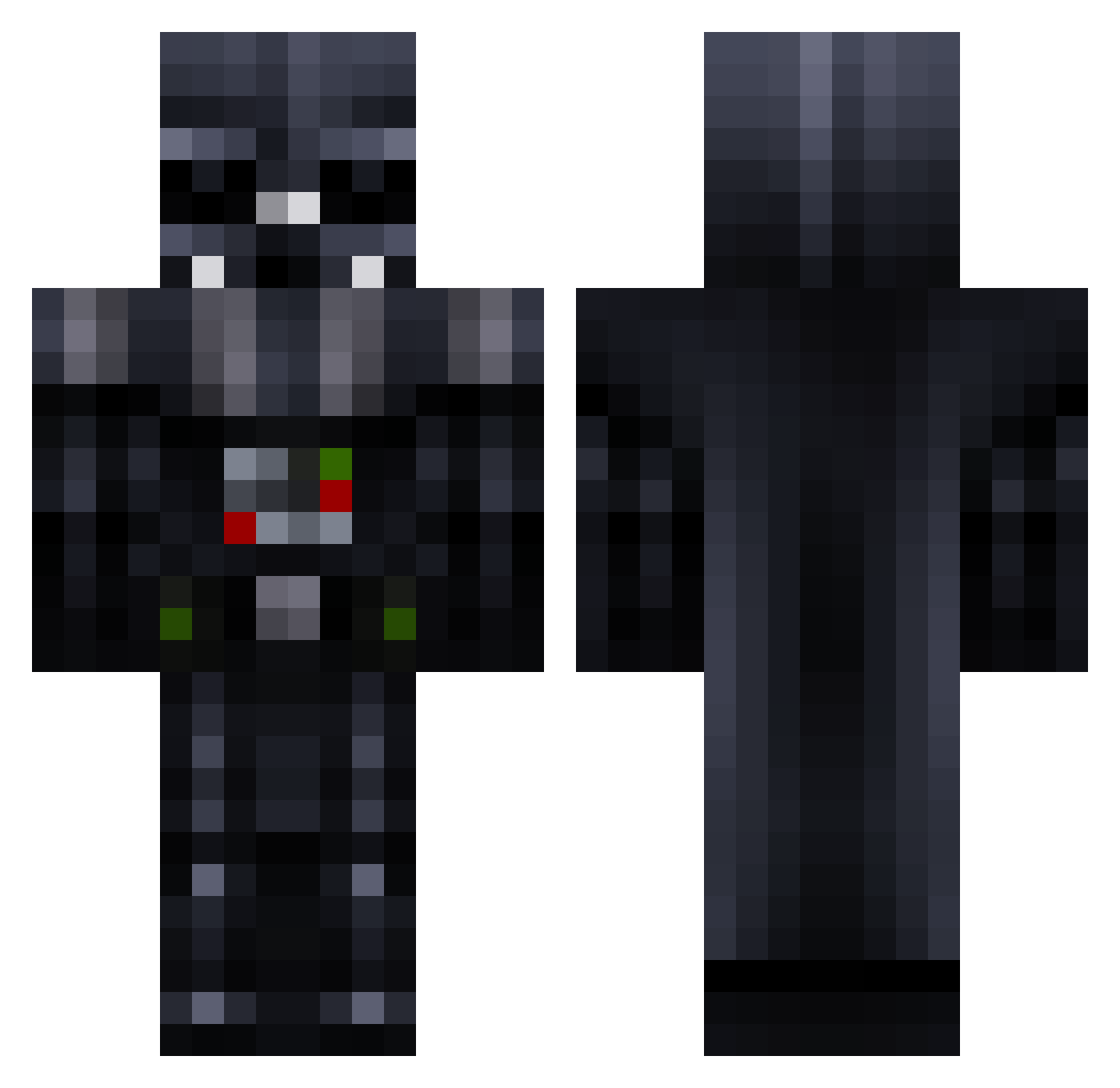
Current Minecraft skin of the player BKoelie, loaded from the official Mojang API. Rotate the 3D model with your mouse or finger, then download the skin as a PNG file and use it in Minecraft: Bedrock Edition or Java Edition for free. When BKoelie changes their skin, this page updates automatically and the old skin stays in the history below.
Other players with this skin (779)
BKoelie was the 758th player we have seen with this skin, first spotted on 29.10.2026. The same skin was seen on these players. Open a nickname to see their current skin and skin history.
 Iman_Lloyd Gizmoidal Punuktuk natus191 Flavouredpubes Fritztopher tanjer45 Traxeras chickenwars96 Steveio21 minaburns Flyershockey28 tiffaneyheart12 swvaders SEAWOLF_SSN21 PhiloBeddoe2583 N1ghtwatch darthsenior Doostinator bloodnessgamer rusko_san Ganja_Thief Hawi21 CalebSagert mineALLmineFTW spunkymunkey8 Balexis24 dalgoaaa tobir0965 brobros123 KnightWolf4316 lilywho Emperor501 luisifelix Joe_Harker MR_VADER100 Jacksonminer101 FRESHJMCFLY JamieGowen JAG7 Darthtk421 simontuner ItsDarkMatter tobyarnold01 ShirtBread Jim666 acidelite Machtkatze Vickt xanderindalzone harry1931_ 2012rex luki12306 John0theknight Leggitt69 Greysander AlexStyl Rogicraft Leolynn blackeyedbrian
More Darth Vader Minecraft skins
How to install the BKoelie skin
- Press the Download button above to save the skin as a PNG file.
- Minecraft: Bedrock Edition (PE): open the Dressing Room from the main menu (or tap your character → Edit Character), go to Classic Skins → Owned, press the + (new skin) button, choose the downloaded PNG and pick the Classic (Steve) model. Works on PC and mobile; consoles cannot import custom skins.
- Minecraft: Java Edition: open the Minecraft Launcher, go to the Skins tab, click New Skin, load the PNG, pick the Classic (Steve) model and press Save & Use. You can also upload it at minecraft.net → Profile → Change Skin.
The skin does not show up after import - what should I do?
Restart Minecraft and open the Dressing Room again - imported skins sometimes appear only after a restart. Also make sure you selected the imported skin and picked the Classic (Steve) model.
Which model should I choose, Classic or Slim?
This skin is designed for the Classic (Steve) model. If you pick the wrong model, the arms of the skin will look stretched or squeezed.
Is the skin of BKoelie free to download?
Yes. Press Download, save the PNG file and use it in Minecraft: Bedrock Edition or Java Edition - no payment or registration needed. The skin also works on multiplayer servers and Realms.
More skins
Looking for more? Go back to all Minecraft skins and check the top skins of the week, month and all time, or find any player's skin by nickname.