
BESUTO147 - Minecraft Skins & Skin History
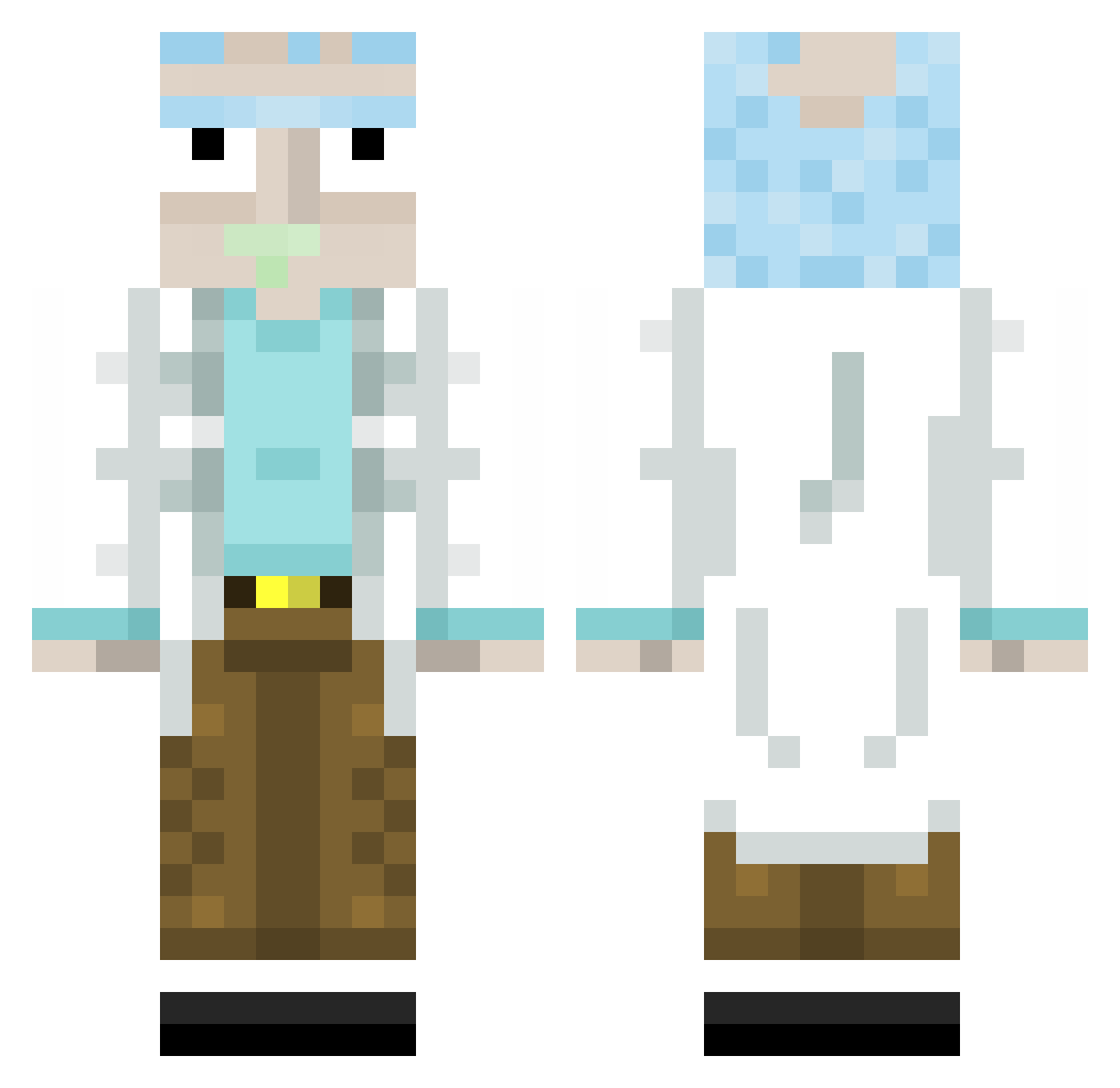
Current Minecraft skin of the player BESUTO147, loaded from the official Mojang API. Rotate the 3D model with your mouse or finger, then download the skin as a PNG file and use it in Minecraft: Bedrock Edition or Java Edition for free. When BESUTO147 changes their skin, this page updates automatically and the old skin stays in the history below.
Other players with this skin (313)
BESUTO147 was the 274th player we have seen with this skin, first spotted on 18.10.2026. The same skin was seen on these players. Open a nickname to see their current skin and skin history.
 lRick Puru_VY SuperSwager lor_Zorro blanko2372 GimLeg BlackIndominus MatheLZK Akafuwa Hanso_Von_Zimer Ouch511 LukasFDM Lubenstein_ JuanJimz Zerotas JJtheray _Gurru_ Edwardj9 GreGReg Rick__ SparkSNP Itzzmlosz PykeOne christiangrenier Shaco__ doll6r JC_MadHouse95 Matteo090903 Sercol04 KarlDieKlammer Bazicraft02 Itzahe RadiatedCat LordBrada deanpetes BludsLung Saasugar Pepe01 PuczykN lordneron95 HyperFurax jossiz Nebot420 batmamt Niemus_ATC TORRALBA Maverickjhon99 JuanDiOC dewakis Toygar_ Mrbigandtall Ziouzioux yoloboy12334 JGFranca Elcarlo22 Koneksja DINGZHEN1145145 SplitSpot Smashinu1 RealSmoky
More Rick Sanchez Minecraft skins
See all 214 Rick Sanchez skins
How to install the BESUTO147 skin
- Press the Download button above to save the skin as a PNG file.
- Minecraft: Bedrock Edition (PE): open the Dressing Room from the main menu (or tap your character → Edit Character), go to Classic Skins → Owned, press the + (new skin) button, choose the downloaded PNG and pick the Classic (Steve) model. Works on PC and mobile; consoles cannot import custom skins.
- Minecraft: Java Edition: open the Minecraft Launcher, go to the Skins tab, click New Skin, load the PNG, pick the Classic (Steve) model and press Save & Use. You can also upload it at minecraft.net → Profile → Change Skin.
The skin does not show up after import - what should I do?
Restart Minecraft and open the Dressing Room again - imported skins sometimes appear only after a restart. Also make sure you selected the imported skin and picked the Classic (Steve) model.
Which model should I choose, Classic or Slim?
This skin is designed for the Classic (Steve) model. If you pick the wrong model, the arms of the skin will look stretched or squeezed.
Is the skin of BESUTO147 free to download?
Yes. Press Download, save the PNG file and use it in Minecraft: Bedrock Edition or Java Edition - no payment or registration needed. The skin also works on multiplayer servers and Realms.
More skins
Looking for more? Go back to all Minecraft skins and check the top skins of the week, month and all time, or find any player's skin by nickname.