
BEPIS_MACC - Minecraft Skins & Skin History
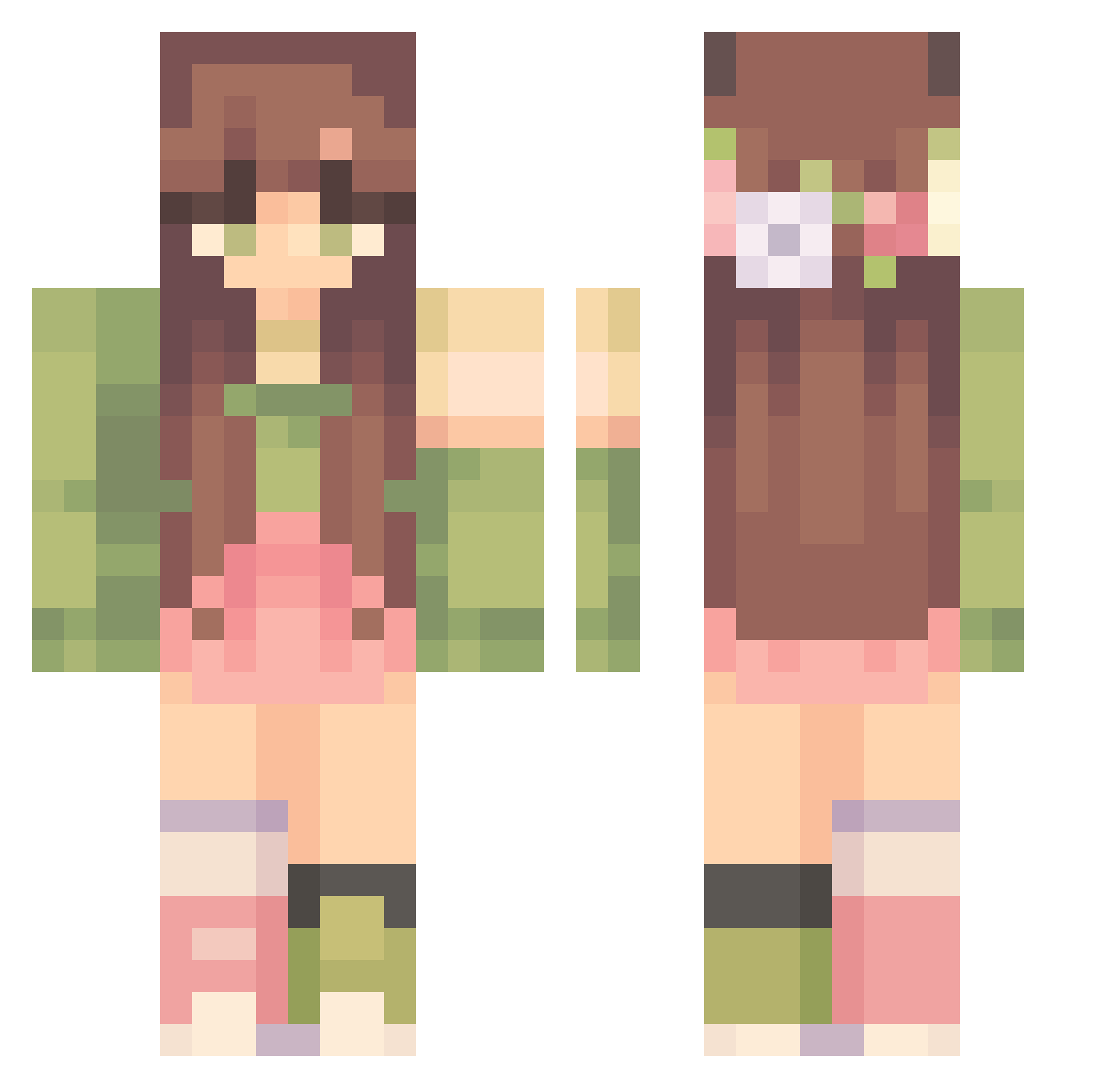
Current Minecraft skin of the player BEPIS_MACC, loaded from the official Mojang API. Rotate the 3D model with your mouse or finger, then download the skin as a PNG file and use it in Minecraft: Bedrock Edition or Java Edition for free. When BEPIS_MACC changes their skin, this page updates automatically and the old skin stays in the history below.
Other players with this skin (303)
BEPIS_MACC was the 137th player we have seen with this skin, first spotted on 01.09.2026. The same skin was seen on these players. Open a nickname to see their current skin and skin history.
 _heavn Taunie shellimiaxo ALINA0829 Cyanidy Elisa2496 marilunisol Viczka321 Scorpio01_ callmehhdj WinnieX0405 Athoura libbiemeow 0613BTS Zsettt chresli ryeebread8 superbean001 maruszska SamyCosta Helazena Oxaleen goodmegs Tigerlilly2399 bambivi Honeymoongalore smbobaballs
 Jinksbunny NotAnArabian triviatori Bluuuew matounette MichiruMoon BbyBumblebee victoriapeleno _Savy MostCuteWins Skyrafox3 jannefossen kenzigo hannerbananer07 Cicmonek dodzis verycammi smems0 naoxorah typingisa boba_ghost Reniblue chceumrzec123 aidenisnthere Awes0meSaucee b3lq Titi114 XxEmeraldBunnyxX ashtonbrownfield The_Aury Esti286 Shiki_ram sslijo
More Flower Crown Minecraft skins
See all 3225 Flower Crown skins
How to install the BEPIS_MACC skin
- Press the Download button above to save the skin as a PNG file.
- Minecraft: Bedrock Edition (PE): open the Dressing Room from the main menu (or tap your character → Edit Character), go to Classic Skins → Owned, press the + (new skin) button, choose the downloaded PNG and pick the Classic (Steve) model. Works on PC and mobile; consoles cannot import custom skins.
- Minecraft: Java Edition: open the Minecraft Launcher, go to the Skins tab, click New Skin, load the PNG, pick the Classic (Steve) model and press Save & Use. You can also upload it at minecraft.net → Profile → Change Skin.
The skin does not show up after import - what should I do?
Restart Minecraft and open the Dressing Room again - imported skins sometimes appear only after a restart. Also make sure you selected the imported skin and picked the Classic (Steve) model.
Which model should I choose, Classic or Slim?
This skin is designed for the Classic (Steve) model. If you pick the wrong model, the arms of the skin will look stretched or squeezed.
Is the skin of BEPIS_MACC free to download?
Yes. Press Download, save the PNG file and use it in Minecraft: Bedrock Edition or Java Edition - no payment or registration needed. The skin also works on multiplayer servers and Realms.
More skins
Looking for more? Go back to all Minecraft skins and check the top skins of the week, month and all time, or find any player's skin by nickname.