
BDYDH - Minecraft Skins & Skin History
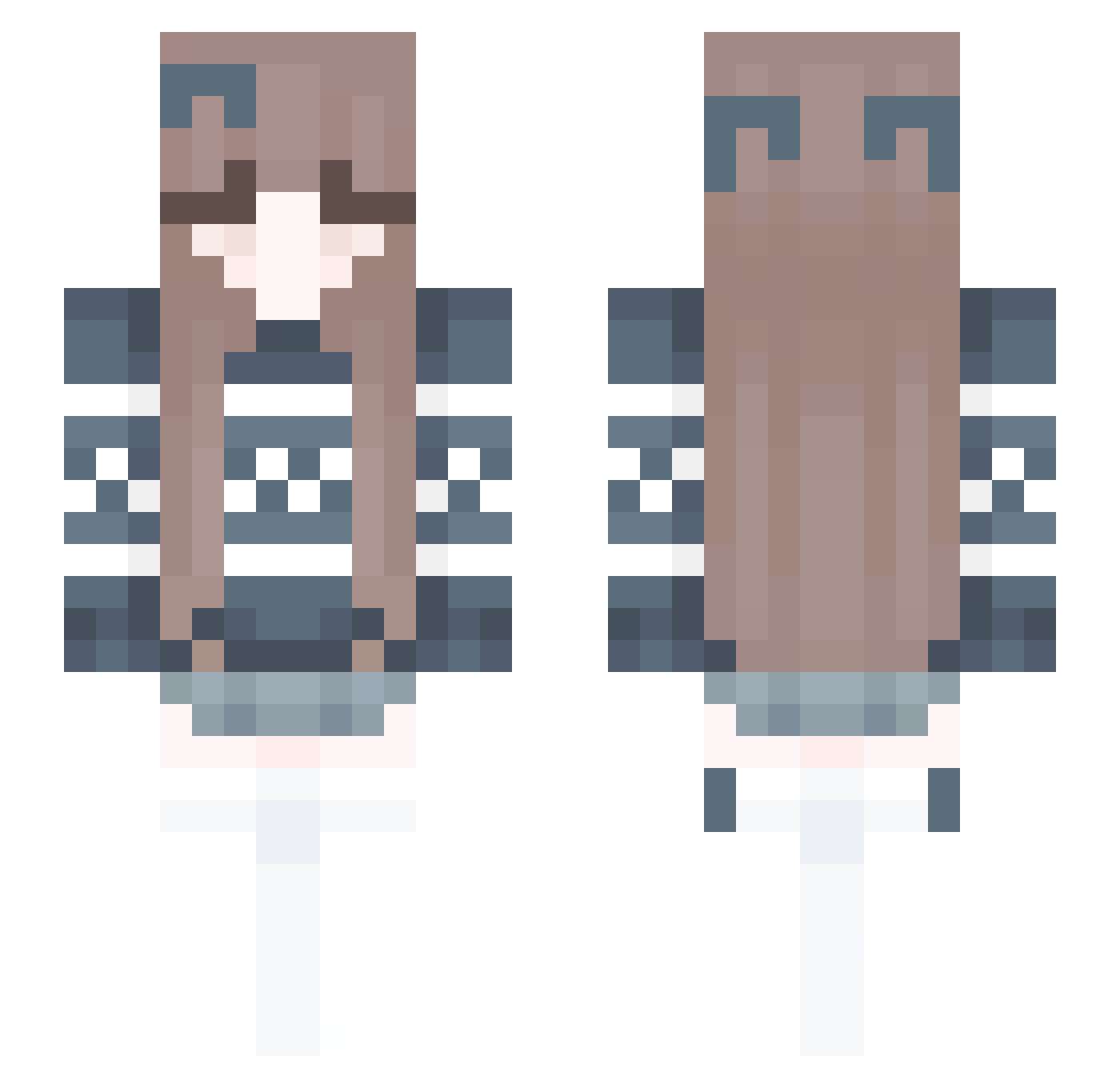
Current Minecraft skin of the player BDYDH, loaded from the official Mojang API. Rotate the 3D model with your mouse or finger, then download the skin as a PNG file and use it in Minecraft: Bedrock Edition or Java Edition for free. When BDYDH changes their skin, this page updates automatically and the old skin stays in the history below.
Other players with this skin (246)
BDYDH was the 162nd player we have seen with this skin, first spotted on 03.10.2026. The same skin was seen on these players. Open a nickname to see their current skin and skin history.
 ykmy1004 mumeizako4567000 king6128 kimdongun molideez Cute_David ArletkaBagietka lucaslb32 jinho7655 tvus laterman10 RUSHTWINKIE bmmmmmmmmd Foylep puremixto YEON0530 Jaderu Yukiaa6974 Rose2025 loxmatiy cyxonx huihun1013 _Vikusya_ EmmaTheOne12 braksi10xv MiaKitty805 YEKANDER usp747 HACSIC 6_MAM crazy155 AmnisiaMing psy054duck Stewie1k sophie2400 lny_03 ArtOnWheels ewqqwe Karinka015 TMCCD Blanre zz5430915 CocaColac MAXxianyu hansuke0000 naahiu AMEY_BLACK karen34 DreyFusBr mastergull Dave47hu WickedLlama ftheriault251 Reel_King2005 Hz_big_village AGACDUNYASI ttc01 segoto Luk_Opredelenny Snow_flakes10
More Cozy Minecraft skins
How to install the BDYDH skin
- Press the Download button above to save the skin as a PNG file.
- Minecraft: Bedrock Edition (PE): open the Dressing Room from the main menu (or tap your character → Edit Character), go to Classic Skins → Owned, press the + (new skin) button, choose the downloaded PNG and pick the Slim (Alex) model. Works on PC and mobile; consoles cannot import custom skins.
- Minecraft: Java Edition: open the Minecraft Launcher, go to the Skins tab, click New Skin, load the PNG, pick the Slim (Alex) model and press Save & Use. You can also upload it at minecraft.net → Profile → Change Skin.
The skin does not show up after import - what should I do?
Restart Minecraft and open the Dressing Room again - imported skins sometimes appear only after a restart. Also make sure you selected the imported skin and picked the Slim (Alex) model.
Which model should I choose, Classic or Slim?
This skin is designed for the Slim (Alex) model. If you pick the wrong model, the arms of the skin will look stretched or squeezed.
Is the skin of BDYDH free to download?
Yes. Press Download, save the PNG file and use it in Minecraft: Bedrock Edition or Java Edition - no payment or registration needed. The skin also works on multiplayer servers and Realms.
More skins
Looking for more? Go back to all Minecraft skins and check the top skins of the week, month and all time, or find any player's skin by nickname.