
BB_YIONY - Minecraft Skins & Skin History
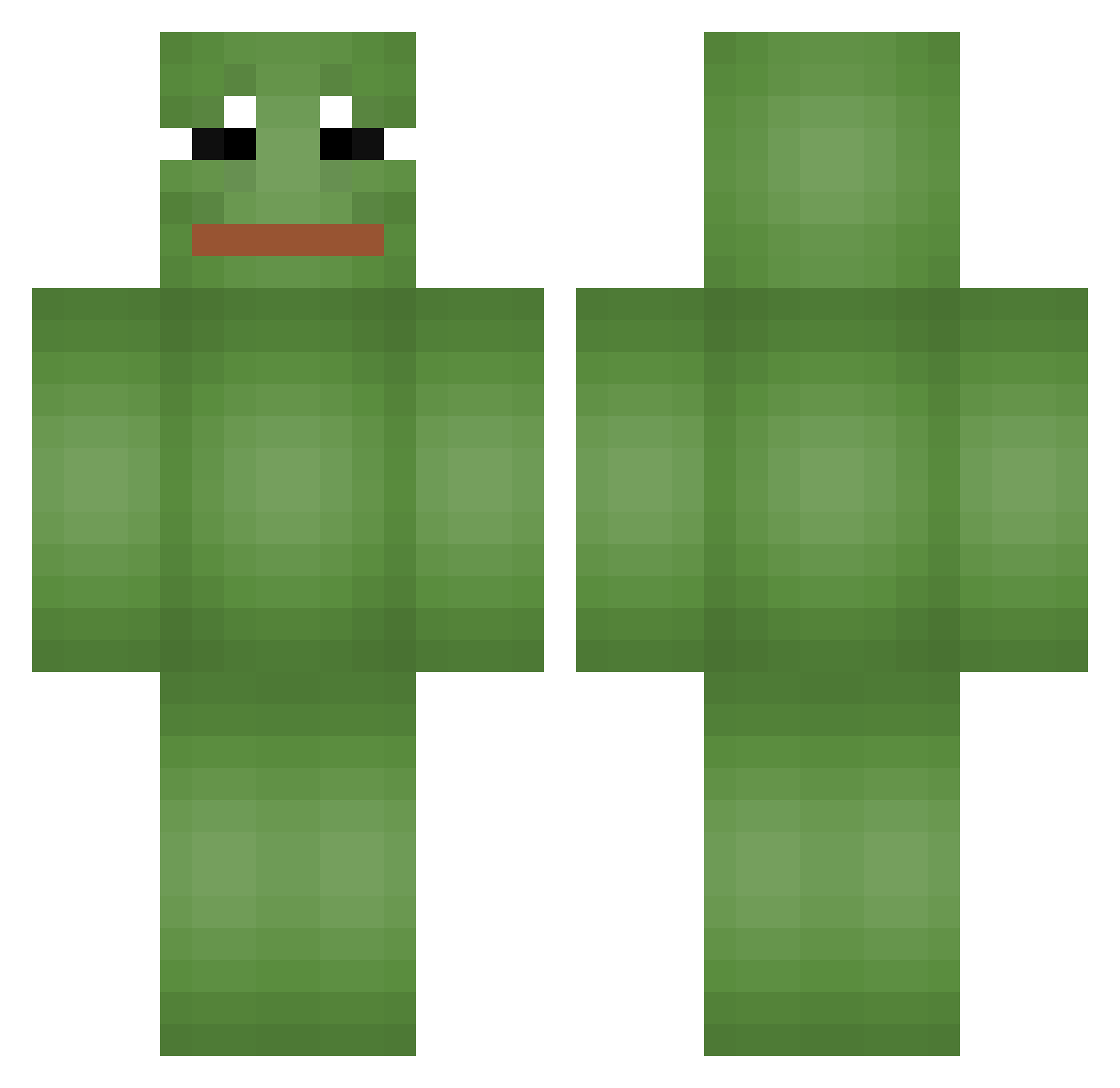
Current Minecraft skin of the player BB_YIONY, loaded from the official Mojang API. Rotate the 3D model with your mouse or finger, then download the skin as a PNG file and use it in Minecraft: Bedrock Edition or Java Edition for free. When BB_YIONY changes their skin, this page updates automatically and the old skin stays in the history below.
Other players with this skin (825)
BB_YIONY was the 732nd player we have seen with this skin, first spotted on 07.11.2026. The same skin was seen on these players. Open a nickname to see their current skin and skin history.
 leehyeonseok UncleYun block_busta_69 1005_min Chulda djalobre Ryckpii Kjuub catgirlneo ohu_0515 Souku_Dragger DDalam Miinty03 seungjjang1 Xx_Lezarman_xX joccaa Scroft CLIKandCLAK Aoro6040 amoralangel MILDSEVEN69 Mizzanard JoCherBong zagallala Spath202 botinhoXD totoGGing Setuv2 Snow_911 ottoman5 radianMC Joltzy_Woltzy SplinterCellVR SeanMower kimbomb N_Biscuit Juice8101 Eric9292 fleaser IsmedElMohammed Fette_Fische Belzuz08 Spricsma Fanwn SilkySilk roastday LehyCz GoldenApple_ s3_y19 M_Flex Daarken chunk069 Logic1108 nicooo72 kkssxx ll03Oll Thomasz10 shinnigus xnatka642_ juhwanlee0313
More Pepe Minecraft skins
How to install the BB_YIONY skin
- Press the Download button above to save the skin as a PNG file.
- Minecraft: Bedrock Edition (PE): open the Dressing Room from the main menu (or tap your character → Edit Character), go to Classic Skins → Owned, press the + (new skin) button, choose the downloaded PNG and pick the Classic (Steve) model. Works on PC and mobile; consoles cannot import custom skins.
- Minecraft: Java Edition: open the Minecraft Launcher, go to the Skins tab, click New Skin, load the PNG, pick the Classic (Steve) model and press Save & Use. You can also upload it at minecraft.net → Profile → Change Skin.
The skin does not show up after import - what should I do?
Restart Minecraft and open the Dressing Room again - imported skins sometimes appear only after a restart. Also make sure you selected the imported skin and picked the Classic (Steve) model.
Which model should I choose, Classic or Slim?
This skin is designed for the Classic (Steve) model. If you pick the wrong model, the arms of the skin will look stretched or squeezed.
Is the skin of BB_YIONY free to download?
Yes. Press Download, save the PNG file and use it in Minecraft: Bedrock Edition or Java Edition - no payment or registration needed. The skin also works on multiplayer servers and Realms.
More skins
Looking for more? Go back to all Minecraft skins and check the top skins of the week, month and all time, or find any player's skin by nickname.