
BANANAJU3 - Minecraft Skins & Skin History
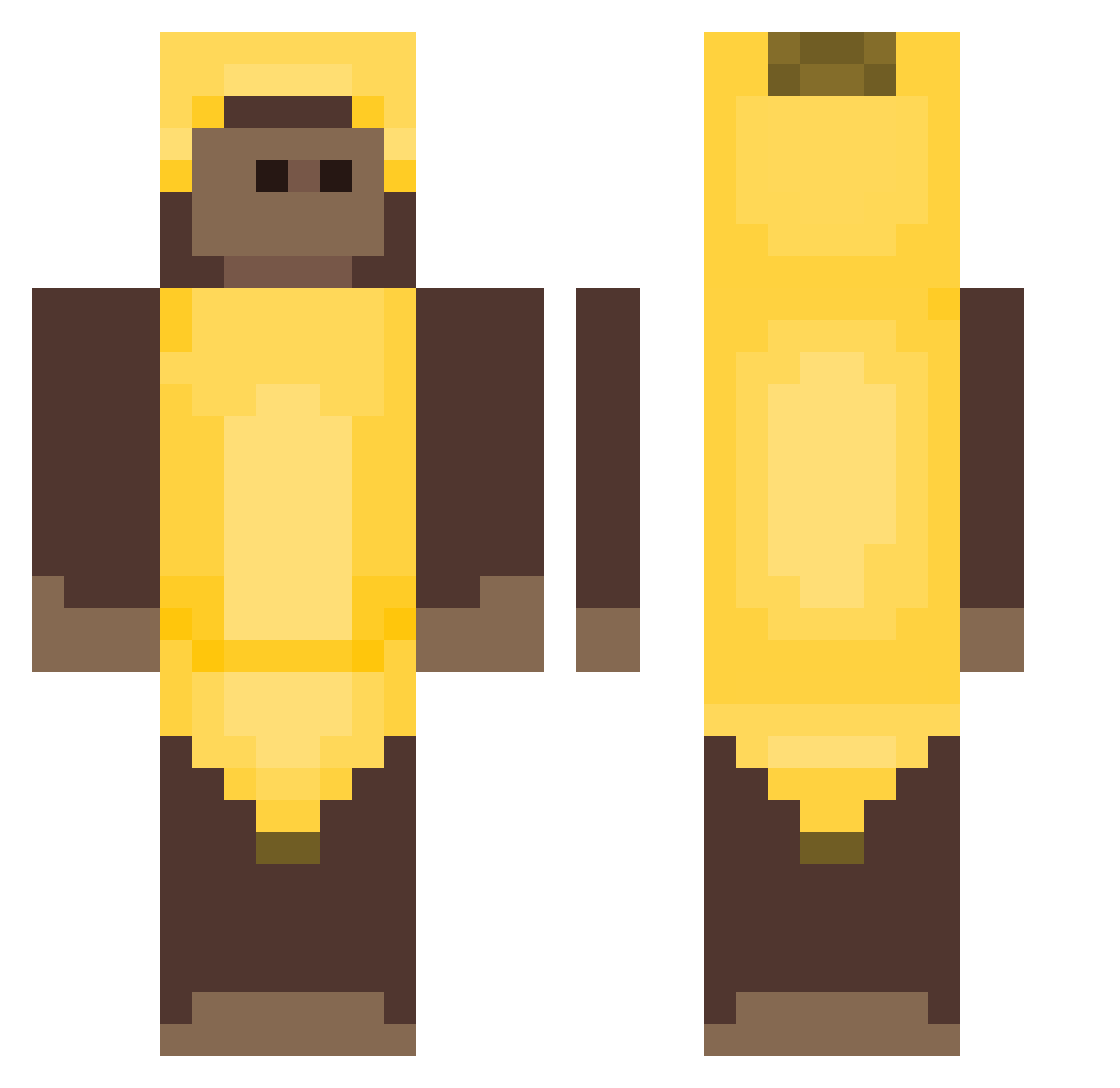
Current Minecraft skin of the player BANANAJU3, loaded from the official Mojang API. Rotate the 3D model with your mouse or finger, then download the skin as a PNG file and use it in Minecraft: Bedrock Edition or Java Edition for free. When BANANAJU3 changes their skin, this page updates automatically and the old skin stays in the history below.
Other players with this skin (404)
BANANAJU3 was the 346th player we have seen with this skin, first spotted on 19.10.2026. The same skin was seen on these players. Open a nickname to see their current skin and skin history.
 jd_EgG8twkvMznaI Bilibop spicybigmacc soddeok12 g0nca Lazzerrz bugfans SkyBinkss Chusquita lablabteptep Flowxis_ pinchilin_1234 amnesiaem Davis0115 TheReapersc m7nkey TheSoldier49 monkey_mira LittleBigGavin ribeiroxlz CocoJambbo NotAn6el BL0X_MC BlackFjre Explosive_Arrow kittyprincess64 JojokeMX willesto Hecker510 Bundhil Stegi999 5S555_5555S piterpluton NeerajB17 mypillow126 rose531 AlexGesus teeuzq ovo_pvq onehenrique RoSyndicate shotsofdequilla Shroll modisan proestguyever pierce3b junnlol Benjaamn bambiszon_ Sonnybug Palomarol zobibi Richipato zGUNz2 bityboydf notblu1 redeyescreature monkeydoo12 Loyal39 Holse22
More Banana Costume Minecraft skins
See all 52 Banana Costume skins
How to install the BANANAJU3 skin
- Press the Download button above to save the skin as a PNG file.
- Minecraft: Bedrock Edition (PE): open the Dressing Room from the main menu (or tap your character → Edit Character), go to Classic Skins → Owned, press the + (new skin) button, choose the downloaded PNG and pick the Classic (Steve) model. Works on PC and mobile; consoles cannot import custom skins.
- Minecraft: Java Edition: open the Minecraft Launcher, go to the Skins tab, click New Skin, load the PNG, pick the Classic (Steve) model and press Save & Use. You can also upload it at minecraft.net → Profile → Change Skin.
The skin does not show up after import - what should I do?
Restart Minecraft and open the Dressing Room again - imported skins sometimes appear only after a restart. Also make sure you selected the imported skin and picked the Classic (Steve) model.
Which model should I choose, Classic or Slim?
This skin is designed for the Classic (Steve) model. If you pick the wrong model, the arms of the skin will look stretched or squeezed.
Is the skin of BANANAJU3 free to download?
Yes. Press Download, save the PNG file and use it in Minecraft: Bedrock Edition or Java Edition - no payment or registration needed. The skin also works on multiplayer servers and Realms.
More skins
Looking for more? Go back to all Minecraft skins and check the top skins of the week, month and all time, or find any player's skin by nickname.