
BALLSandSACK - Minecraft Skins & Skin History
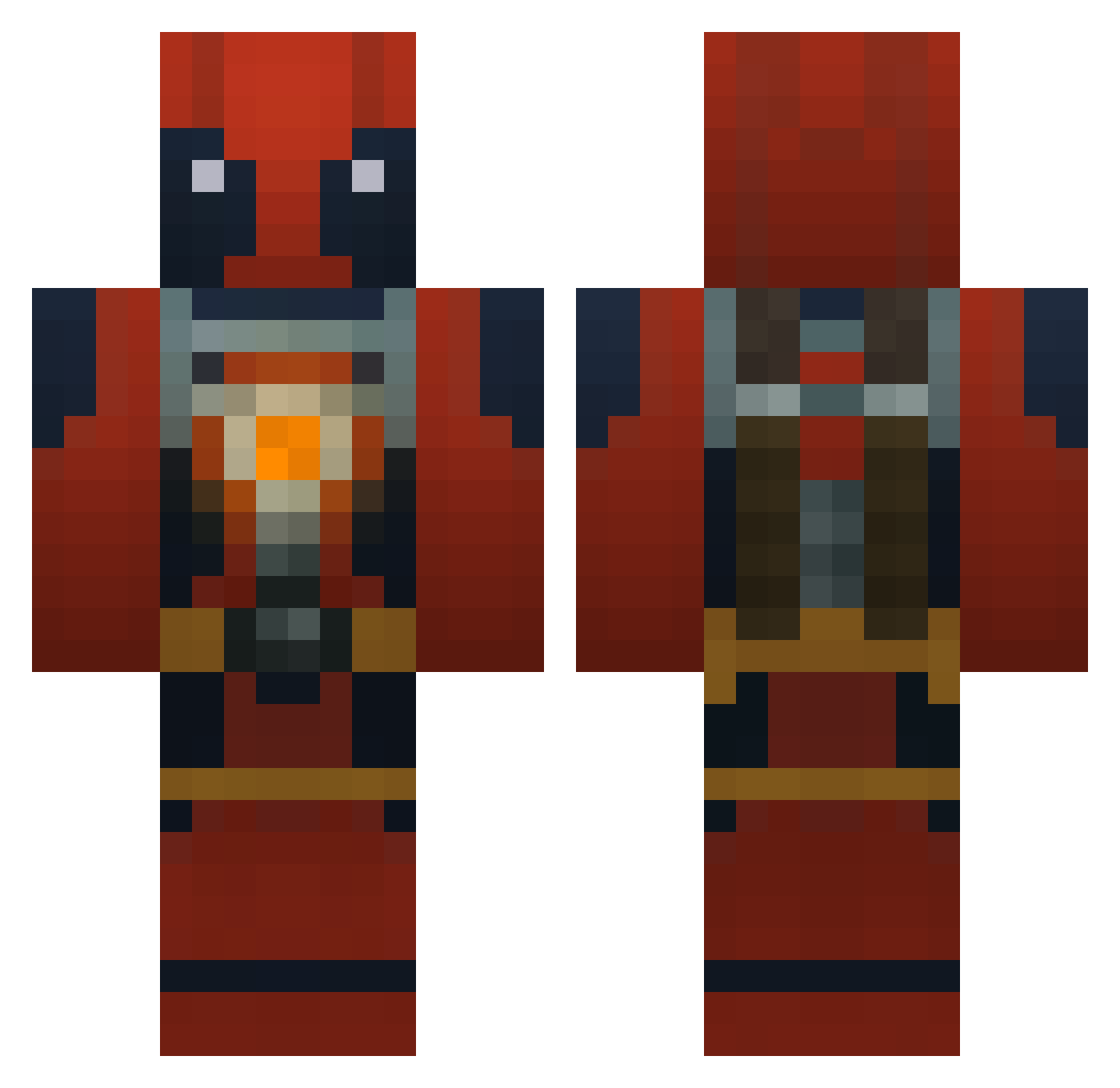
Current Minecraft skin of the player BALLSandSACK, loaded from the official Mojang API. Rotate the 3D model with your mouse or finger, then download the skin as a PNG file and use it in Minecraft: Bedrock Edition or Java Edition for free. When BALLSandSACK changes their skin, this page updates automatically and the old skin stays in the history below.
Other players with this skin (961)
BALLSandSACK was the 800th player we have seen with this skin, first spotted on 25.10.2026. The same skin was seen on these players. Open a nickname to see their current skin and skin history.
 Lemon_cyp muddywater27 firehunter172 HarryKenward Krijo1337 chuckyscoming23 Sungone Soccer_Star_11 Umafutang BonQ1889 spark200000 superspyboy77 flameingmoff miketeraz SHRust2011 Krakor33 FarBergValgreen YAPAPO theReda564 LukeHwrdIsBigGay lvletho5 Slamsone13 RedoctoberTT Barbz Bearsruleboy Weapon11DCM XxducksxXcake PapaPedo1998 AlexanderBrock nuttyiain Moustache1000 alonso613 DedPaul Bearclash LapsC0CK Kcarrot_1811 Cannabyss420 bulldogie LordMofa sankfinatra Noishin Frzh thorkilla tehkk KingDyn KDRatio208 Panavia_Tornado ZED3K paul0223 wh3r3ami Unavailable1 DaRealKill parr3 JakeTheNutcase Pestaners MattiV Devlinj Thunder_Ian ContagionNZ Steves2233
More Deadpool Minecraft skins
How to install the BALLSandSACK skin
- Press the Download button above to save the skin as a PNG file.
- Minecraft: Bedrock Edition (PE): open the Dressing Room from the main menu (or tap your character → Edit Character), go to Classic Skins → Owned, press the + (new skin) button, choose the downloaded PNG and pick the Classic (Steve) model. Works on PC and mobile; consoles cannot import custom skins.
- Minecraft: Java Edition: open the Minecraft Launcher, go to the Skins tab, click New Skin, load the PNG, pick the Classic (Steve) model and press Save & Use. You can also upload it at minecraft.net → Profile → Change Skin.
The skin does not show up after import - what should I do?
Restart Minecraft and open the Dressing Room again - imported skins sometimes appear only after a restart. Also make sure you selected the imported skin and picked the Classic (Steve) model.
Which model should I choose, Classic or Slim?
This skin is designed for the Classic (Steve) model. If you pick the wrong model, the arms of the skin will look stretched or squeezed.
Is the skin of BALLSandSACK free to download?
Yes. Press Download, save the PNG file and use it in Minecraft: Bedrock Edition or Java Edition - no payment or registration needed. The skin also works on multiplayer servers and Realms.
More skins
Looking for more? Go back to all Minecraft skins and check the top skins of the week, month and all time, or find any player's skin by nickname.