
BALEINE34420 - Minecraft Skins & Skin History
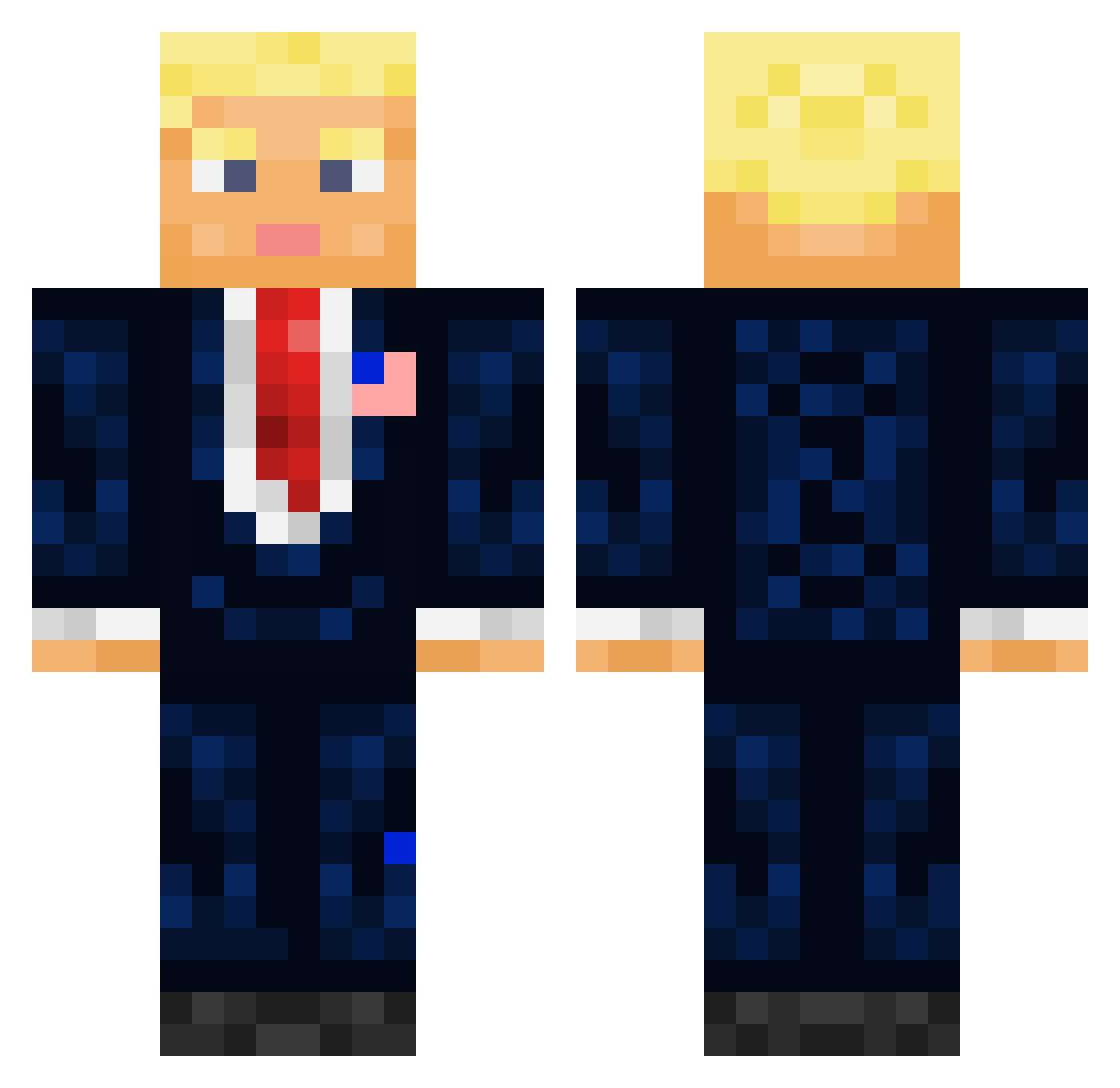
Current Minecraft skin of the player BALEINE34420, loaded from the official Mojang API. Rotate the 3D model with your mouse or finger, then download the skin as a PNG file and use it in Minecraft: Bedrock Edition or Java Edition for free. When BALEINE34420 changes their skin, this page updates automatically and the old skin stays in the history below.
Other players with this skin (711)
BALEINE34420 was the 472nd player we have seen with this skin, first spotted on 04.10.2026. The same skin was seen on these players. Open a nickname to see their current skin and skin history.
 TheLonerJoner OReynolds123 0megaNutt Danux420 itsyahomie akakermit3 SebxDragz C27jspartan neymarjr_10___ curtainsnake C0neyBaloney573 UrDaddyBen veryfatdog12345 Bigly element8111 kneeNeck hnryx_ teck_voulu MrPoo300 Nick_the_thicc13 Vayvayvay007 Large_Johnson_69 DonalTroump ToxicTom_ MadMax91 WanR90 HiyoY4 AHa__Da Anwkd WaltanMaran _Destination vannbergsjakk the_beaR_TED Donny_Trumpster ImSnazzyYT TonerSt0ner iphn kumwuz Tailswind Roggio Prigojjine Xolarq OnkelJimm dudefroge NetoLord007 Borisamma Yonatani100 yachtkaleb Tharic Galaxy_Flame66 ErtugrulSakal aaleix0112 JustSimplyWild prorok6477 KimJongun5353553 howgrrrreg KV_Playz Kelorastuss Elijass BucketHead__
More President Minecraft skins
How to install the BALEINE34420 skin
- Press the Download button above to save the skin as a PNG file.
- Minecraft: Bedrock Edition (PE): open the Dressing Room from the main menu (or tap your character → Edit Character), go to Classic Skins → Owned, press the + (new skin) button, choose the downloaded PNG and pick the Classic (Steve) model. Works on PC and mobile; consoles cannot import custom skins.
- Minecraft: Java Edition: open the Minecraft Launcher, go to the Skins tab, click New Skin, load the PNG, pick the Classic (Steve) model and press Save & Use. You can also upload it at minecraft.net → Profile → Change Skin.
The skin does not show up after import - what should I do?
Restart Minecraft and open the Dressing Room again - imported skins sometimes appear only after a restart. Also make sure you selected the imported skin and picked the Classic (Steve) model.
Which model should I choose, Classic or Slim?
This skin is designed for the Classic (Steve) model. If you pick the wrong model, the arms of the skin will look stretched or squeezed.
Is the skin of BALEINE34420 free to download?
Yes. Press Download, save the PNG file and use it in Minecraft: Bedrock Edition or Java Edition - no payment or registration needed. The skin also works on multiplayer servers and Realms.
More skins
Looking for more? Go back to all Minecraft skins and check the top skins of the week, month and all time, or find any player's skin by nickname.