
Azmifff - Minecraft Skins & Skin History
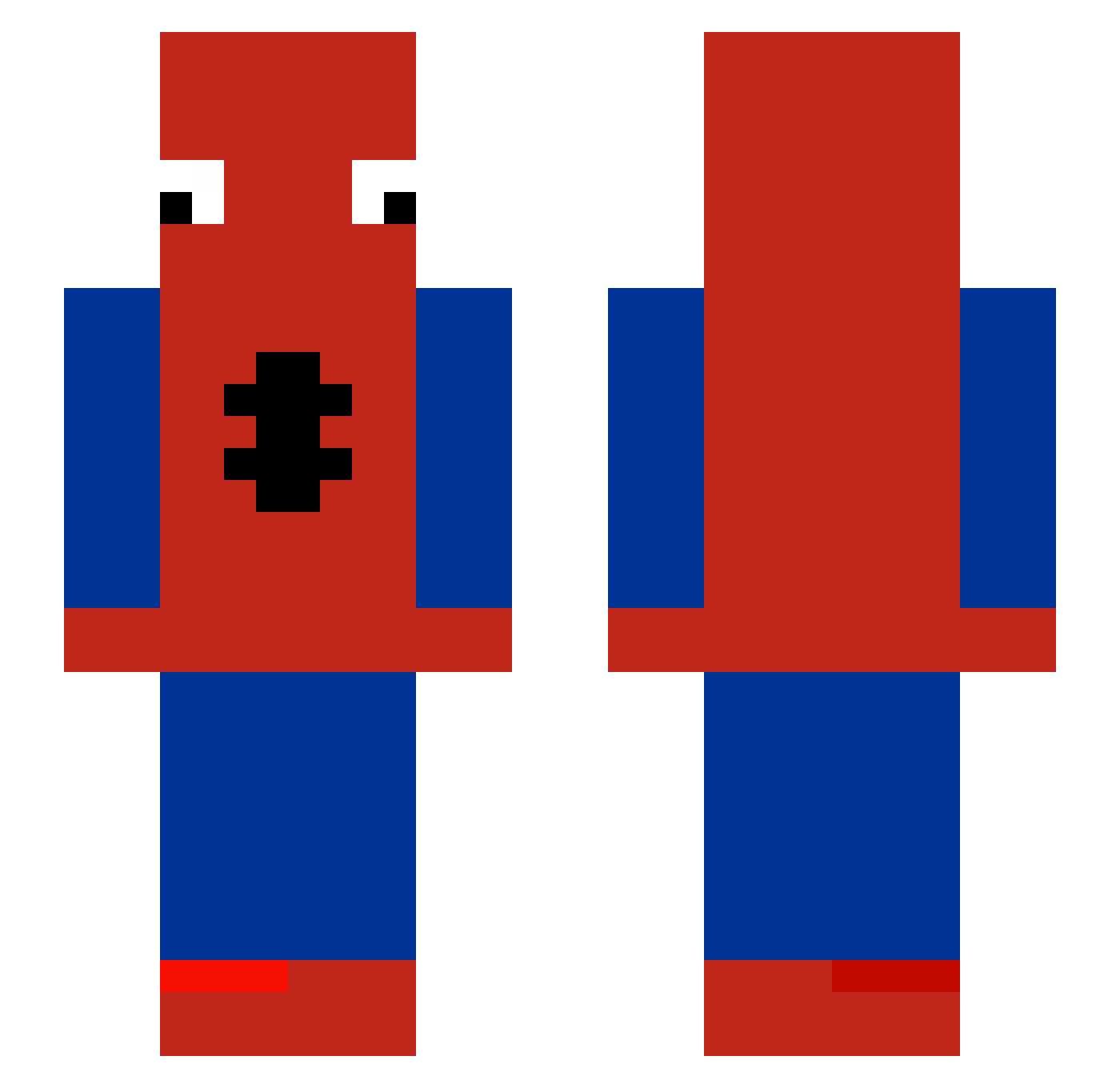
Current Minecraft skin of the player Azmifff, loaded from the official Mojang API. Rotate the 3D model with your mouse or finger, then download the skin as a PNG file and use it in Minecraft: Bedrock Edition or Java Edition for free. When Azmifff changes their skin, this page updates automatically and the old skin stays in the history below.
Other players with this skin (483)
Azmifff was the 406th player we have seen with this skin, first spotted on 19.10.2026. The same skin was seen on these players. Open a nickname to see their current skin and skin history.
 Schybbae welzzmlol Handgranatapfel Hopelesstomber FreeenPong Gunnar_18 Cloudsys Fastyousif101 Feiv X3ON0 Izumi122 Spi3ermaN KamiNoMaki kidiz00m ElevenMoon m001023 Lea_1122 PuddicamLP x64k GoldRoastedMell0 rxyp senorkneesocks covermeinglue AbyssConqueror7 Jayjay585boi MakeYourBedRock_ Lost_Earner LT_Dong_Dong K1MB0B vinnss Jackcraft215 Illia_Fero cool_name Kacperkwcn yTurTle_1227 Enzo00000 bouboulbinks JesusOverAll Isaacdm26 Pick690 Wraxpsfemboy StartedFromTheB Yooooooooooo8340 Lemonz46 YJH0501 MohamedXD1232 gringut m_winx TwistyTick35246 OnSightByKanyeWe _z0diac_ TrixyWixy1 De_Monaco SenseNaJa001 TtvRealLocalMigo LuvlyFjell SuPeRbArBoZ TOTO_LE_GOAT SlidySloth261 Patro_77
More Spider-Man Minecraft skins
How to install the Azmifff skin
- Press the Download button above to save the skin as a PNG file.
- Minecraft: Bedrock Edition (PE): open the Dressing Room from the main menu (or tap your character → Edit Character), go to Classic Skins → Owned, press the + (new skin) button, choose the downloaded PNG and pick the Slim (Alex) model. Works on PC and mobile; consoles cannot import custom skins.
- Minecraft: Java Edition: open the Minecraft Launcher, go to the Skins tab, click New Skin, load the PNG, pick the Slim (Alex) model and press Save & Use. You can also upload it at minecraft.net → Profile → Change Skin.
The skin does not show up after import - what should I do?
Restart Minecraft and open the Dressing Room again - imported skins sometimes appear only after a restart. Also make sure you selected the imported skin and picked the Slim (Alex) model.
Which model should I choose, Classic or Slim?
This skin is designed for the Slim (Alex) model. If you pick the wrong model, the arms of the skin will look stretched or squeezed.
Is the skin of Azmifff free to download?
Yes. Press Download, save the PNG file and use it in Minecraft: Bedrock Edition or Java Edition - no payment or registration needed. The skin also works on multiplayer servers and Realms.
More skins
Looking for more? Go back to all Minecraft skins and check the top skins of the week, month and all time, or find any player's skin by nickname.