
AyuRiver - Minecraft Skins & Skin History
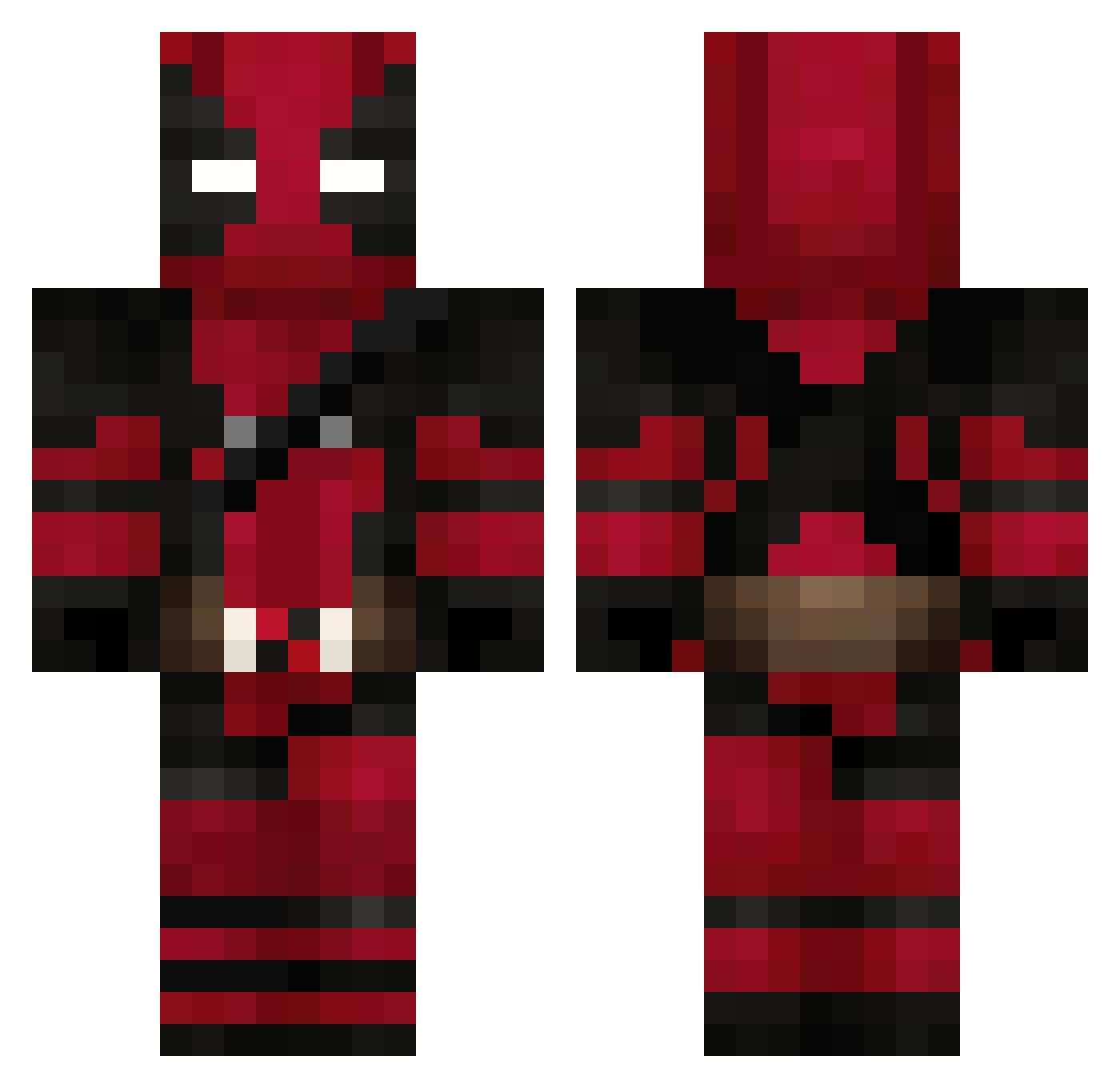
Current Minecraft skin of the player AyuRiver, loaded from the official Mojang API. Rotate the 3D model with your mouse or finger, then download the skin as a PNG file and use it in Minecraft: Bedrock Edition or Java Edition for free. When AyuRiver changes their skin, this page updates automatically and the old skin stays in the history below.
Other players with this skin (842)
AyuRiver was the 639th player we have seen with this skin, first spotted on 23.10.2026. The same skin was seen on these players. Open a nickname to see their current skin and skin history.
 T_daichi2 reiji1199 JohnPorkchop eitan18 apexkeith explus23 ChocoBanane Gonzalitrox Musqueira Heggstar KinGofuL23 zzzway LucasMachado Dexel_Y BootJaum Reckless023 Zardex_ Richyyboyy DalCastel ThatGuyFox Shonterss ErenAydemir taliyah_alise xx_Dani_x Portilla4 W1LFR3D71 Mjhavary MTH7REI SerejaLazarev zSagittarius rudyscott TheRealPrayer Don_Aiden_ VORTEXS10 UmutZeki Kinsc LegendNorth23 Probox60 cosplamaric WhySoSadBoy kill2305 LivingVoid808 ging3rnut TermosEs TheCyborth Dobrinha appletofu oly13 Lovhult_Max Cams1305 Major_Metallicon amirultra Lyccos ElChe53 Kiwi__69 The_redghost09 PoluxAl NESQUU20 ComanderPipovitz shademir
More Deadpool Minecraft skins
How to install the AyuRiver skin
- Press the Download button above to save the skin as a PNG file.
- Minecraft: Bedrock Edition (PE): open the Dressing Room from the main menu (or tap your character → Edit Character), go to Classic Skins → Owned, press the + (new skin) button, choose the downloaded PNG and pick the Classic (Steve) model. Works on PC and mobile; consoles cannot import custom skins.
- Minecraft: Java Edition: open the Minecraft Launcher, go to the Skins tab, click New Skin, load the PNG, pick the Classic (Steve) model and press Save & Use. You can also upload it at minecraft.net → Profile → Change Skin.
The skin does not show up after import - what should I do?
Restart Minecraft and open the Dressing Room again - imported skins sometimes appear only after a restart. Also make sure you selected the imported skin and picked the Classic (Steve) model.
Which model should I choose, Classic or Slim?
This skin is designed for the Classic (Steve) model. If you pick the wrong model, the arms of the skin will look stretched or squeezed.
Is the skin of AyuRiver free to download?
Yes. Press Download, save the PNG file and use it in Minecraft: Bedrock Edition or Java Edition - no payment or registration needed. The skin also works on multiplayer servers and Realms.
More skins
Looking for more? Go back to all Minecraft skins and check the top skins of the week, month and all time, or find any player's skin by nickname.