
Ayayyyyyy - Minecraft Skins & Skin History
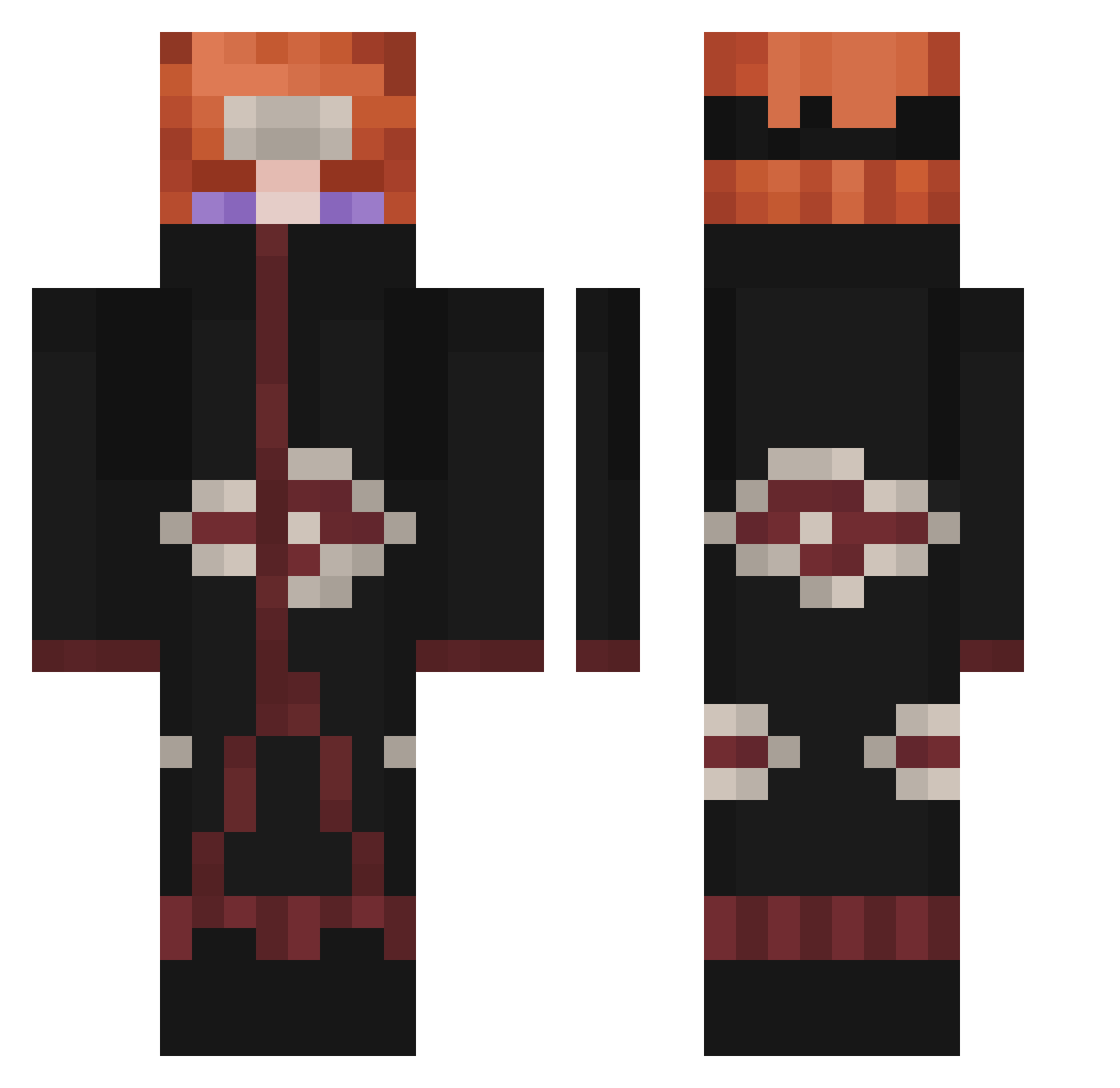
Current Minecraft skin of the player Ayayyyyyy, loaded from the official Mojang API. Rotate the 3D model with your mouse or finger, then download the skin as a PNG file and use it in Minecraft: Bedrock Edition or Java Edition for free. When Ayayyyyyy changes their skin, this page updates automatically and the old skin stays in the history below.
Other players with this skin (338)
Ayayyyyyy was the 246th player we have seen with this skin, first spotted on 09.10.2026. The same skin was seen on these players. Open a nickname to see their current skin and skin history.
 Rancir Danii_Gonzalez Mystouu Tatianardo LilAkatsuki Choki322 Zaywen MisterxRed Veloso333 Carlonga IsaacParra Maferttz Karina_Hope Mrdxx JairContreras VolkaPlay RoundtreeMini AyjayTheDeejay Ala_KAZAM LeOchimaru Demonok DlanZero Slayne1200 KLYC_ Pain27 kaaa Son1kS_20 SlavikBuben killlacam5 iamskiccian TunaZ4008 DrumGom tDaimon koboy1039 trareon XoloBellaqueoBB Frykynaruto flawrin73 _P4in hunwoo2778 Riki_Roki BLACK_PAIN_1 ventix_LoL DonCueas S4LM3RYN Lazyr3D yunjinyong icedtee fabodechan Fuwon_ JosephGast KamuiAbuser SimoCarra CrusaderMan48 Gaara_Nara AlbieHoffman Matheusgdbr1235 Banny24 Sibastian1 WaySun
More Pain Minecraft skins
How to install the Ayayyyyyy skin
- Press the Download button above to save the skin as a PNG file.
- Minecraft: Bedrock Edition (PE): open the Dressing Room from the main menu (or tap your character → Edit Character), go to Classic Skins → Owned, press the + (new skin) button, choose the downloaded PNG and pick the Classic (Steve) model. Works on PC and mobile; consoles cannot import custom skins.
- Minecraft: Java Edition: open the Minecraft Launcher, go to the Skins tab, click New Skin, load the PNG, pick the Classic (Steve) model and press Save & Use. You can also upload it at minecraft.net → Profile → Change Skin.
The skin does not show up after import - what should I do?
Restart Minecraft and open the Dressing Room again - imported skins sometimes appear only after a restart. Also make sure you selected the imported skin and picked the Classic (Steve) model.
Which model should I choose, Classic or Slim?
This skin is designed for the Classic (Steve) model. If you pick the wrong model, the arms of the skin will look stretched or squeezed.
Is the skin of Ayayyyyyy free to download?
Yes. Press Download, save the PNG file and use it in Minecraft: Bedrock Edition or Java Edition - no payment or registration needed. The skin also works on multiplayer servers and Realms.
More skins
Looking for more? Go back to all Minecraft skins and check the top skins of the week, month and all time, or find any player's skin by nickname.