
AyaSetsuna - Minecraft Skins & Skin History
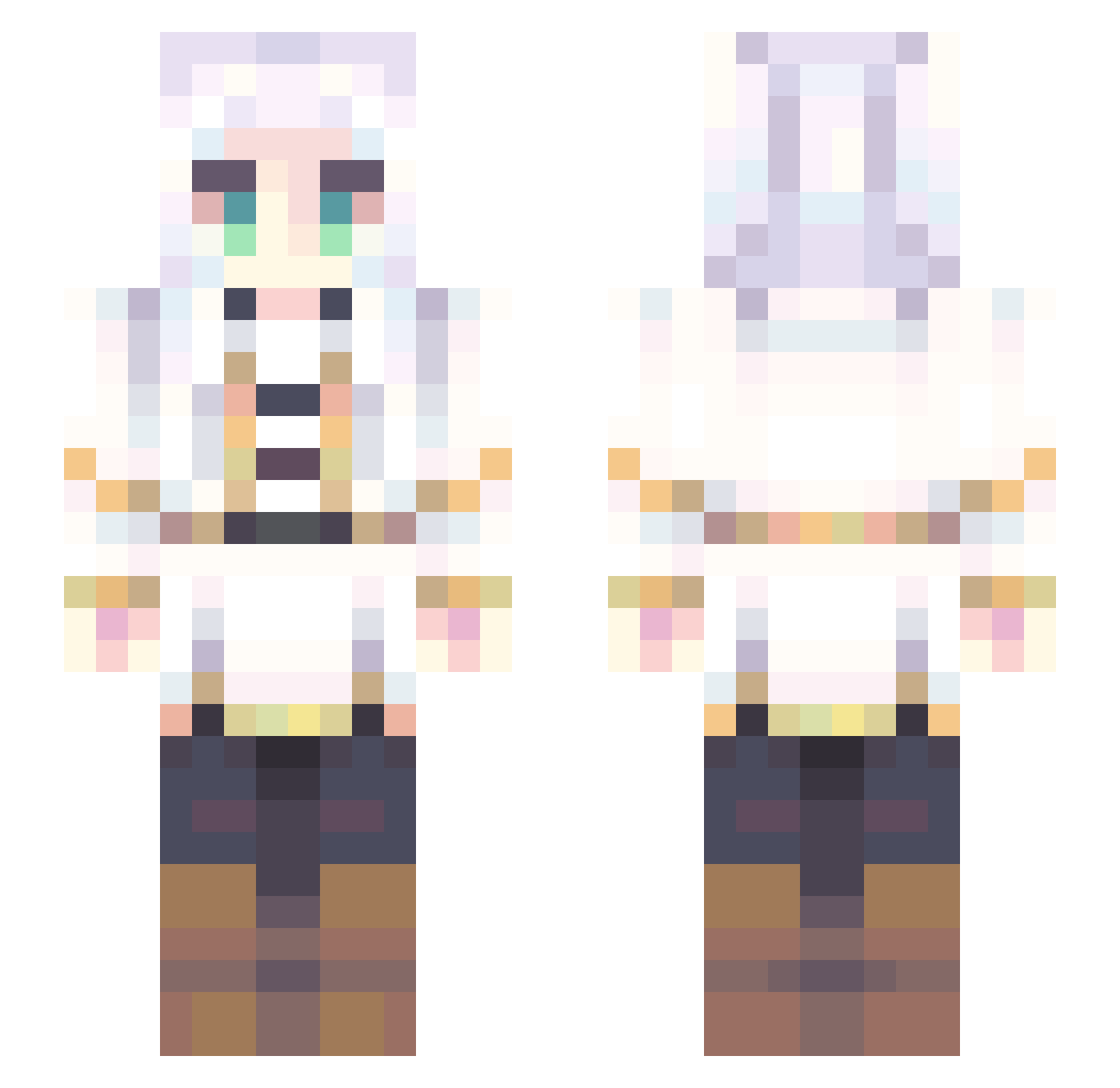
Current Minecraft skin of the player AyaSetsuna, loaded from the official Mojang API. Rotate the 3D model with your mouse or finger, then download the skin as a PNG file and use it in Minecraft: Bedrock Edition or Java Edition for free. When AyaSetsuna changes their skin, this page updates automatically and the old skin stays in the history below.
Other players with this skin (707)
AyaSetsuna was the 593rd player we have seen with this skin, first spotted on 16.10.2026. The same skin was seen on these players. Open a nickname to see their current skin and skin history.
 jb103d shahryerluvbree sithl0l Kujirakun78 Emoxue zZqned reehys Koobow TwonGamerTG Saywei valex2974 AlZen1_ Kuraremu kaito7342 CaffeinatedSam roselia_0529 rmvt09 uSharif Kashrry MxRosie_ CyroLion CrimCrystal gggqq123 Artbozzcast jiai slowdancer7811 YuumiZoomi Demigod404 angelikiii erecena vekrionz NoaLeGamer mithuyo MakeAMove shanaynigan Hide_On_Smoke CabbageFox yuniok Goober244 Wannabe7779 LEERUJIE Hyenabitez WU_MING_ZHI_REN SamuSZ105 yansixing ChataiPromax Yoriichimelz Daeneras stephaasaurus APFSDS_ Kikin13168 qunLucky Godphum01 Tomunez se2na_trip kaanatalan Technoquest Fayinkum Aleatorio2077 Aykua
More Fantasy Minecraft skins
How to install the AyaSetsuna skin
- Press the Download button above to save the skin as a PNG file.
- Minecraft: Bedrock Edition (PE): open the Dressing Room from the main menu (or tap your character → Edit Character), go to Classic Skins → Owned, press the + (new skin) button, choose the downloaded PNG and pick the Slim (Alex) model. Works on PC and mobile; consoles cannot import custom skins.
- Minecraft: Java Edition: open the Minecraft Launcher, go to the Skins tab, click New Skin, load the PNG, pick the Slim (Alex) model and press Save & Use. You can also upload it at minecraft.net → Profile → Change Skin.
The skin does not show up after import - what should I do?
Restart Minecraft and open the Dressing Room again - imported skins sometimes appear only after a restart. Also make sure you selected the imported skin and picked the Slim (Alex) model.
Which model should I choose, Classic or Slim?
This skin is designed for the Slim (Alex) model. If you pick the wrong model, the arms of the skin will look stretched or squeezed.
Is the skin of AyaSetsuna free to download?
Yes. Press Download, save the PNG file and use it in Minecraft: Bedrock Edition or Java Edition - no payment or registration needed. The skin also works on multiplayer servers and Realms.
More skins
Looking for more? Go back to all Minecraft skins and check the top skins of the week, month and all time, or find any player's skin by nickname.