
AverageMello - Minecraft Skins & Skin History
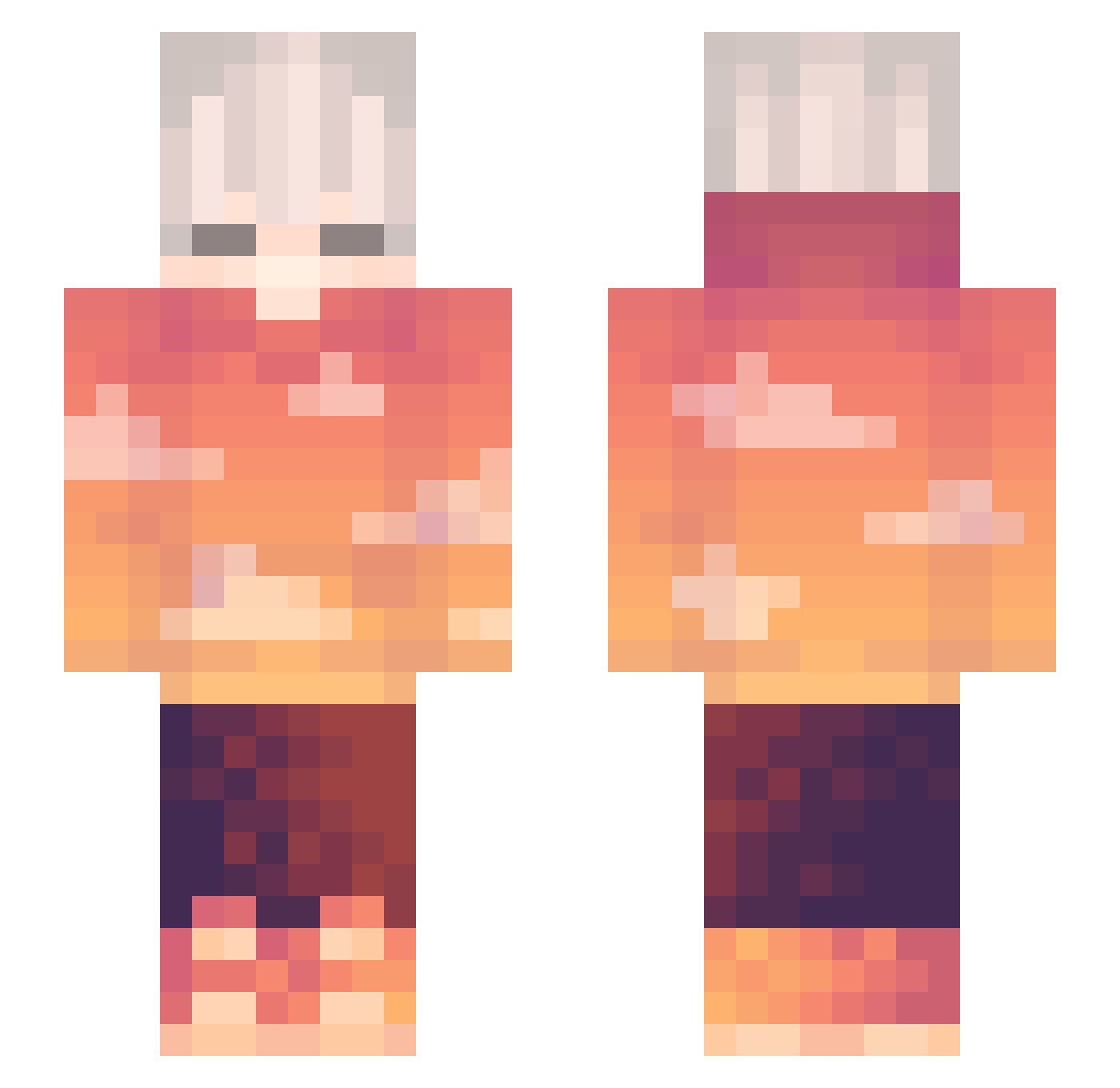
Current Minecraft skin of the player AverageMello, loaded from the official Mojang API. Rotate the 3D model with your mouse or finger, then download the skin as a PNG file and use it in Minecraft: Bedrock Edition or Java Edition for free. When AverageMello changes their skin, this page updates automatically and the old skin stays in the history below.
Other players with this skin (264)
AverageMello was the 132nd player we have seen with this skin, first spotted on 06.09.2026. The same skin was seen on these players. Open a nickname to see their current skin and skin history.
 AesthicLenny Nejaso Pondate WrostPont Ivanix2008 mangochampp IAMDADDYPIG ChiYu_Chen ventrozz StappCS Just_Dima edentes AlperenKCBS JeongMin1 TALA_1087 WindFaker Xia_Jie NotAitan02 Megane_tyan franzku whxsik marsbar6 dedy566 DeucetheJuice Darkbrother829 MoreOfABookGirl Yojjonk_lala iMorde Zaffari Cabob88 qtSebas mZ1P_ LePlage flairxd_ kiruro Welt1rt TeleFive Easternboy0648 TW_diswk jarielvibez Big__Candle sykydw Quackinee LLEGU3S Xelker CheesecakeKun Derpnado_ Clouds0_0 Mahaslo lu_zan 0Antonio NOO2763 BadSBplayer Srl Zaiyfu LoboThExile Trypeds _happi_qwq_ Int9nse _xMarS
More Sunset Minecraft skins
How to install the AverageMello skin
- Press the Download button above to save the skin as a PNG file.
- Minecraft: Bedrock Edition (PE): open the Dressing Room from the main menu (or tap your character → Edit Character), go to Classic Skins → Owned, press the + (new skin) button, choose the downloaded PNG and pick the Slim (Alex) model. Works on PC and mobile; consoles cannot import custom skins.
- Minecraft: Java Edition: open the Minecraft Launcher, go to the Skins tab, click New Skin, load the PNG, pick the Slim (Alex) model and press Save & Use. You can also upload it at minecraft.net → Profile → Change Skin.
The skin does not show up after import - what should I do?
Restart Minecraft and open the Dressing Room again - imported skins sometimes appear only after a restart. Also make sure you selected the imported skin and picked the Slim (Alex) model.
Which model should I choose, Classic or Slim?
This skin is designed for the Slim (Alex) model. If you pick the wrong model, the arms of the skin will look stretched or squeezed.
Is the skin of AverageMello free to download?
Yes. Press Download, save the PNG file and use it in Minecraft: Bedrock Edition or Java Edition - no payment or registration needed. The skin also works on multiplayer servers and Realms.
More skins
Looking for more? Go back to all Minecraft skins and check the top skins of the week, month and all time, or find any player's skin by nickname.