
AutoRocket24 - Minecraft Skins & Skin History
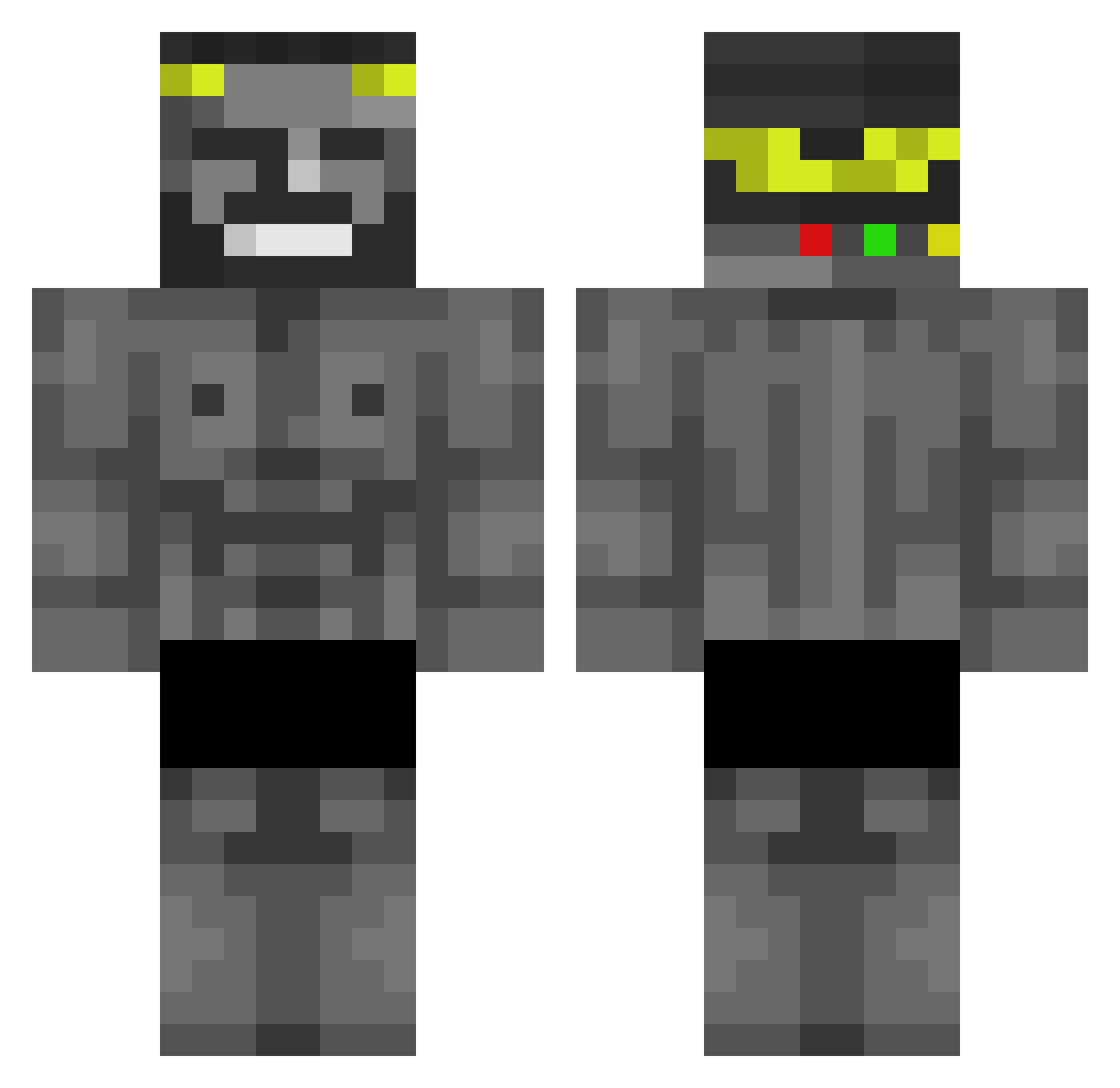
Current Minecraft skin of the player AutoRocket24, loaded from the official Mojang API. Rotate the 3D model with your mouse or finger, then download the skin as a PNG file and use it in Minecraft: Bedrock Edition or Java Edition for free. When AutoRocket24 changes their skin, this page updates automatically and the old skin stays in the history below.
Other players with this skin (438)
AutoRocket24 was the 158th player we have seen with this skin, first spotted on 28.08.2026. The same skin was seen on these players. Open a nickname to see their current skin and skin history.
 Thuzarx IslandRage Vitinhoimasaki Waller_Whale00 Qbasiek UraniumLikwified Gale0705 dumoed Ch3lbys dareangel dongimus_maximus tortoman1 Gabr3ls0m N_aoi11 MuslumBaba63 HubciosPL PixelRx7 Gangyaji Narkoooo Kaselota Maysenator Kroolik004 feezy_13 Olivalynx PlattePannenkoek MITOLORD tenodgoliata namuspompalayan dhru_v gagamolch69 _Olim_ Gigachad67 fornaguera_ca NickWayne25 madfreaky kiryambaaa heyydark Kirus_sus djawjddnr koinooo Limatiam1 Sensej_Janoski onlpvp Wigodoo sceptor097 Ajotaeme Torpila Beamped JNKYY MR_PRW fatalizs_ MikMatrX Furthen_ MaitoStonks EvelioRex zelfayeur xNeold Miking_0 YounkboyNBA GrownBravy
More Gigachad Minecraft skins
How to install the AutoRocket24 skin
- Press the Download button above to save the skin as a PNG file.
- Minecraft: Bedrock Edition (PE): open the Dressing Room from the main menu (or tap your character → Edit Character), go to Classic Skins → Owned, press the + (new skin) button, choose the downloaded PNG and pick the Classic (Steve) model. Works on PC and mobile; consoles cannot import custom skins.
- Minecraft: Java Edition: open the Minecraft Launcher, go to the Skins tab, click New Skin, load the PNG, pick the Classic (Steve) model and press Save & Use. You can also upload it at minecraft.net → Profile → Change Skin.
The skin does not show up after import - what should I do?
Restart Minecraft and open the Dressing Room again - imported skins sometimes appear only after a restart. Also make sure you selected the imported skin and picked the Classic (Steve) model.
Which model should I choose, Classic or Slim?
This skin is designed for the Classic (Steve) model. If you pick the wrong model, the arms of the skin will look stretched or squeezed.
Is the skin of AutoRocket24 free to download?
Yes. Press Download, save the PNG file and use it in Minecraft: Bedrock Edition or Java Edition - no payment or registration needed. The skin also works on multiplayer servers and Realms.
More skins
Looking for more? Go back to all Minecraft skins and check the top skins of the week, month and all time, or find any player's skin by nickname.