
Aurixe - Minecraft Skins & Skin History
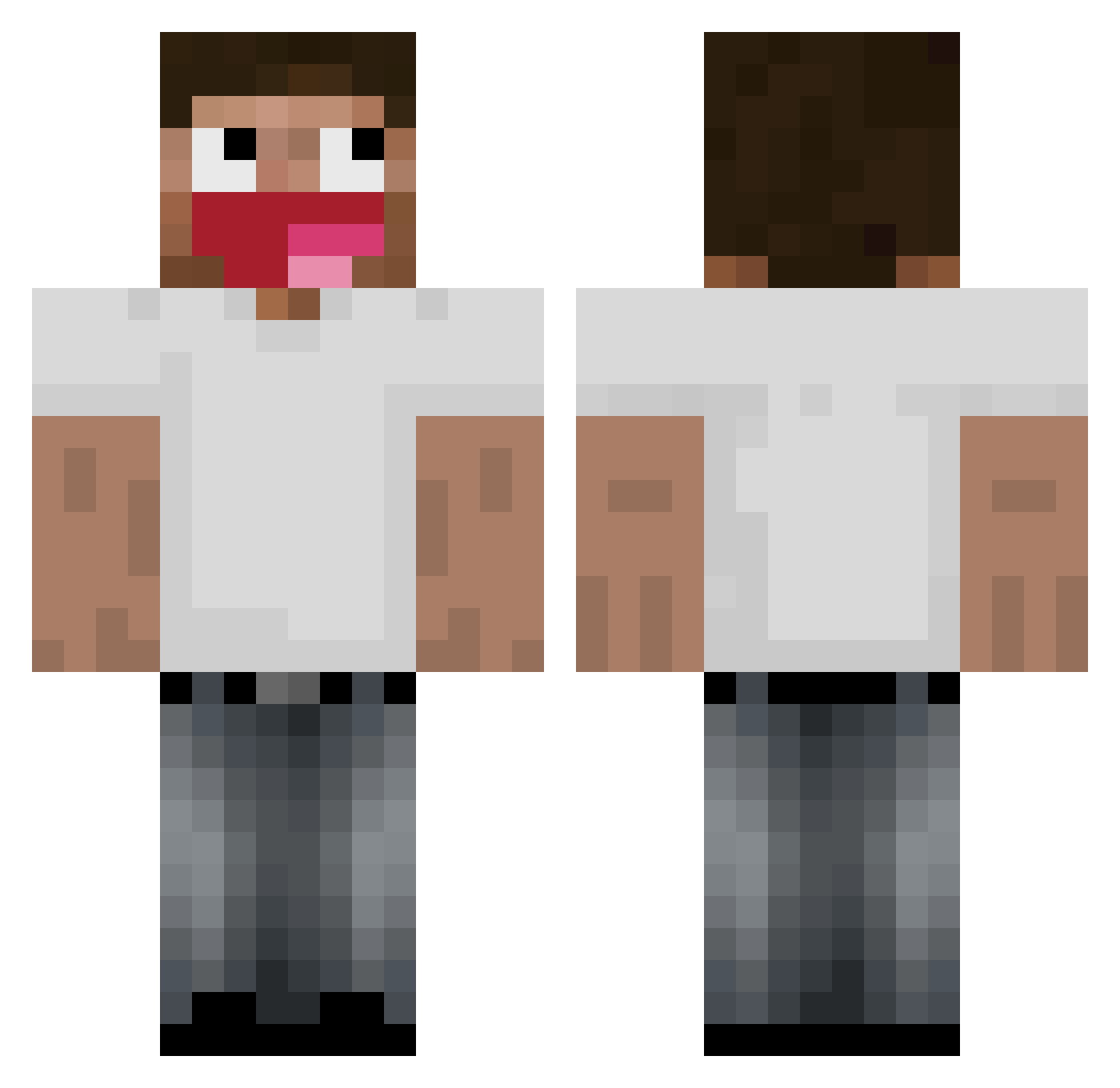
Current Minecraft skin of the player Aurixe, loaded from the official Mojang API. Rotate the 3D model with your mouse or finger, then download the skin as a PNG file and use it in Minecraft: Bedrock Edition or Java Edition for free. When Aurixe changes their skin, this page updates automatically and the old skin stays in the history below.
Other players with this skin (161)
Aurixe was the 108th player we have seen with this skin, first spotted on 25.09.2026. The same skin was seen on these players. Open a nickname to see their current skin and skin history.
 hardheded gatoquelate123 gienkaontop Aksimierz Systemkern SpaceX_zx slimako amplow TheEndey _deadsouls Halites hngojcthoww MeincrafterMC doxwar maybve SchlemmiSahur JezusChrystus08 VelkyPavel tae_yoon0428 JeanDaviid LoLRektt Xlaopl Kryzzem_ ztlenek kalasalexander Todybatata Lefo7 CzahaGaming McFlurryIsOut sadikq gine _pov brybuff WattledCookie19 6_wm N1mi_vrst IOnlyUseTBot seikomac008 Dtapmaster11 Zerdox winkk Max23710 guardedpanda297 christianwNL finddy UliMatter WoozyBoryssss isonikyy didigogosica StefKaas69 TheGrimaceShake edrw Lxst_Crispy LOoks_F 4dn_ sqnibel Karoleq2137 mamadu072 talkyouthru labdaa
More Tongue Out Minecraft skins
How to install the Aurixe skin
- Press the Download button above to save the skin as a PNG file.
- Minecraft: Bedrock Edition (PE): open the Dressing Room from the main menu (or tap your character → Edit Character), go to Classic Skins → Owned, press the + (new skin) button, choose the downloaded PNG and pick the Classic (Steve) model. Works on PC and mobile; consoles cannot import custom skins.
- Minecraft: Java Edition: open the Minecraft Launcher, go to the Skins tab, click New Skin, load the PNG, pick the Classic (Steve) model and press Save & Use. You can also upload it at minecraft.net → Profile → Change Skin.
The skin does not show up after import - what should I do?
Restart Minecraft and open the Dressing Room again - imported skins sometimes appear only after a restart. Also make sure you selected the imported skin and picked the Classic (Steve) model.
Which model should I choose, Classic or Slim?
This skin is designed for the Classic (Steve) model. If you pick the wrong model, the arms of the skin will look stretched or squeezed.
Is the skin of Aurixe free to download?
Yes. Press Download, save the PNG file and use it in Minecraft: Bedrock Edition or Java Edition - no payment or registration needed. The skin also works on multiplayer servers and Realms.
More skins
Looking for more? Go back to all Minecraft skins and check the top skins of the week, month and all time, or find any player's skin by nickname.