
Attack87 - Minecraft Skins & Skin History
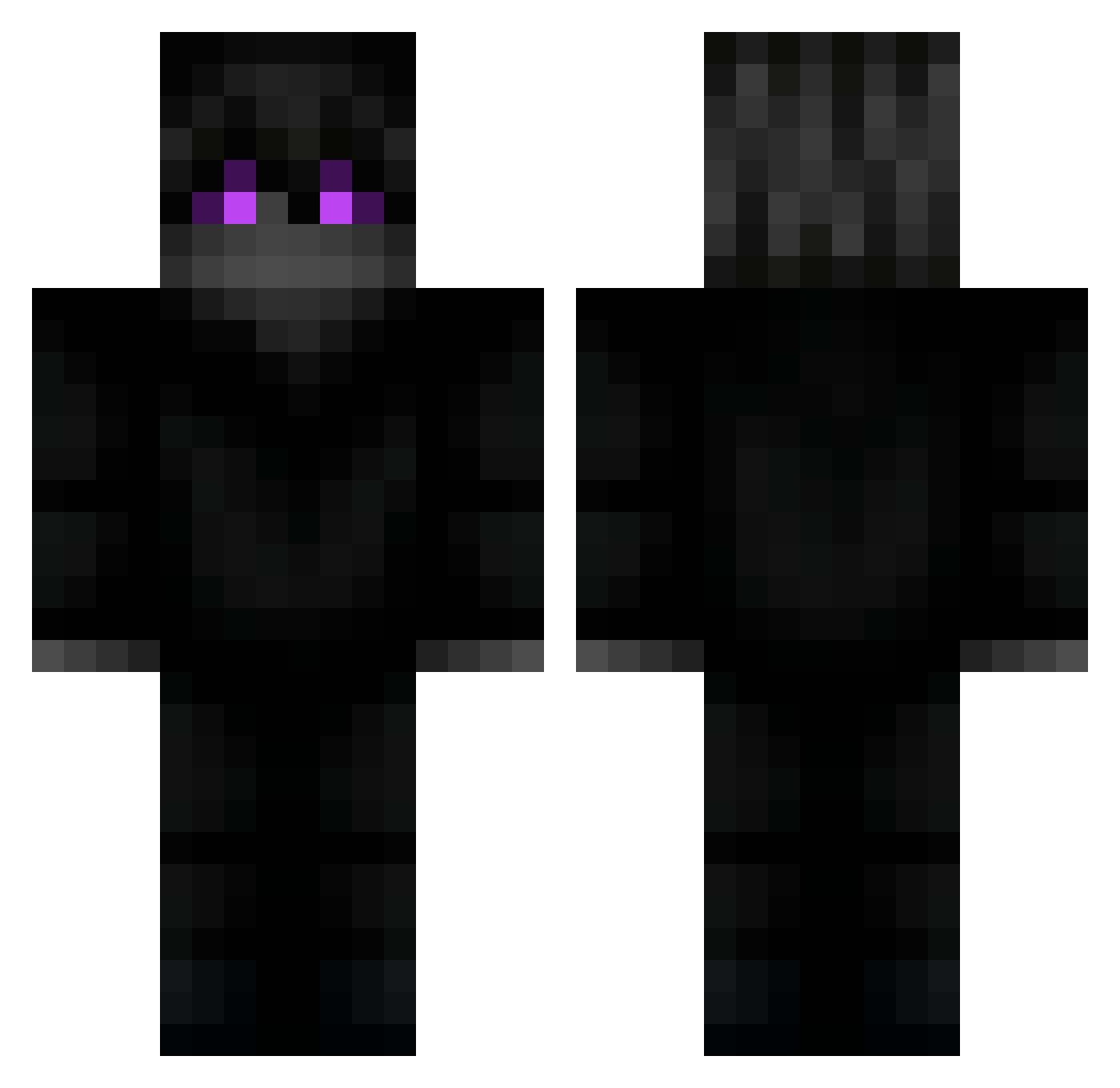
Current Minecraft skin of the player Attack87, loaded from the official Mojang API. Rotate the 3D model with your mouse or finger, then download the skin as a PNG file and use it in Minecraft: Bedrock Edition or Java Edition for free. When Attack87 changes their skin, this page updates automatically and the old skin stays in the history below.
Other players with this skin (218)
Attack87 was the 101st player we have seen with this skin, first spotted on 20.09.2026. The same skin was seen on these players. Open a nickname to see their current skin and skin history.
 77Top4ik Likuyufuze Ingritiatan Chymec_ omgplzstop Yling_qwq dknightking Wergenauuu reformed_IKY kapi216 KEBhvh Jonerstar kajorek1g Jeeeero CaireV call_me_moon McTesia remi_2008 SlenderArm bama0325 _Lion_Gaming PrincessBonkers vCalibur ItzMatin realzedd rahp02 sgflor Handryhvd Noridi johhNy__ Vandoom_ JLD4NY IUseKoid Erotavlas96 OliikCZ sh0yo1337 dylanalex03 Hypt_Real Teqnify LegendJoni Muk7tm Eyann broder1000 MauriKillerX Tastey DepriMaaaark Nuckki scv101 GucciBlingBling Mrnaosei Deckhrome Februus akatannes Arride Divarin1 Neromas Chevaas bruksgod CLOUDcrr Nosmirk
More Ender Dragon Minecraft skins
See all 649 Ender Dragon skins
How to install the Attack87 skin
- Press the Download button above to save the skin as a PNG file.
- Minecraft: Bedrock Edition (PE): open the Dressing Room from the main menu (or tap your character → Edit Character), go to Classic Skins → Owned, press the + (new skin) button, choose the downloaded PNG and pick the Classic (Steve) model. Works on PC and mobile; consoles cannot import custom skins.
- Minecraft: Java Edition: open the Minecraft Launcher, go to the Skins tab, click New Skin, load the PNG, pick the Classic (Steve) model and press Save & Use. You can also upload it at minecraft.net → Profile → Change Skin.
The skin does not show up after import - what should I do?
Restart Minecraft and open the Dressing Room again - imported skins sometimes appear only after a restart. Also make sure you selected the imported skin and picked the Classic (Steve) model.
Which model should I choose, Classic or Slim?
This skin is designed for the Classic (Steve) model. If you pick the wrong model, the arms of the skin will look stretched or squeezed.
Is the skin of Attack87 free to download?
Yes. Press Download, save the PNG file and use it in Minecraft: Bedrock Edition or Java Edition - no payment or registration needed. The skin also works on multiplayer servers and Realms.
More skins
Looking for more? Go back to all Minecraft skins and check the top skins of the week, month and all time, or find any player's skin by nickname.