
Atariseganendo - Minecraft Skins & Skin History
Current Minecraft skin of the player Atariseganendo, loaded from the official Mojang API. Rotate the 3D model with your mouse or finger, then download the skin as a PNG file and use it in Minecraft: Bedrock Edition or Java Edition for free. When Atariseganendo changes their skin, this page updates automatically and the old skin stays in the history below.
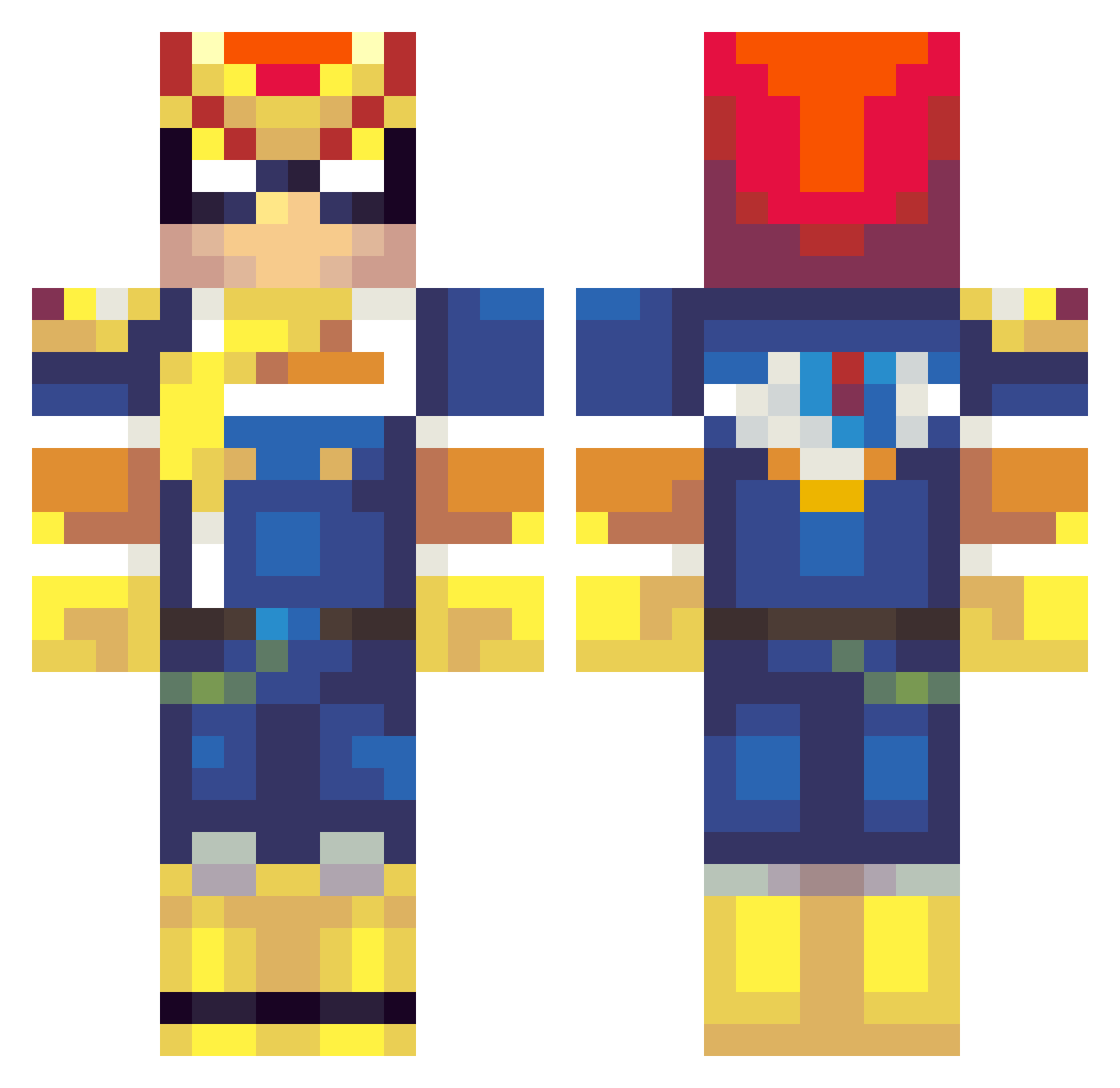
Other players with this skin (261)
Atariseganendo was the 38th player we have seen with this skin, first spotted on 08.08.2026. The same skin was seen on these players. Open a nickname to see their current skin and skin history.
 The2Peoples MasterClink XFlippyPenguinX BL0ND3_420 ChaoticMatrixx bulletbear8 21tnt troubleTACO WINDLETONZ alexandernugget StarfishSavior JNap Rabbyboy c0RNx2 Deshal fark_ PathFinderlol jacksmith15 MyGamertagsGood Anunnaki2000 ShortDog AsanoApollon Adamantium1802 LogicalBinki sagetora Mr_Servo11 Grentroz BenedictV arsoarsh _Femon_ JakeThePimp SROB13 absinthe89 OceanMan13 MrNiceBomb Mrjacobp Myintyfresh Mars200 Mshach55 Just_Joshing_You SideA628 The_Ultimator Billard_107 oisa volkarrr Nintendew SweetPJ THjerpe GoodOlPsycho Traitor_Tots Ostrawma rhaydenus Just_Atom_22 Traceypoo syfr_ Cobal PocketPicker EddiieKing TheGrayTy Creighton27
More F Zero Minecraft skins
How to install the Atariseganendo skin
- Press the Download button above to save the skin as a PNG file.
- Minecraft: Bedrock Edition (PE): open the Dressing Room from the main menu (or tap your character → Edit Character), go to Classic Skins → Owned, press the + (new skin) button, choose the downloaded PNG and pick the Classic (Steve) model. Works on PC and mobile; consoles cannot import custom skins.
- Minecraft: Java Edition: open the Minecraft Launcher, go to the Skins tab, click New Skin, load the PNG, pick the Classic (Steve) model and press Save & Use. You can also upload it at minecraft.net → Profile → Change Skin.
The skin does not show up after import - what should I do?
Restart Minecraft and open the Dressing Room again - imported skins sometimes appear only after a restart. Also make sure you selected the imported skin and picked the Classic (Steve) model.
Which model should I choose, Classic or Slim?
This skin is designed for the Classic (Steve) model. If you pick the wrong model, the arms of the skin will look stretched or squeezed.
Is the skin of Atariseganendo free to download?
Yes. Press Download, save the PNG file and use it in Minecraft: Bedrock Edition or Java Edition - no payment or registration needed. The skin also works on multiplayer servers and Realms.
More skins
Looking for more? Go back to all Minecraft skins and check the top skins of the week, month and all time, or find any player's skin by nickname.