
AsmodaDark - Minecraft Skins & Skin History
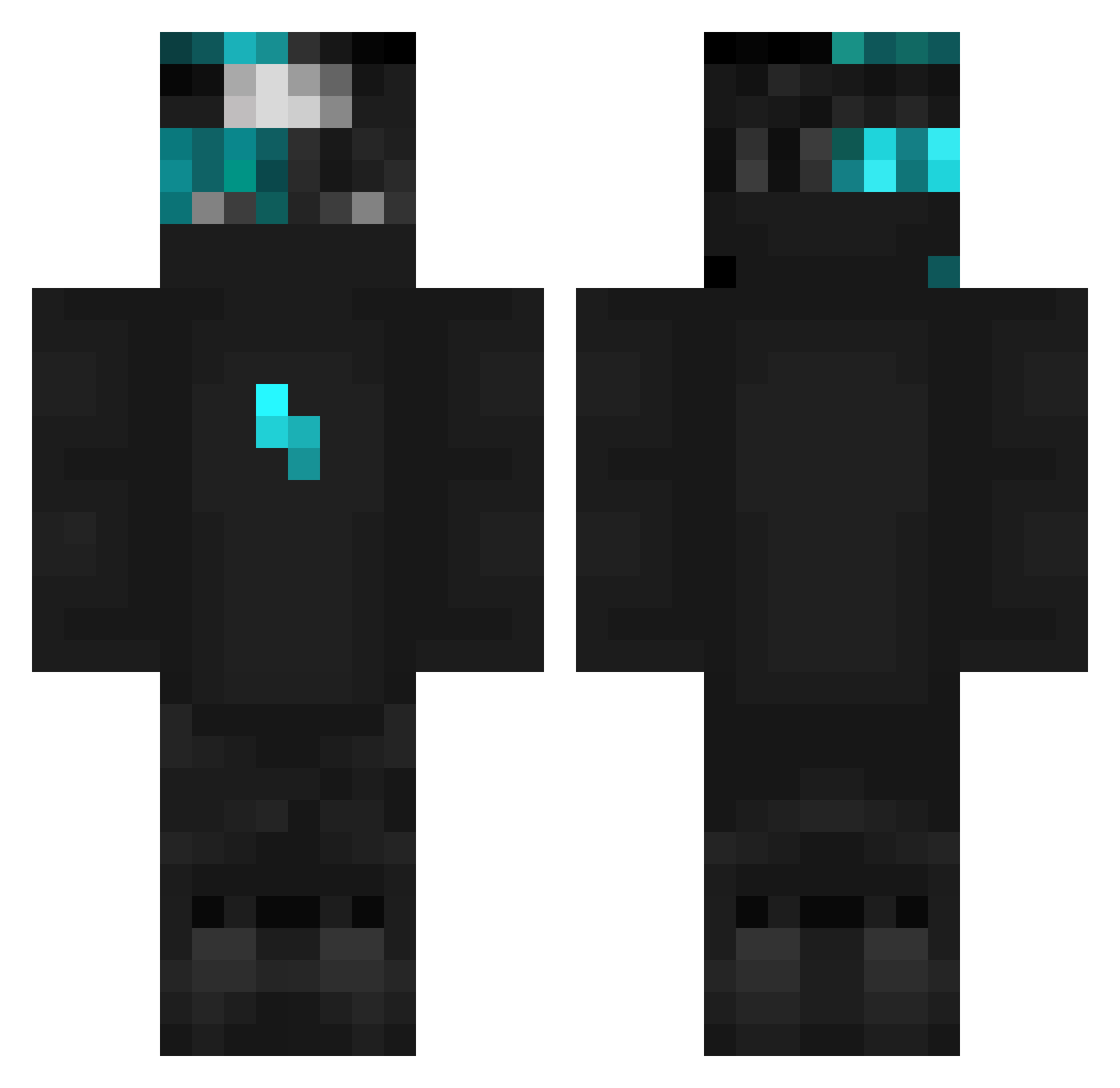
Current Minecraft skin of the player AsmodaDark, loaded from the official Mojang API. Rotate the 3D model with your mouse or finger, then download the skin as a PNG file and use it in Minecraft: Bedrock Edition or Java Edition for free. When AsmodaDark changes their skin, this page updates automatically and the old skin stays in the history below.
Other players with this skin (103)
AsmodaDark was the 17th player we have seen with this skin, first spotted on 14.08.2026. The same skin was seen on these players. Open a nickname to see their current skin and skin history.
 Titifire78 MowMiDave_ Mike_7823 XxSonWovexX Fyndara
 secretslayer675 HuIppea SunnyD2006 BedWarsLegend_ kowalski908 CubikYT222
 Szym34 Scifinq 2012_Kuba Trucdidul chan2p ZeyadEhab LitFqm4
 Quasas2 Kepa_806 NotMazen RoyalCatS ryu005 lefterisa2010 nexziszz Ender_Moded3k dawidlol30 ballZ42069 TooWyll ItzAztekk pipe_fn dark_void_20 Lycannn18 Asseco diogofariaa Dxree AtiExe rzepkayou985 Plhzq Zwaktus PrinceBadr SanDark0fc 69efpies omar44568 Dronekk Xasaki devran6161 szymex9 Aleson00 bestmxx DadeGiro dave2_2013 Alpha4082 Sowciaa_ Broken_boy croserr davje overcure T_lane Assassin314
More Lightning Bolt Minecraft skins
See all 880 Lightning Bolt skins
How to install the AsmodaDark skin
- Press the Download button above to save the skin as a PNG file.
- Minecraft: Bedrock Edition (PE): open the Dressing Room from the main menu (or tap your character → Edit Character), go to Classic Skins → Owned, press the + (new skin) button, choose the downloaded PNG and pick the Classic (Steve) model. Works on PC and mobile; consoles cannot import custom skins.
- Minecraft: Java Edition: open the Minecraft Launcher, go to the Skins tab, click New Skin, load the PNG, pick the Classic (Steve) model and press Save & Use. You can also upload it at minecraft.net → Profile → Change Skin.
The skin does not show up after import - what should I do?
Restart Minecraft and open the Dressing Room again - imported skins sometimes appear only after a restart. Also make sure you selected the imported skin and picked the Classic (Steve) model.
Which model should I choose, Classic or Slim?
This skin is designed for the Classic (Steve) model. If you pick the wrong model, the arms of the skin will look stretched or squeezed.
Is the skin of AsmodaDark free to download?
Yes. Press Download, save the PNG file and use it in Minecraft: Bedrock Edition or Java Edition - no payment or registration needed. The skin also works on multiplayer servers and Realms.
More skins
Looking for more? Go back to all Minecraft skins and check the top skins of the week, month and all time, or find any player's skin by nickname.