
Askan_ - Minecraft Skins & Skin History
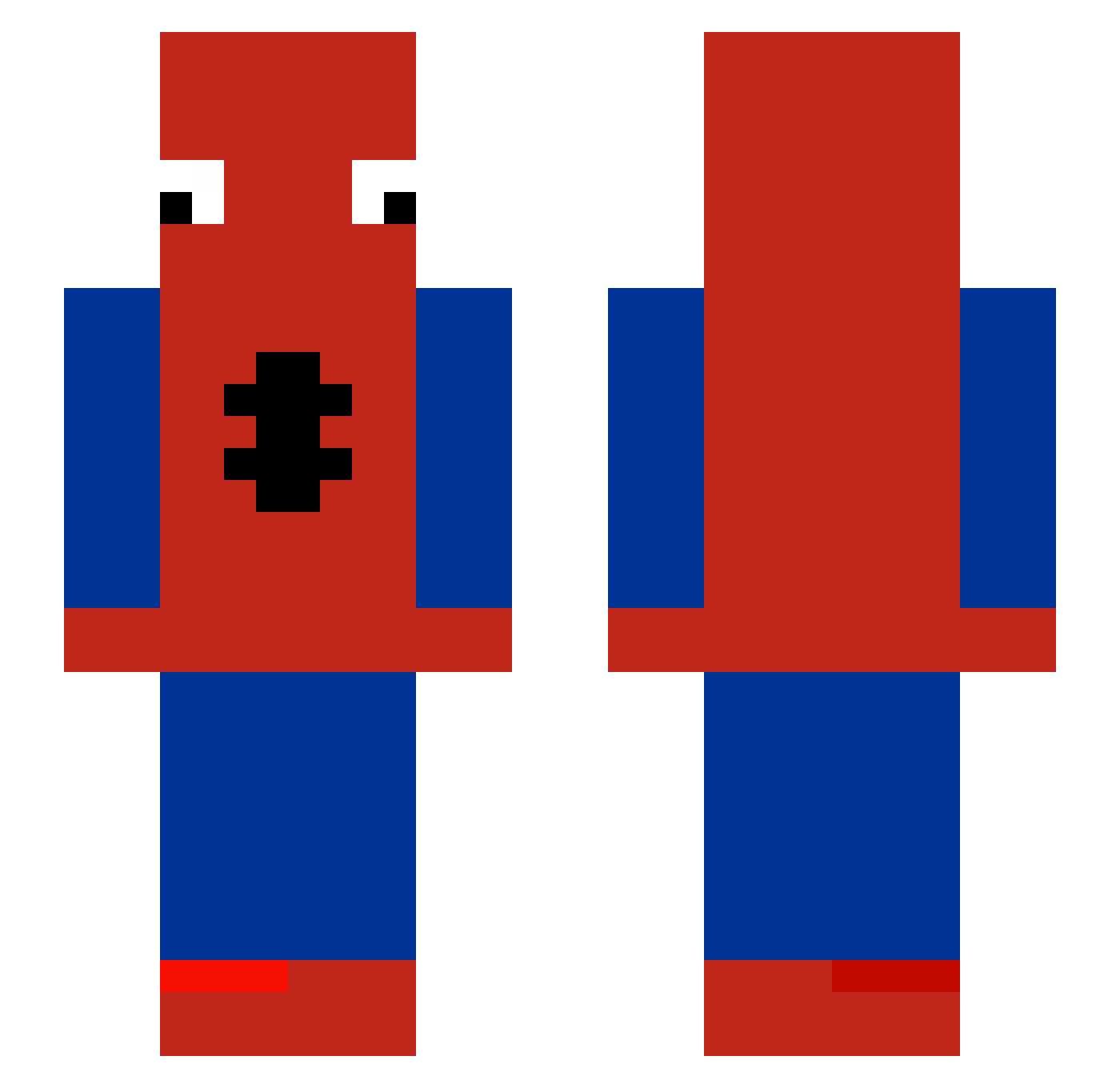
Current Minecraft skin of the player Askan_, loaded from the official Mojang API. Rotate the 3D model with your mouse or finger, then download the skin as a PNG file and use it in Minecraft: Bedrock Edition or Java Edition for free. When Askan_ changes their skin, this page updates automatically and the old skin stays in the history below.
Other players with this skin (483)
Askan_ was the 194th player we have seen with this skin, first spotted on 07.09.2026. The same skin was seen on these players. Open a nickname to see their current skin and skin history.
 JGabe9 Guttedguitar YoshQ EMILI7776 Razendsnellen Nebulaaa_ Nnnnick luanzingameplay_ SchlaubottGululu graceyypooo ocvic xLyqZ speadyxd alilbitofmia Zeus_2220 semsorte1908 stinkylizzard721 pomenje224 Skoma90 miguol 13Grzyboll_ Goudansd HostofGhosts skoncilsinadobro AdriOlivo Sunbreaker291 GrosTasDePis Jxz11 RickHarison KILLER_SMASH CrimsonBeast401 Wigo14 Eliwiss BrendaLopes kadence1 Faufau1602 kenji3813 Axlalx MUsbah_FQ Nozu1610 DylanVR1 zrufus LeToto0 Mundis12 _DraJoN_2137_ jingleA donapiva hyunsung12 Il_Povero Baechusong LegionBasto Alegria2 osko7933 yanis7410 P0MMES69 Beatsbyjaviii Stril_ envycr0nix Kengers PMTSantoss
More Spider-Man Minecraft skins
How to install the Askan_ skin
- Press the Download button above to save the skin as a PNG file.
- Minecraft: Bedrock Edition (PE): open the Dressing Room from the main menu (or tap your character → Edit Character), go to Classic Skins → Owned, press the + (new skin) button, choose the downloaded PNG and pick the Slim (Alex) model. Works on PC and mobile; consoles cannot import custom skins.
- Minecraft: Java Edition: open the Minecraft Launcher, go to the Skins tab, click New Skin, load the PNG, pick the Slim (Alex) model and press Save & Use. You can also upload it at minecraft.net → Profile → Change Skin.
The skin does not show up after import - what should I do?
Restart Minecraft and open the Dressing Room again - imported skins sometimes appear only after a restart. Also make sure you selected the imported skin and picked the Slim (Alex) model.
Which model should I choose, Classic or Slim?
This skin is designed for the Slim (Alex) model. If you pick the wrong model, the arms of the skin will look stretched or squeezed.
Is the skin of Askan_ free to download?
Yes. Press Download, save the PNG file and use it in Minecraft: Bedrock Edition or Java Edition - no payment or registration needed. The skin also works on multiplayer servers and Realms.
More skins
Looking for more? Go back to all Minecraft skins and check the top skins of the week, month and all time, or find any player's skin by nickname.