
AskJeeves - Minecraft Skins & Skin History
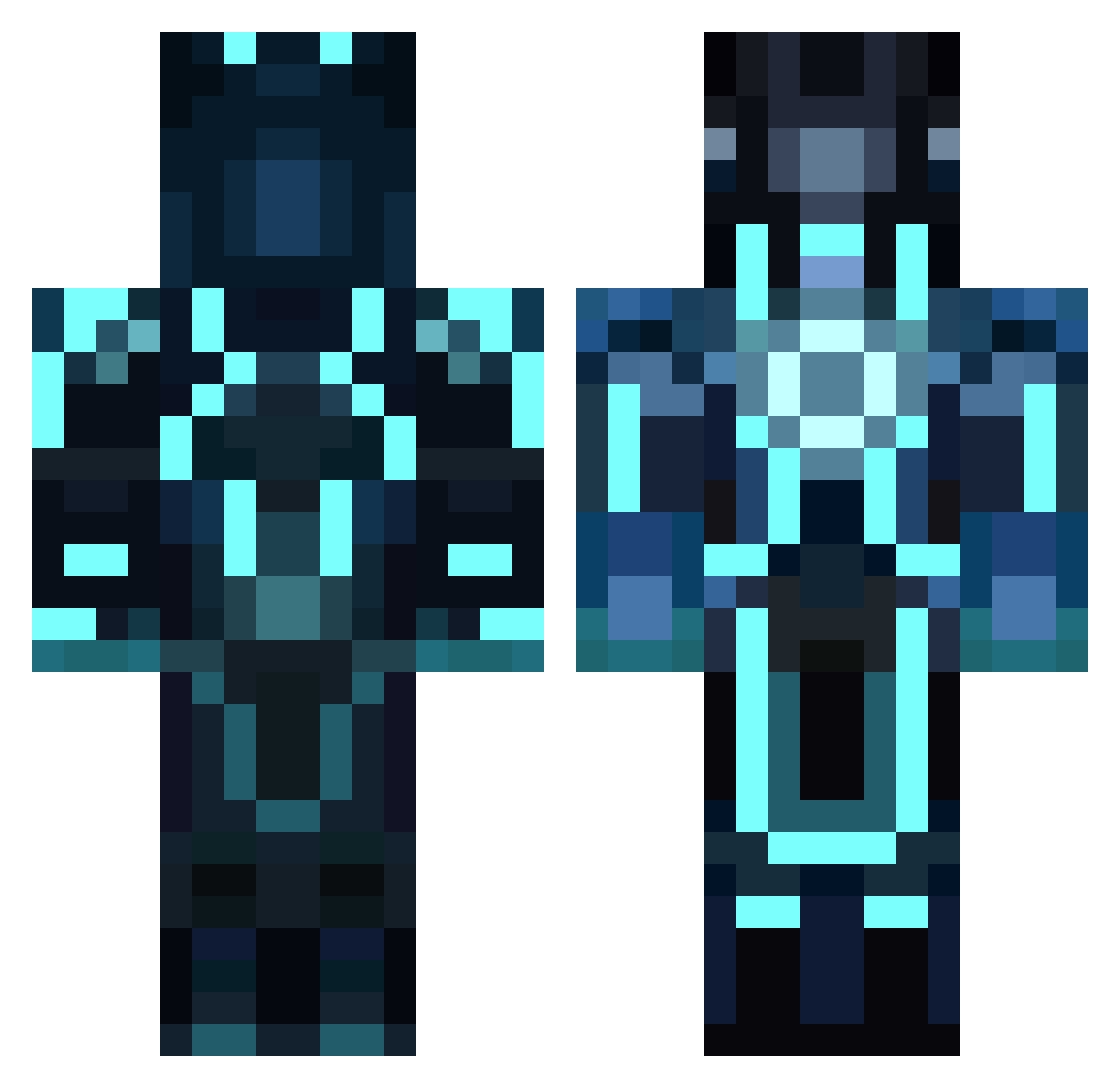
Current Minecraft skin of the player AskJeeves, loaded from the official Mojang API. Rotate the 3D model with your mouse or finger, then download the skin as a PNG file and use it in Minecraft: Bedrock Edition or Java Edition for free. When AskJeeves changes their skin, this page updates automatically and the old skin stays in the history below.
Other players with this skin (858)
AskJeeves was the 338th player we have seen with this skin, first spotted on 06.09.2026. The same skin was seen on these players. Open a nickname to see their current skin and skin history.
 Mast3r_Build3r littleghostzero Stampyboy33 _a_m_o_s_ WiZZZ1 mrdrax Jammy_Drummer DanFudge1 kingmike_ Transmindence hulahuhu eliasdhoore Stevie_Cargo dustyblue1 aandric31 and1wand n0rkman BrawnierParrot2 BlackCorvid lxJ4ckalxl DuxaTweso Mutated_Orange kway_teow Stickerboy14 yoorji pederrm kiwooshin BeastyBoiz47 MatiasAA Demonixxx _SillyGooses_ powerpaint LingChin BladeOfDoom1444 InvisibleNumbers Lokiiiii S33K josserd14 Happycloud654 GamingGamebag lyonn010 Raerin EdibleGentleman nicolas_1212 Fantasic_Four matharcai hammerzeit93 BansirBabylon Survivor514 julianlukasik J_Krafty The_Ringmaster12 Jaxom_Renard Snakalpha Keymaster13 popinthehouse54 GH05TF4C3 dominicschuh ertsi86 TomMacJ
More Glowing Armor Minecraft skins
See all 60 Glowing Armor skins
How to install the AskJeeves skin
- Press the Download button above to save the skin as a PNG file.
- Minecraft: Bedrock Edition (PE): open the Dressing Room from the main menu (or tap your character → Edit Character), go to Classic Skins → Owned, press the + (new skin) button, choose the downloaded PNG and pick the Classic (Steve) model. Works on PC and mobile; consoles cannot import custom skins.
- Minecraft: Java Edition: open the Minecraft Launcher, go to the Skins tab, click New Skin, load the PNG, pick the Classic (Steve) model and press Save & Use. You can also upload it at minecraft.net → Profile → Change Skin.
The skin does not show up after import - what should I do?
Restart Minecraft and open the Dressing Room again - imported skins sometimes appear only after a restart. Also make sure you selected the imported skin and picked the Classic (Steve) model.
Which model should I choose, Classic or Slim?
This skin is designed for the Classic (Steve) model. If you pick the wrong model, the arms of the skin will look stretched or squeezed.
Is the skin of AskJeeves free to download?
Yes. Press Download, save the PNG file and use it in Minecraft: Bedrock Edition or Java Edition - no payment or registration needed. The skin also works on multiplayer servers and Realms.
More skins
Looking for more? Go back to all Minecraft skins and check the top skins of the week, month and all time, or find any player's skin by nickname.