
Ashuriii - Minecraft Skins & Skin History
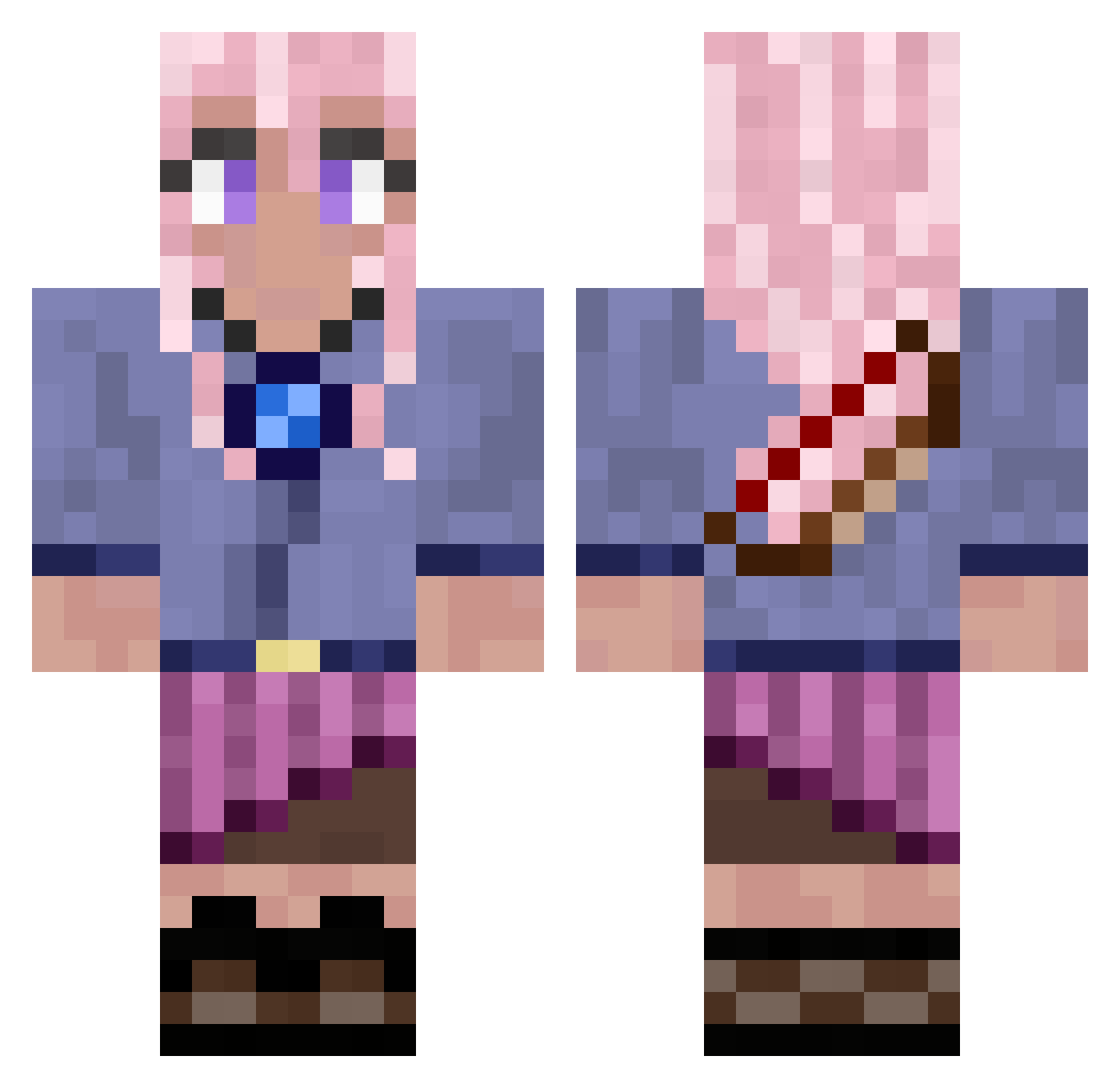
Current Minecraft skin of the player Ashuriii, loaded from the official Mojang API. Rotate the 3D model with your mouse or finger, then download the skin as a PNG file and use it in Minecraft: Bedrock Edition or Java Edition for free. When Ashuriii changes their skin, this page updates automatically and the old skin stays in the history below.
Other players with this skin (776)
Ashuriii was the 645th player we have seen with this skin, first spotted on 18.10.2026. The same skin was seen on these players. Open a nickname to see their current skin and skin history.
 Dariell_Moon AllJesus_ Milseeeen xchateau Tngo05 Zindross Ellissi SillySam519 Anastasiiiaaa DRAGONS_WRATH_ IMme_ PurpleTigerss AirWreckur Kcworld JJCDOC kmrn_ MightyBrat nunu358 EqinoX94 ro_kun Stinger221 SunnieyJean themilkman1943 sassypig2005 Machhu CupCakeLazor Maisi_1 CHLOWE69 FernanAlts800 carlos09yyll Lunafray07 Zombae22 wenwen1213 LidiaS01 VengefullSpirits Meliodas_arroz senush1 PluskiiMC josefinefrieda2 MadyHatter2002 vx15i FeinesMaetschi Tdistroyer Chireto LaughLoveKnit Macaroon3298 Nerom4 Shae1004 Finodino_ supernerdyturtle Staylor OrenWalker Axorant Balto58 kamransethi framefrages Dragonxtz zorlandoNL Pini_Pony96 _Tepe__
More Kyoko Kirigiri Minecraft skins
See all 61 Kyoko Kirigiri skins
How to install the Ashuriii skin
- Press the Download button above to save the skin as a PNG file.
- Minecraft: Bedrock Edition (PE): open the Dressing Room from the main menu (or tap your character → Edit Character), go to Classic Skins → Owned, press the + (new skin) button, choose the downloaded PNG and pick the Classic (Steve) model. Works on PC and mobile; consoles cannot import custom skins.
- Minecraft: Java Edition: open the Minecraft Launcher, go to the Skins tab, click New Skin, load the PNG, pick the Classic (Steve) model and press Save & Use. You can also upload it at minecraft.net → Profile → Change Skin.
The skin does not show up after import - what should I do?
Restart Minecraft and open the Dressing Room again - imported skins sometimes appear only after a restart. Also make sure you selected the imported skin and picked the Classic (Steve) model.
Which model should I choose, Classic or Slim?
This skin is designed for the Classic (Steve) model. If you pick the wrong model, the arms of the skin will look stretched or squeezed.
Is the skin of Ashuriii free to download?
Yes. Press Download, save the PNG file and use it in Minecraft: Bedrock Edition or Java Edition - no payment or registration needed. The skin also works on multiplayer servers and Realms.
More skins
Looking for more? Go back to all Minecraft skins and check the top skins of the week, month and all time, or find any player's skin by nickname.