
AshNeutral94 - Minecraft Skins & Skin History
Current Minecraft skin of the player AshNeutral94, loaded from the official Mojang API. Rotate the 3D model with your mouse or finger, then download the skin as a PNG file and use it in Minecraft: Bedrock Edition or Java Edition for free. When AshNeutral94 changes their skin, this page updates automatically and the old skin stays in the history below.
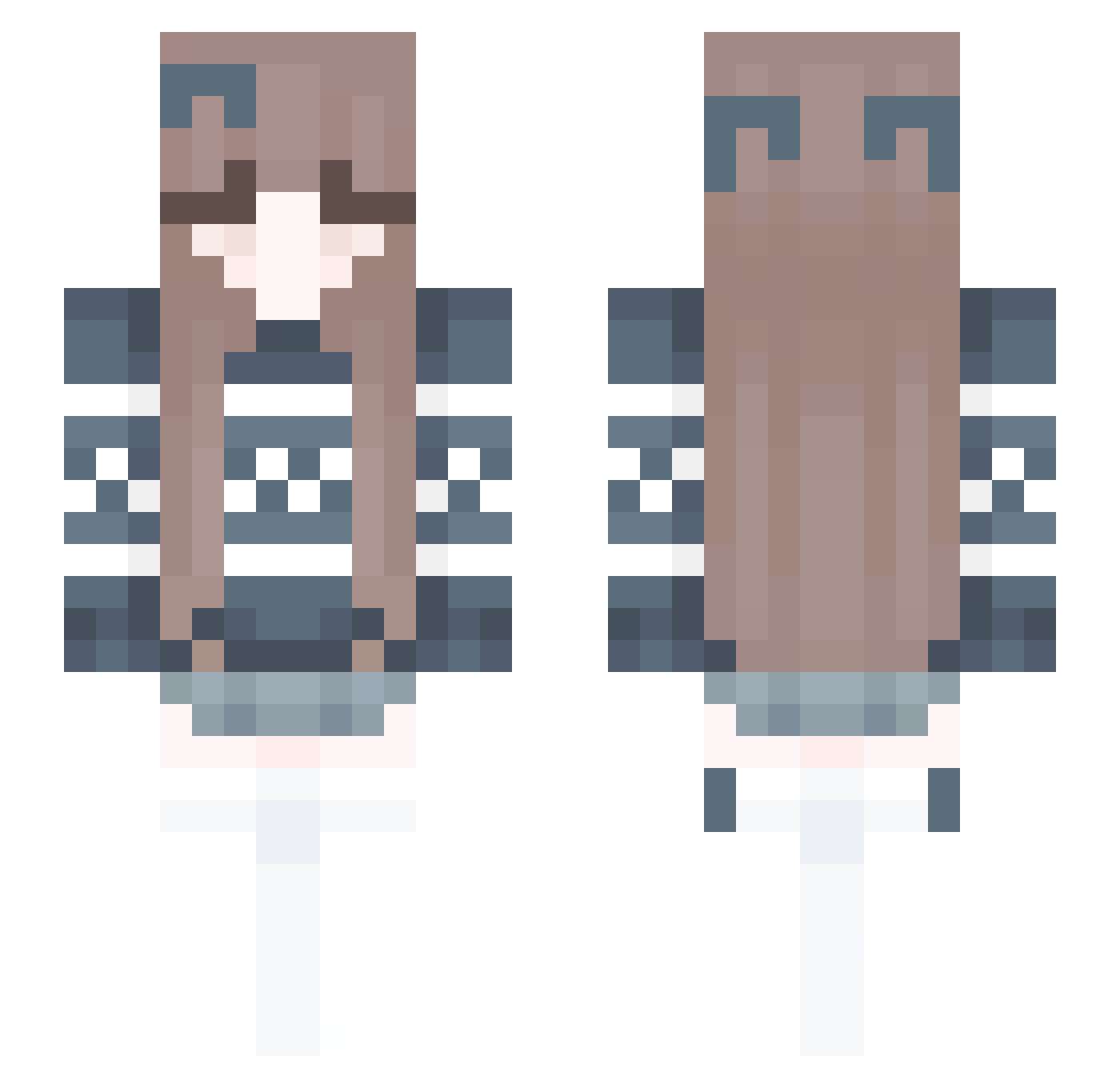
Other players with this skin (246)
AshNeutral94 was the 207th player we have seen with this skin, first spotted on 18.10.2026. The same skin was seen on these players. Open a nickname to see their current skin and skin history.
 xingfa1 annaiasc MeltedElm graycatmeow Medusa2305 Enaaa1881 aicharles BabyGh0sty TannKaa Yaa114514 yang547 mochri mae_lilyyy wibean18 Chentuuu Starqueen2013 VexCrex M1kk1 Chokowind 4EvaAttractive Miesauce chenweichenwei1 HinnyLee Cece83 L0stReality Mawikaxx Princ3sssa Luk_Opredelenny Hz_big_village Nilynz KingEchelon ftheriault251 LaineJayy adhk1234 chuchu122 WickedLlama Dave47hu mastergull DreyFusBr whiskey1123 ransomsgirl Komendant_Kalmar hansuke0000 MAXxianyu CocaColac Strohpops Karinka015 Metnvl xxqwertyz Magikarp52 ArtOnWheels lny_03 sophie2400 nini_10 Stewie1k x1Vexityy ontopa crazy155 va_vl KittyGames2024
More Cozy Minecraft skins
How to install the AshNeutral94 skin
- Press the Download button above to save the skin as a PNG file.
- Minecraft: Bedrock Edition (PE): open the Dressing Room from the main menu (or tap your character → Edit Character), go to Classic Skins → Owned, press the + (new skin) button, choose the downloaded PNG and pick the Slim (Alex) model. Works on PC and mobile; consoles cannot import custom skins.
- Minecraft: Java Edition: open the Minecraft Launcher, go to the Skins tab, click New Skin, load the PNG, pick the Slim (Alex) model and press Save & Use. You can also upload it at minecraft.net → Profile → Change Skin.
The skin does not show up after import - what should I do?
Restart Minecraft and open the Dressing Room again - imported skins sometimes appear only after a restart. Also make sure you selected the imported skin and picked the Slim (Alex) model.
Which model should I choose, Classic or Slim?
This skin is designed for the Slim (Alex) model. If you pick the wrong model, the arms of the skin will look stretched or squeezed.
Is the skin of AshNeutral94 free to download?
Yes. Press Download, save the PNG file and use it in Minecraft: Bedrock Edition or Java Edition - no payment or registration needed. The skin also works on multiplayer servers and Realms.
More skins
Looking for more? Go back to all Minecraft skins and check the top skins of the week, month and all time, or find any player's skin by nickname.