
AruraZX - Minecraft Skins & Skin History
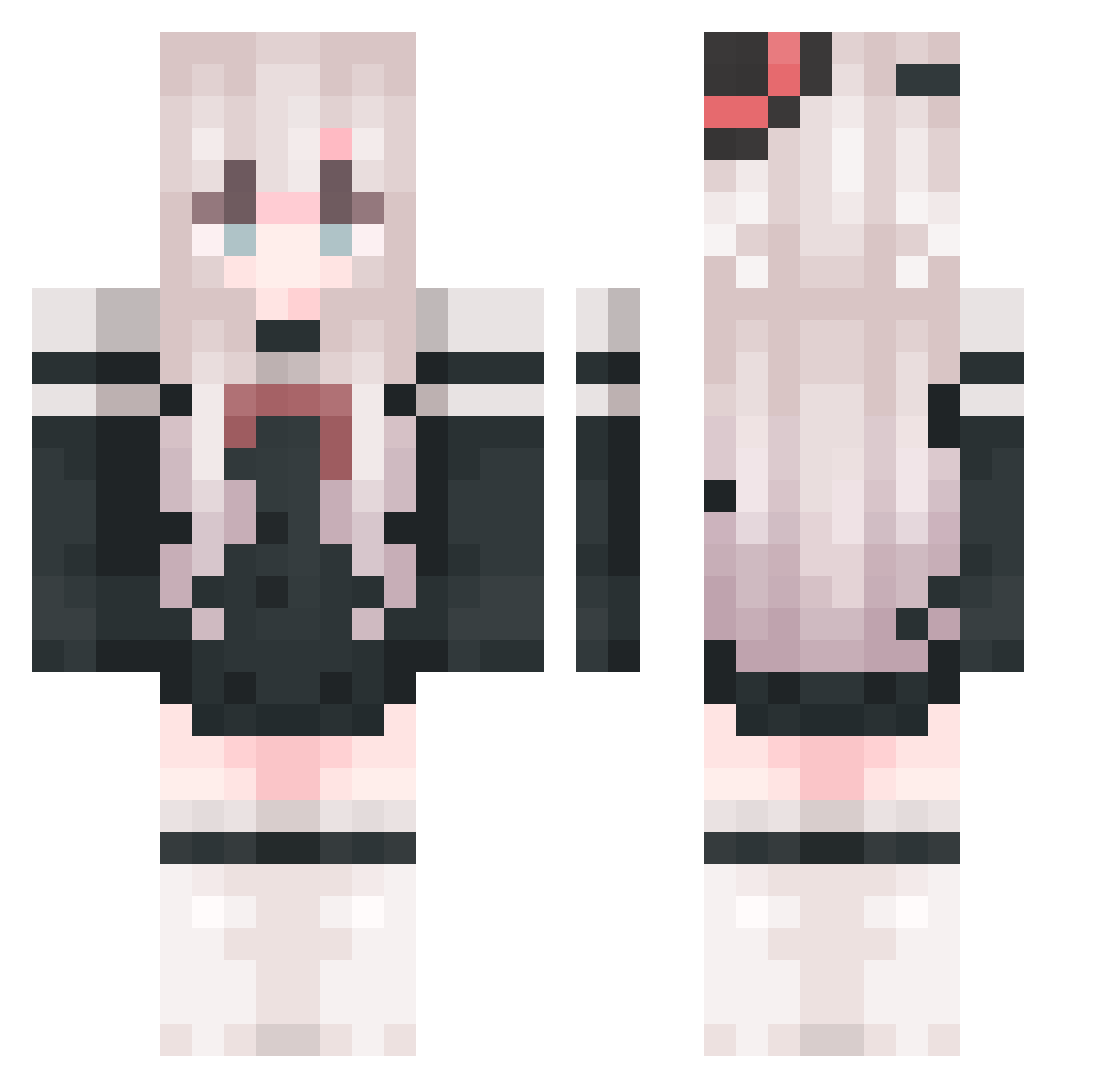
Current Minecraft skin of the player AruraZX, loaded from the official Mojang API. Rotate the 3D model with your mouse or finger, then download the skin as a PNG file and use it in Minecraft: Bedrock Edition or Java Edition for free. When AruraZX changes their skin, this page updates automatically and the old skin stays in the history below.
Other players with this skin (818)
AruraZX was the 750th player we have seen with this skin, first spotted on 14.10.2026. The same skin was seen on these players. Open a nickname to see their current skin and skin history.
 fish_paper Jax_Tamoto YDream MC_Xiao_7 KNGLIN LMimm xinghe0718 ZuiX123 LINGMO0215 hsj1123 hujiangnan MoCen1 _____Chloe_____ Karatias_Vow Labulande xiyoulingxi chuge521 SLQCCC HUOHU666 Say_Why XUAN_2004 User874143876878 beeper13 anlingnb Youyu_yeyang MuLiAOD Wms_Y lxlxilove SHIKIADA imcger Fangyu0622 Clowner_ Ya___Ya accuracyz16 wind_BZ Nyakoda niskddu2 Lunru KtrsumiE _Las0_ Designerin liliyuzi BeautyJun subtleMalleabl1 Fx_H Zarrexnet Nassy_l s504119 Awei16 Lemon34678 Feathound 5201314a Aletu_ ChaoXish Wild_Hanpi yangboyi520 Akane_233 dddida tj613 Chen_423
More Top Hat Minecraft skins
How to install the AruraZX skin
- Press the Download button above to save the skin as a PNG file.
- Minecraft: Bedrock Edition (PE): open the Dressing Room from the main menu (or tap your character → Edit Character), go to Classic Skins → Owned, press the + (new skin) button, choose the downloaded PNG and pick the Classic (Steve) model. Works on PC and mobile; consoles cannot import custom skins.
- Minecraft: Java Edition: open the Minecraft Launcher, go to the Skins tab, click New Skin, load the PNG, pick the Classic (Steve) model and press Save & Use. You can also upload it at minecraft.net → Profile → Change Skin.
The skin does not show up after import - what should I do?
Restart Minecraft and open the Dressing Room again - imported skins sometimes appear only after a restart. Also make sure you selected the imported skin and picked the Classic (Steve) model.
Which model should I choose, Classic or Slim?
This skin is designed for the Classic (Steve) model. If you pick the wrong model, the arms of the skin will look stretched or squeezed.
Is the skin of AruraZX free to download?
Yes. Press Download, save the PNG file and use it in Minecraft: Bedrock Edition or Java Edition - no payment or registration needed. The skin also works on multiplayer servers and Realms.
More skins
Looking for more? Go back to all Minecraft skins and check the top skins of the week, month and all time, or find any player's skin by nickname.