
Arturia2110 - Minecraft Skins & Skin History
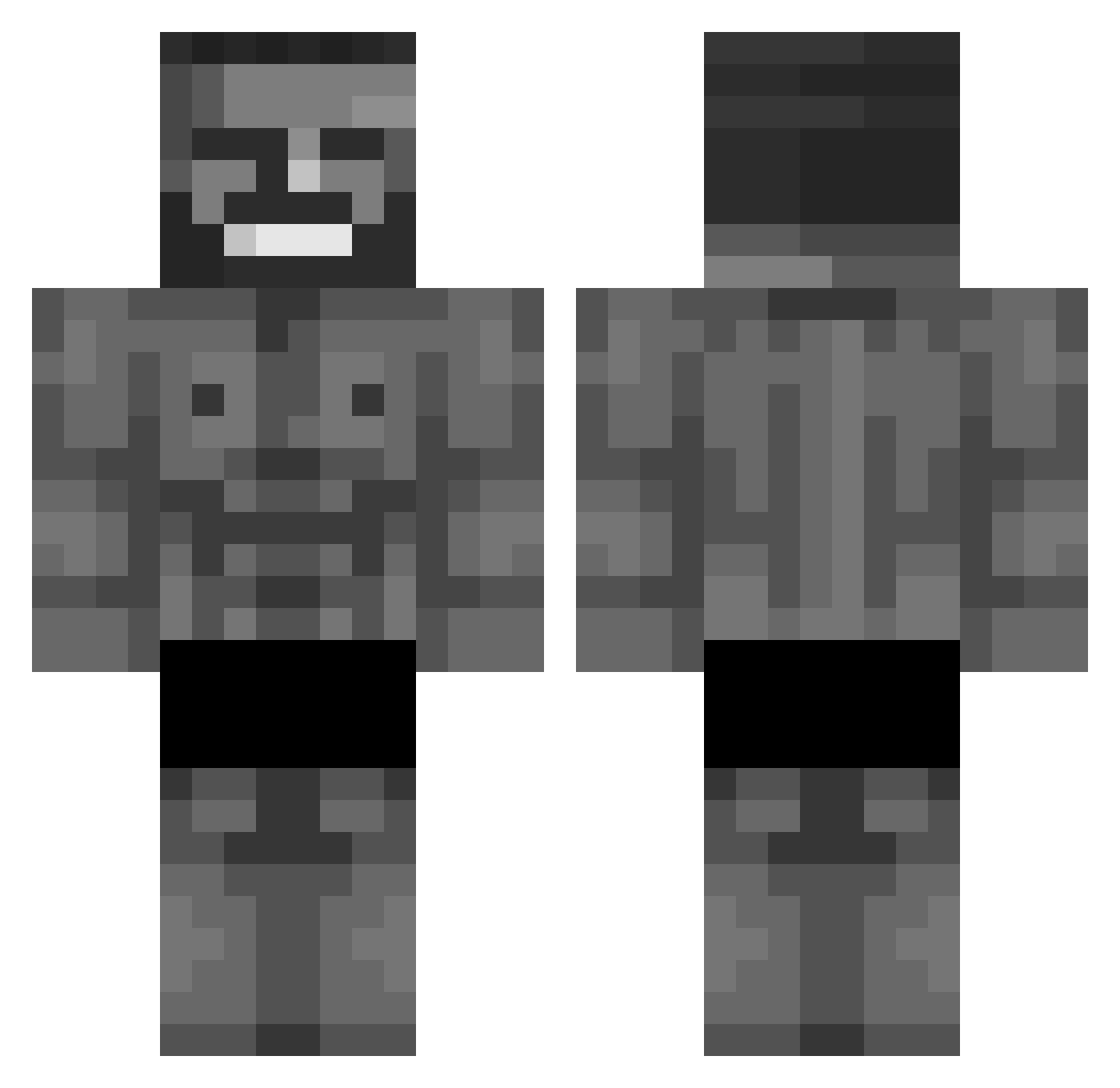
Current Minecraft skin of the player Arturia2110, loaded from the official Mojang API. Rotate the 3D model with your mouse or finger, then download the skin as a PNG file and use it in Minecraft: Bedrock Edition or Java Edition for free. When Arturia2110 changes their skin, this page updates automatically and the old skin stays in the history below.
Other players with this skin (876)
Arturia2110 was the 220th player we have seen with this skin, first spotted on 21.08.2026. The same skin was seen on these players. Open a nickname to see their current skin and skin history.
 Danny_999 Kevhunter99 umderagegirl Butzy31 sigmamewing MamaQuackz Piqx ItzMeYaBoii Yasuo4545 MrMistak3 PaFugM theoXYX shivuuu BONECRUSHER725 Carlinche RustyNightOwl DuhRizzler ArnolzzzStonk Nocha09 DeathTheKidlnwZa TTEREER DihEnjoyer TheCoolCat360 Qwe_ezy Mad_Mc ClipClutch Aldantie somalihunter69 Ibossss
 KoolAidDealer81 btss7399 BradCoolMan Lazer_Blazer_ LudwigWilhelm SpeedyNathan Fefe_Boy El_kAraTapaDa SamPapurai malloy1701 Peetha722 PieRatss Kings_Rey Destroyer056 Embisk
 ShockPT mrfrostypoo_ Blauweisser sukucisble PeterRein sungolem990 xterd stablyinc Uziway_05 Kaalmi_Mabi14 PinguinJuwel19 Xell1ng filip1206 Calibre7 Nolousss NikiSPI_
More Gigachad Minecraft skins
How to install the Arturia2110 skin
- Press the Download button above to save the skin as a PNG file.
- Minecraft: Bedrock Edition (PE): open the Dressing Room from the main menu (or tap your character → Edit Character), go to Classic Skins → Owned, press the + (new skin) button, choose the downloaded PNG and pick the Classic (Steve) model. Works on PC and mobile; consoles cannot import custom skins.
- Minecraft: Java Edition: open the Minecraft Launcher, go to the Skins tab, click New Skin, load the PNG, pick the Classic (Steve) model and press Save & Use. You can also upload it at minecraft.net → Profile → Change Skin.
The skin does not show up after import - what should I do?
Restart Minecraft and open the Dressing Room again - imported skins sometimes appear only after a restart. Also make sure you selected the imported skin and picked the Classic (Steve) model.
Which model should I choose, Classic or Slim?
This skin is designed for the Classic (Steve) model. If you pick the wrong model, the arms of the skin will look stretched or squeezed.
Is the skin of Arturia2110 free to download?
Yes. Press Download, save the PNG file and use it in Minecraft: Bedrock Edition or Java Edition - no payment or registration needed. The skin also works on multiplayer servers and Realms.
More skins
Looking for more? Go back to all Minecraft skins and check the top skins of the week, month and all time, or find any player's skin by nickname.