
Articleta - Minecraft Skins & Skin History
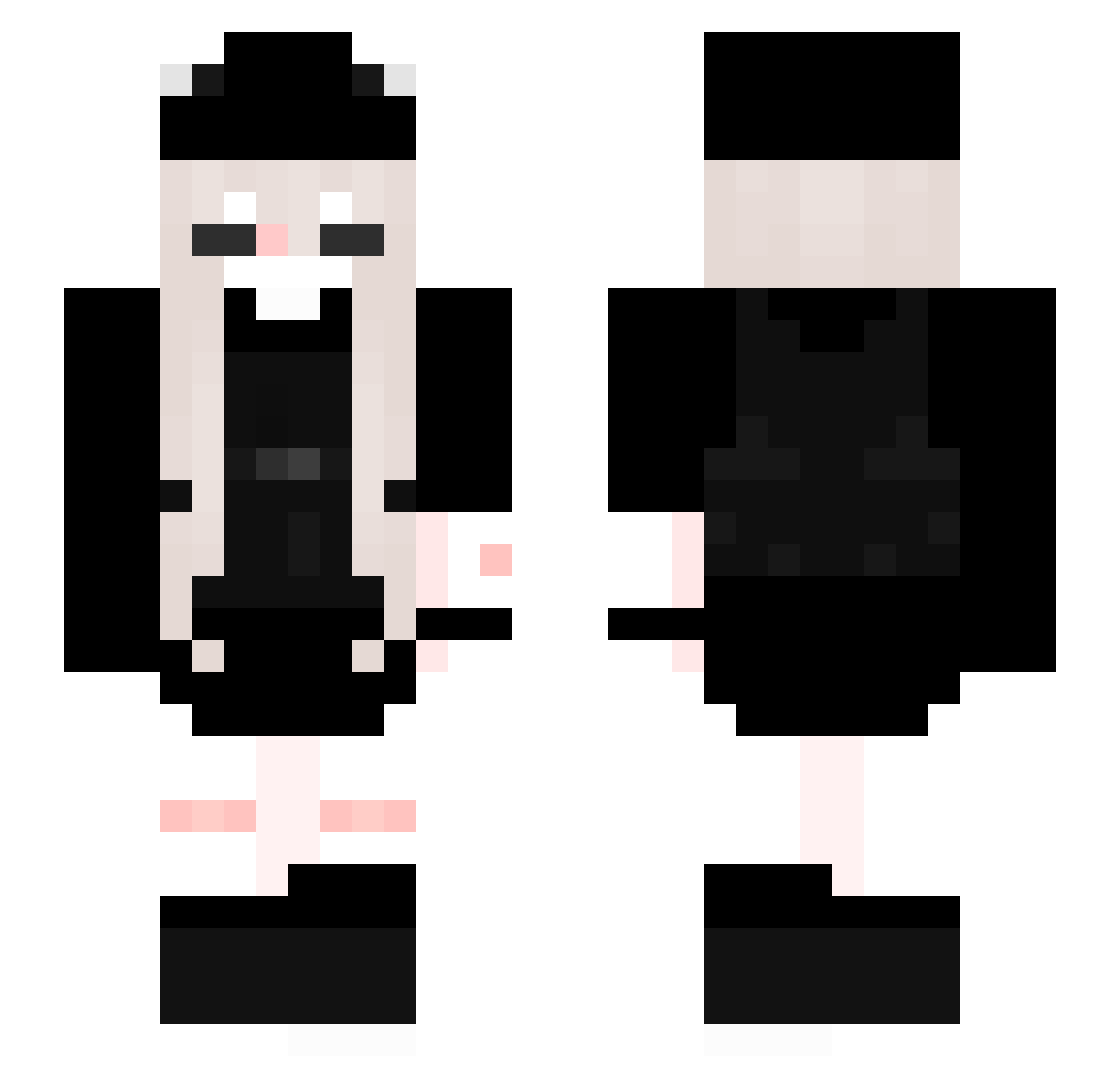
Current Minecraft skin of the player Articleta, loaded from the official Mojang API. Rotate the 3D model with your mouse or finger, then download the skin as a PNG file and use it in Minecraft: Bedrock Edition or Java Edition for free. When Articleta changes their skin, this page updates automatically and the old skin stays in the history below.
Other players with this skin (286)
Articleta was the 251st player we have seen with this skin, first spotted on 08.11.2026. The same skin was seen on these players. Open a nickname to see their current skin and skin history.
 koba0105 LiocMc AClem600 VaiMellTV DIESELBIT Pattunia X0Dxnny0X ALF_SD Jamijo Soupss3819 lily_yr Zuevel melzzO ehthera ShadowSky69 RANPP bumbaclartt0 yuqiusama Babing mongblue1234 EiinfachJemand phouder Klairre MartinaaaMP MadAngel_ danshafaker54 MNmeow PurpleAngel4 ilyshe jellybbi__ _ImYellow_ Louuww i8uvs RikoPereira lrxzo MRSTOKYO meregstlm xteralisa Krvl_Skywaa FaithfulBear xxxouo Cloveve plodz NelinkaOnTopos Peach619 0O0ioi oolivee Lena889 BormanDRL Yukiyuks tetesmr Itscelmey Mayumi_1 Blackzediez PancakeBerry rumbotttom Allenxx hlloktty Darkjasi_1 DerParker
More Backpack Minecraft skins
How to install the Articleta skin
- Press the Download button above to save the skin as a PNG file.
- Minecraft: Bedrock Edition (PE): open the Dressing Room from the main menu (or tap your character → Edit Character), go to Classic Skins → Owned, press the + (new skin) button, choose the downloaded PNG and pick the Slim (Alex) model. Works on PC and mobile; consoles cannot import custom skins.
- Minecraft: Java Edition: open the Minecraft Launcher, go to the Skins tab, click New Skin, load the PNG, pick the Slim (Alex) model and press Save & Use. You can also upload it at minecraft.net → Profile → Change Skin.
The skin does not show up after import - what should I do?
Restart Minecraft and open the Dressing Room again - imported skins sometimes appear only after a restart. Also make sure you selected the imported skin and picked the Slim (Alex) model.
Which model should I choose, Classic or Slim?
This skin is designed for the Slim (Alex) model. If you pick the wrong model, the arms of the skin will look stretched or squeezed.
Is the skin of Articleta free to download?
Yes. Press Download, save the PNG file and use it in Minecraft: Bedrock Edition or Java Edition - no payment or registration needed. The skin also works on multiplayer servers and Realms.
More skins
Looking for more? Go back to all Minecraft skins and check the top skins of the week, month and all time, or find any player's skin by nickname.