
Arrebol2 - Minecraft Skins & Skin History
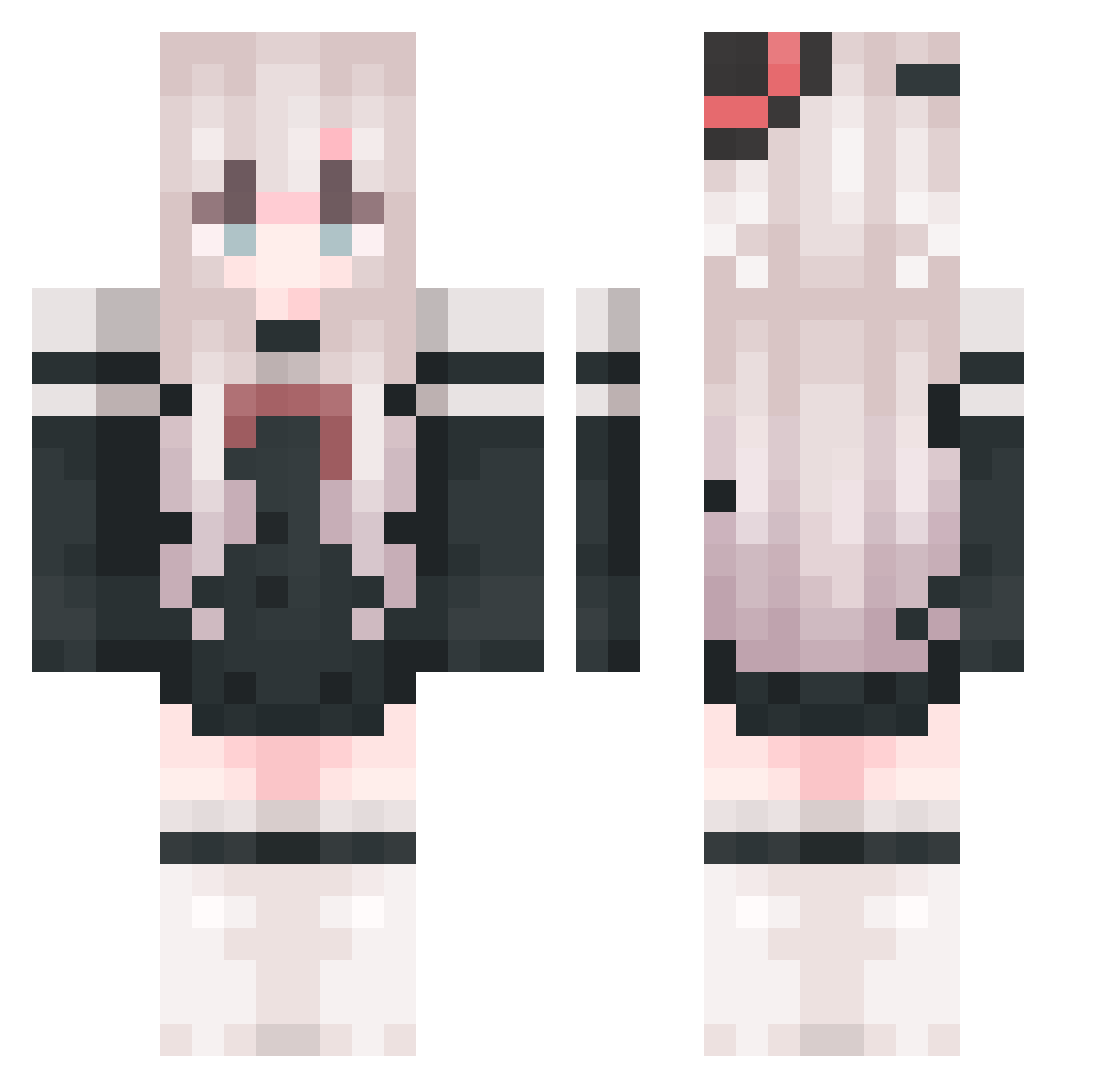
Current Minecraft skin of the player Arrebol2, loaded from the official Mojang API. Rotate the 3D model with your mouse or finger, then download the skin as a PNG file and use it in Minecraft: Bedrock Edition or Java Edition for free. When Arrebol2 changes their skin, this page updates automatically and the old skin stays in the history below.
Other players with this skin (765)
Arrebol2 was the 508th player we have seen with this skin, first spotted on 22.09.2026. The same skin was seen on these players. Open a nickname to see their current skin and skin history.
 Cikliy Arianphy HuaJicow_m4v3nye oioioi123321 ababaa_ CoCo_The_noob Enmusubi520 QuanShiBaiLuo Yu_Huang Ajin_7 Chavez1337 KCG2020OnTop xxtd001 gardenevery As_linzile aissm yuuko3887 YuTing05 QuantumMillet EnicV jorenjojo1 kjkmk yueruying liang2454 huansha_fly z_Gray GanzeHand Ecien010 abcd1Q jiaahe zhshang Aunog Zengjie Q__V__Q Poetry_baby cadenyu DiCotyledon Linghts HPkun NightSleep10 mushuran czwczw1 lilaoshi01 _Emilia_27 norghot luoyu2024 summon666 z_AAA LenYe19 chenyifei_100211 SubaruMec Megumindesu melody____ wcn13 AzusaMikoto ningyoo coker2256 Shiinama DyeingLeaf MouMouW
More Top Hat Minecraft skins
How to install the Arrebol2 skin
- Press the Download button above to save the skin as a PNG file.
- Minecraft: Bedrock Edition (PE): open the Dressing Room from the main menu (or tap your character → Edit Character), go to Classic Skins → Owned, press the + (new skin) button, choose the downloaded PNG and pick the Classic (Steve) model. Works on PC and mobile; consoles cannot import custom skins.
- Minecraft: Java Edition: open the Minecraft Launcher, go to the Skins tab, click New Skin, load the PNG, pick the Classic (Steve) model and press Save & Use. You can also upload it at minecraft.net → Profile → Change Skin.
The skin does not show up after import - what should I do?
Restart Minecraft and open the Dressing Room again - imported skins sometimes appear only after a restart. Also make sure you selected the imported skin and picked the Classic (Steve) model.
Which model should I choose, Classic or Slim?
This skin is designed for the Classic (Steve) model. If you pick the wrong model, the arms of the skin will look stretched or squeezed.
Is the skin of Arrebol2 free to download?
Yes. Press Download, save the PNG file and use it in Minecraft: Bedrock Edition or Java Edition - no payment or registration needed. The skin also works on multiplayer servers and Realms.
More skins
Looking for more? Go back to all Minecraft skins and check the top skins of the week, month and all time, or find any player's skin by nickname.